This page has been machine-translated from the original page.
Table of Contents
Problem
This challenge was presented as follows.
Hello expert. My PC sent @yuki_kashiwaba’s twitter icon for C&C server. But I couldn’t find any suspicious point. Could you investigate this?
Format: HimitsukichiCTF{XXXX} File: flag.png
The image provided as the challenge file (flag.png) was the following.
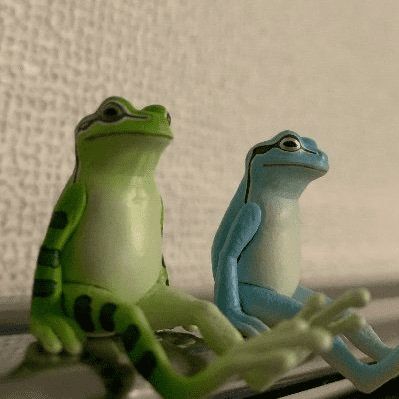
The image downloadable from my Twitter profile (rUFTyqG400x400.png) was the following.

Concept
This challenge is themed around LSB Steganography — a steganography technique that exploits the property that “even if the RGB values of each pixel in an image change by only a tiny amount, humans cannot visually detect the change” — by tampering with the least significant 1 bit of each pixel’s RGB value to embed arbitrary text.
Since 3 bits per pixel (or 4 bits if the Alpha channel is also used) can be embedded, a 400×400 image can hold 480,000 bits.
Using 8-bit ASCII characters, this translates to up to 60,000 characters that can be embedded.
Despite being a straightforward technique, I felt that LSB Steganography rarely appears in entry-level CTFs, so I decided to implement it myself this time.
Writeup
From the problem statement, we understand the scenario: a Twitter profile image was apparently sent to a C&C server, but no suspicious point can be found, and we are asked to investigate.
We therefore start by comparing the actually transmitted flag.png with _rUFTyqG_400x400.png, obtainable from the Twitter profile page.
As a precaution, we verify the file type with the file command, then use the strings command to confirm that no suspicious strings are embedded.
Next, we compare the exiftool output, but no flag-related information was found there either.
Since the file is a PNG, we try binwalk, but there doesn’t appear to be any useful information embedded.
$ binwalk -e flag.png

DECIMAL       HEXADECIMAL     DESCRIPTION
--------------------------------------------------------------------------------
0             0x0             PNG image, 399 x 399, 8-bit/color RGB, non-interlaced
54            0x36            Zlib compressed data, default compression
427           0x1AB           Zlib compressed data, default compression
No digital watermarks were visible to the naked eye, and adjusting color tones didn’t reveal any useful information.
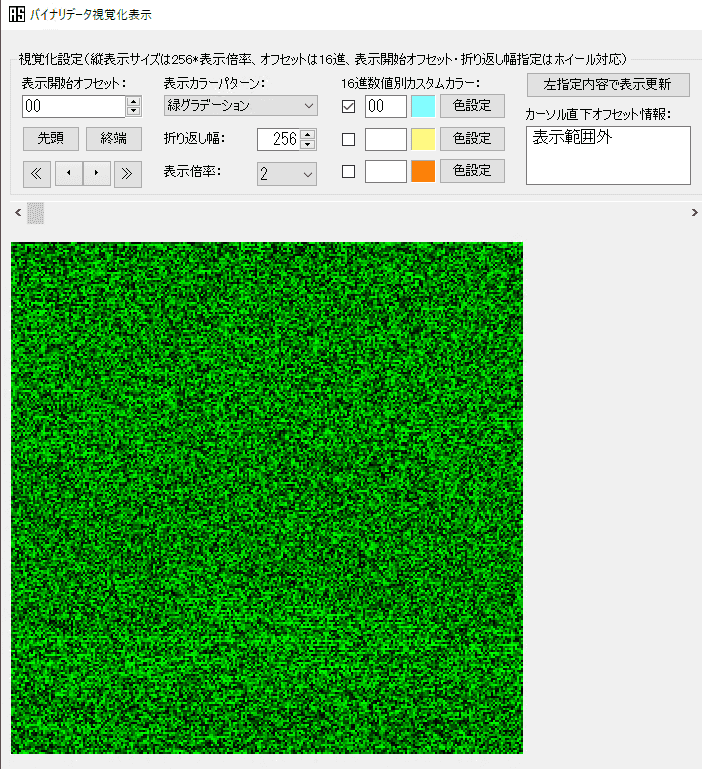
For image comparison we use magick’s composite, but the output was completely black.
Since composite takes the color difference, it makes sense that two visually identical images produce a solid black result.
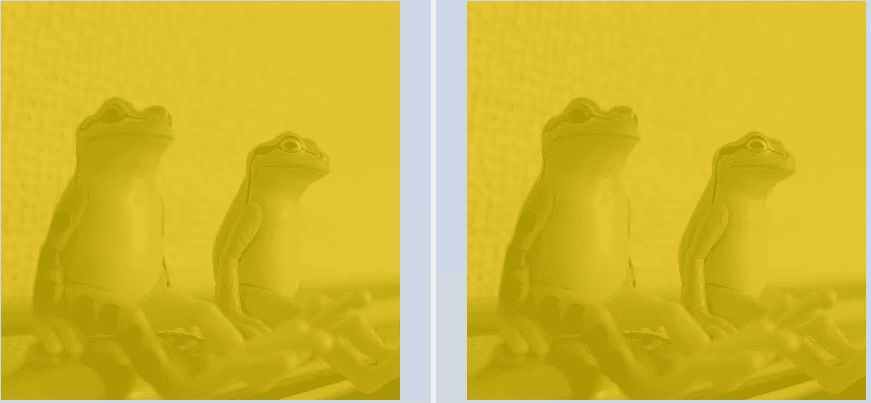
$ ./magick composite -compose difference flag.png _rUFTyqG_400x400.png diff.pngSince composite couldn’t confirm the presence of differences, we try WinMerge instead.
As shown below, differences were found in almost every part of the image.
Incidentally, when only some pixels have differences, WinMerge displays the differing areas as follows.
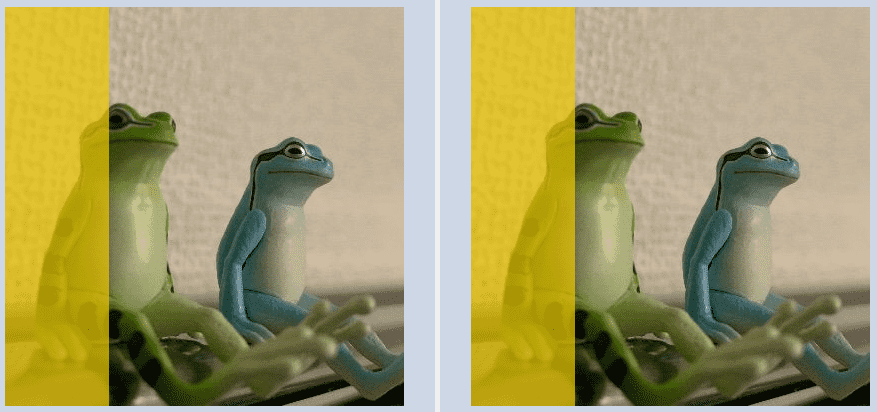
To see exactly where within each pixel the difference lies, you can check the information displayed at the bottom of the WinMerge window when hovering the mouse over the images.
This shows the RGBA values at the same coordinates in each image, and we can see a slight difference in one or more of the RGB values.
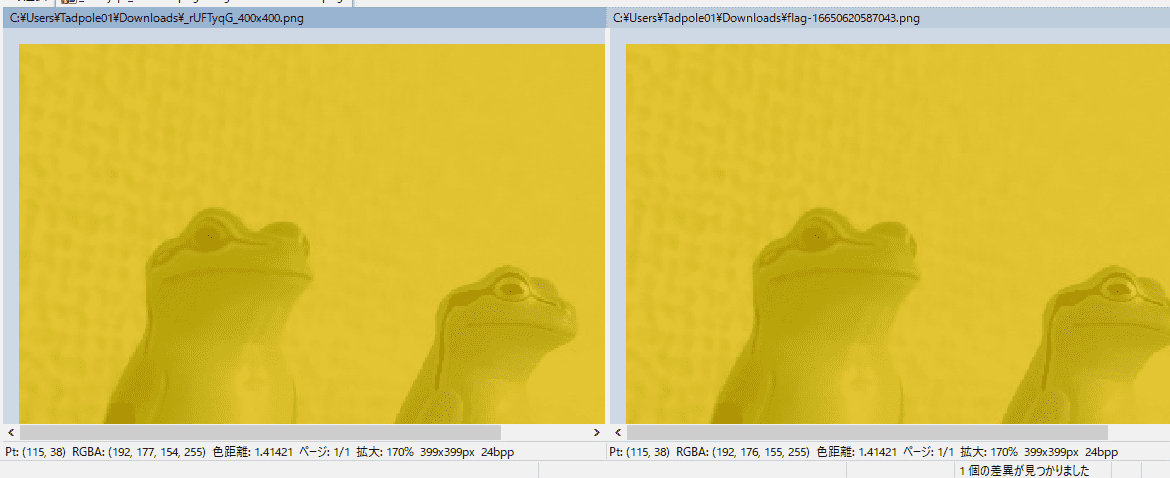
Checking the same information at multiple coordinates, we find that the difference in one of the RGB values is always exactly 1.
Since the challenge binary is an image sent to a C&C server, it is assumed that some information is embedded in these differences.
Given that the difference in each RGB value is always 1, we can infer that the LSB Steganography technique is being used.
Reference: PNG - CTF Wiki EN
Using Stegsolve’s Extract Preview, we found that the flag could be retrieved from bit 0.
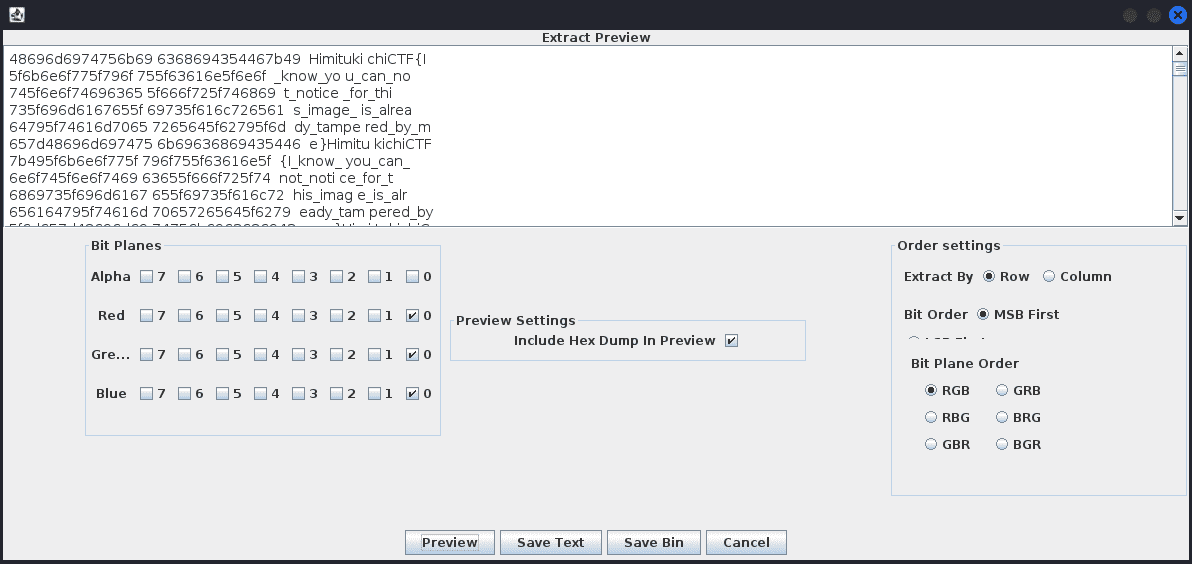
Stegsolve can be used via the following steps.
$ wget http://www.caesum.com/handbook/Stegsolve.jar -O stegsolve.jar
$ chmod +x stegsolve.jar
$ java -jar stegsolve.jar
Deducing LSB Steganography from pixel differences may require some prior knowledge or search skills, but in practice you can solve this even without any knowledge at all by just running Stegsolve.
Script Used to Create the Challenge
The flag was embedded using the following script.
from PIL import Image
import struct

def toggle_rmb(b):
    if bin(b)[-1] == "1":
        return b-1
    else:
        return b+1

# Init flag binary
flag_binary = ""
with open("_rUFTyqG_400x400.txt", "r") as f_file:
    flag = f_file.read()
    for f in flag:
        flag_binary += "{:08b}".format(ord(f))
# print(flag_binary)

# Load image
image = Image.open("flag.png")
pixel = image.load()

# Get size
img_width = image.width
img_height = image.height

# PUT last bit for each RGB
p = 0
for i in range(img_width):
    for j in range(img_height):
        r = pixel[j,i][0]
        g = pixel[j,i][1]
        b = pixel[j,i][2]

        if not (flag_binary[p%len(flag_binary)] == bin(r)[-1]):
            r = toggle_rmb(r)
        p += 1

        if not (flag_binary[p%len(flag_binary)] == bin(g)[-1]):
            g = toggle_rmb(g)
        p += 1

        if not (flag_binary[p%len(flag_binary)] == bin(b)[-1]):
            b = toggle_rmb(b)
        p += 1

        image.putpixel((j,i), (r,g,b))

image.save("flag.png")
As a solution that does not use Stegsolve, the following Solver is the intended approach.
from PIL import Image
import re
import struct

# Load image
image = Image.open("./flag.png")
pixel = image.load()

# Get size
img_width = image.width
img_height = image.height

# Enumerate pixel RGB bytes
result = ""
for i in range(img_width):
    for j in range(img_height):
        result += bin(pixel[j,i][0])[-1]
        result += bin(pixel[j,i][1])[-1]
        result += bin(pixel[j,i][2])[-1]

result_txt = ""
for i in range(0, len(result), 8):
    tmp = int("0b"+result[i:i + 8], 2)
    result_txt += chr(tmp)

pattern = r'.*?(HimitsukichiCTF{.+?}).*?'
result = re.match(pattern, result_txt)
if result:
    print(result.group())
This yields the flag HimitsukichiCTF{I_know_you_can_not_notice_for_this_image_is_already_tampered_by_me}.
Summary
I implemented LSB Steganography — a straightforward technique that is nonetheless rarely seen in entry-level CTFs.