This page has been machine-translated from the original page.
Table of Contents
- How to change the pane split width
-
Bonus: an issue when using pwntools and gdb-peda with WSL2 and Windows Terminal
- Summary
This is a memo on how to change the pane split ratio through context settings when using pwntools’ debugging features with WSL2 and Windows Terminal.
As a bonus, I also summarize a workaround for the issue where register information becomes unavailable when using pwntools together with gdb-peda in a WSL2 & Windows Terminal environment.
How to change the pane split width
When using pwntools’ gdb.debug() on WSL2 & Windows Terminal, it seems the debug terminal is launched with the following command by default.
['/mnt/c/Windows/system32/cmd.exe', '/c', 'start', 'wt.exe', '-w', '0', 'split-pane', '-d', '.', 'wsl.exe', '-d', 'Ubuntu', 'bash', '-c', '/tmp/tmpnhyc4xx1']In this context, wt.exe -w 0 split-pane -d . launches a pane-split terminal inside the currently open window using the default profile.
Reference: Windows Terminal command-line arguments | Microsoft Learn
However, as-is, the window split ratio is forced to 5:5 and cannot be changed afterward, which is a little inconvenient for debugging.
Therefore, by adding the split ratio to the context with the -s option of Windows Terminal’s split-pane feature, you can make the debug window larger.
The context I actually use is shown below.
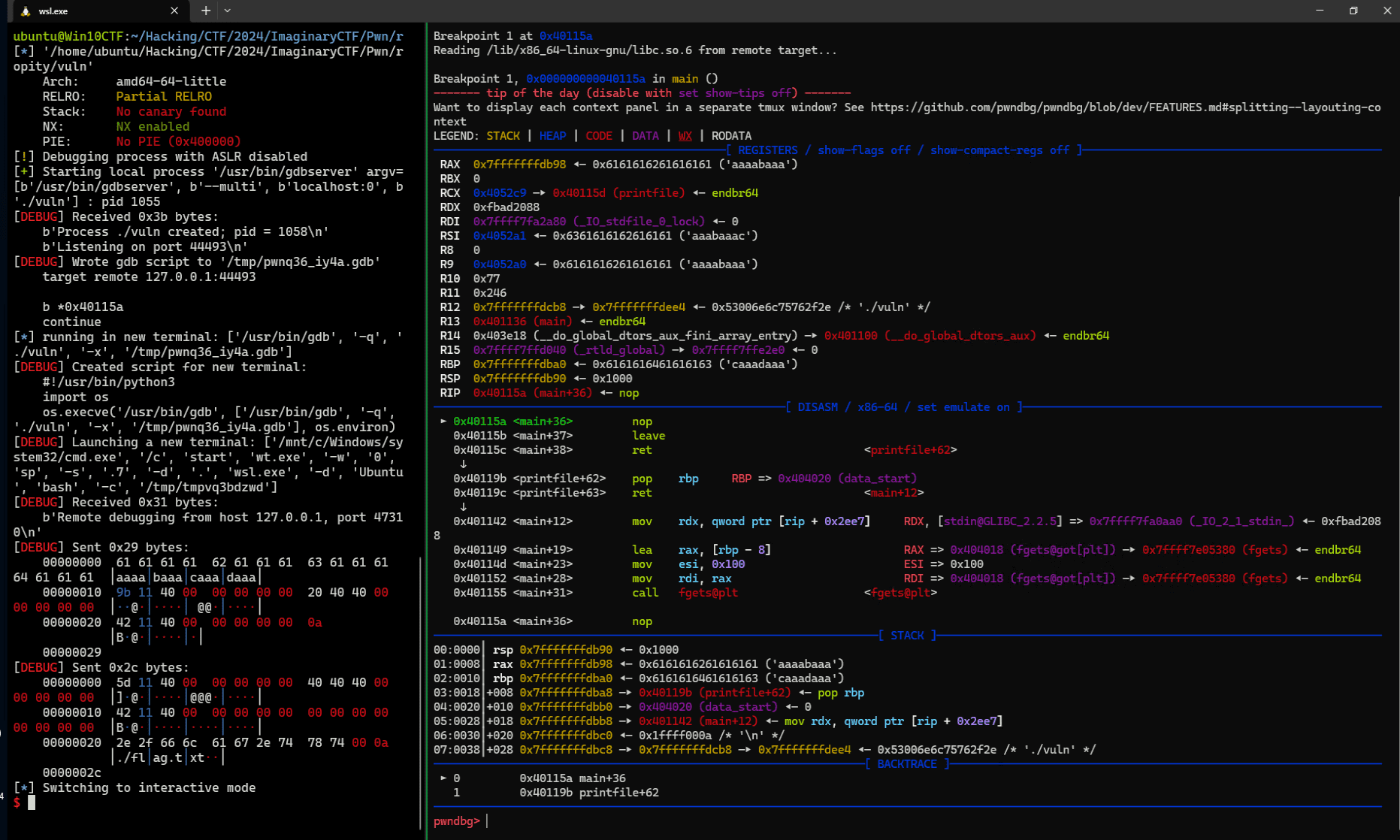
context.terminal = ["/mnt/c/Windows/system32/cmd.exe", "/c", "start", "wt.exe", "-w", "0", "sp", "-s", ".7", "-d", ".", "wsl.exe", '-d', "Ubuntu", "bash", "-c"]By defining this setting inside the Python script that uses pwntools, you can make the split ratio 3:7 when splitting the screen as shown below, giving the debug window more space.
Bonus: an issue when using pwntools and gdb-peda with WSL2 & Windows Terminal
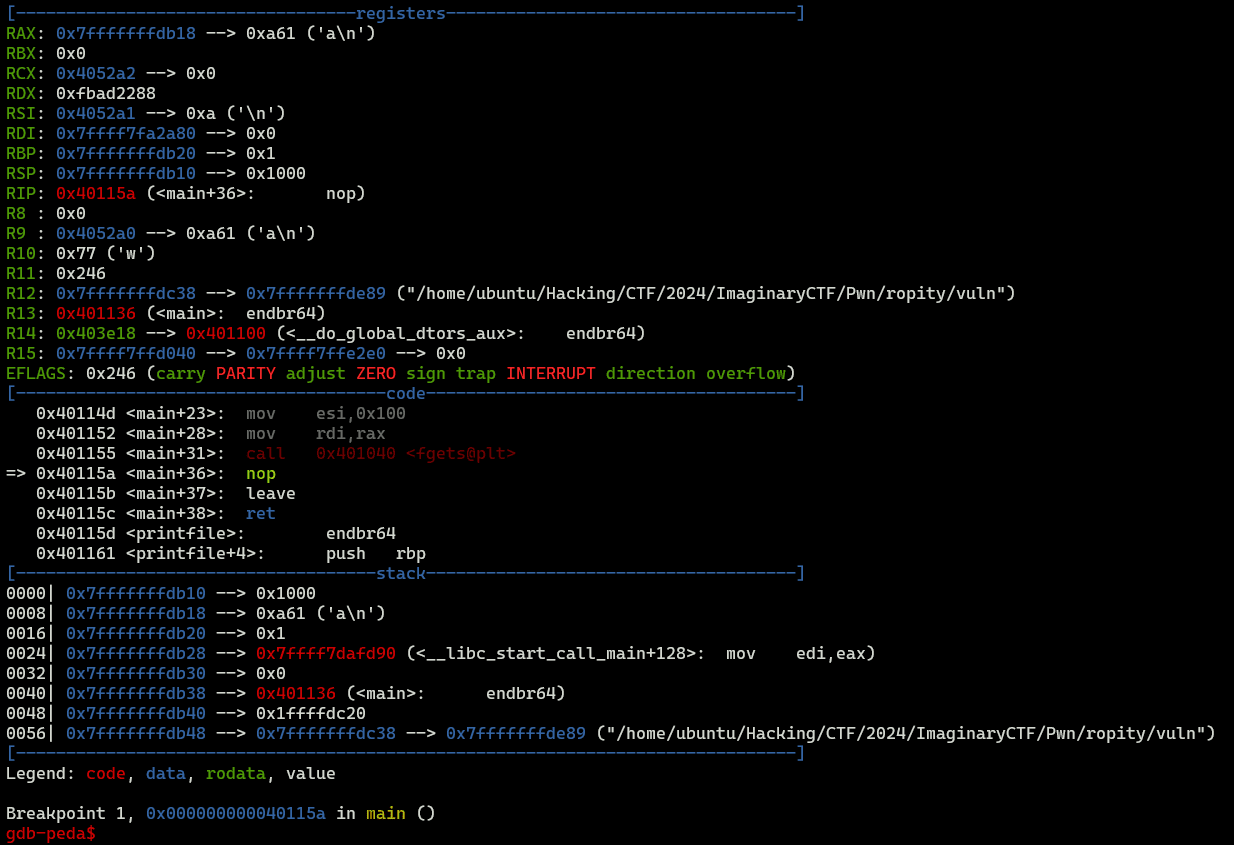
Although I have no idea what the cause is, in a Windows Terminal and WSL2 environment, using pwntools’ gdb.debug() causes gdb-peda’s register view to stop working.
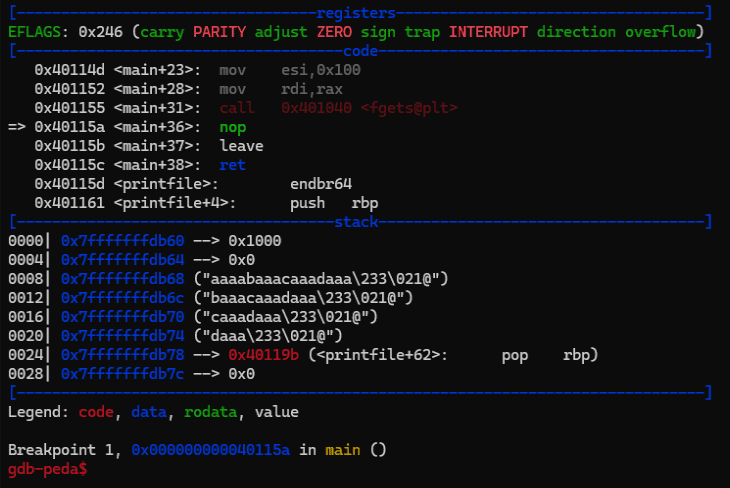
Because the register view is displayed normally when I simply run the gdb command in the same environment, I feel that the cause is the use of pwntools’ gdb module (or perhaps gdbserver?).
Workaround 1: use tmux
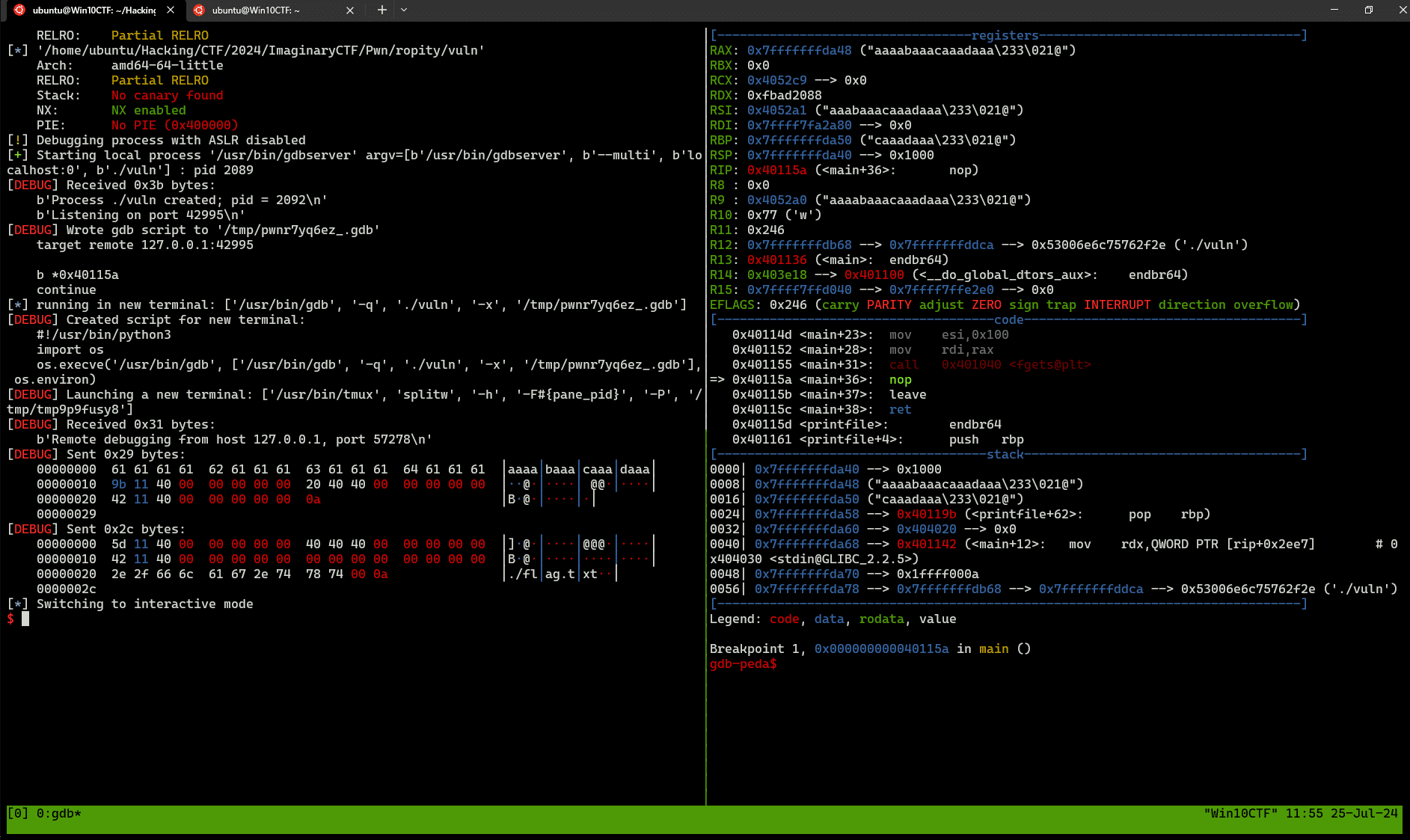
I have not been able to identify the cause, but I confirmed that using tmux avoids the problem for now.
First, start tmux in the terminal where you run the pwntools script.
Then run a pwntools script with context.terminal replaced as follows.
context.terminal = ["tmux", "splitw", "-h"]With this, you can view gdb-peda’s register information even in a WSL2 & Windows Terminal environment.
Workaround 2: use gef or pwndbg
As another solution, you can stop using gdb-peda in the first place.
After checking, I confirmed that when using gef or pwndbg, information including register details is displayed normally even when using pwntools’ gdb.debug() in a WSL2 & Windows Terminal environment.
So although I had long preferred gdb-peda, unfortunately this became the trigger for me to switch to pwndbg.
Reference: pwndbg/pwndbg: Exploit Development and Reverse Engineering with GDB Made Easy
Summary
Just a memo.