This page has been machine-translated from the original page.
Continuing from the previous articles, this time I tried implementing a program in Rust that uses APIs such as CreateFileMapping through the windows crate.
Table of Contents
- The code I created
- Loaded modules
- Receiving standard input
- Loading the file mapping into process memory with MapViewOfFile
- Writing data to the mapped memory
- Summary
The code I created
In the following program, I create file-mapping objects in process memory using both the paging file and a text file, and then write data to them.
// cargo run --bin CreateFileMap

use windows::Win32::{
    Foundation::{ HANDLE, INVALID_HANDLE_VALUE, CloseHandle },
    System::Memory::{ CreateFileMappingW, MapViewOfFile, UnmapViewOfFile, FILE_MAP_ALL_ACCESS, PAGE_READWRITE}
};

use std::{
    fs::OpenOptions,
    io::stdin,
    os::windows::io::AsRawHandle,
    ptr::{ copy_nonoverlapping, null_mut }
};

fn get_input(input_string: &str) {
    println!("{}", input_string);
    let mut input = String::new();
    stdin().read_line(&mut input).expect("Failed to read input.");
    return;
}

fn create_memory_mapping() {
        unsafe {
        let size: usize = 1024;

        let h_mapping = CreateFileMappingW(
            INVALID_HANDLE_VALUE,
            Some(null_mut()),
            PAGE_READWRITE,
            0,
            size as u32,
            None,
        ).unwrap();

        if h_mapping == INVALID_HANDLE_VALUE {
            eprintln!("CreateFileMappingW failed");
        } else {
            println!("Mapping handle created: {:?}.", h_mapping);
        }

        get_input("Please enter the key...");

        let p_view = MapViewOfFile(h_mapping, FILE_MAP_ALL_ACCESS, 0, 0, size);
        if p_view.Value.is_null() {
            eprintln!("MapViewOfFile failed");
        } else {
            println!("MapViewOfFile created: {:?}.", p_view);
        }

        get_input("Please enter the key...");

        let data = b"Hello from Rust!";
        std::ptr::copy_nonoverlapping(data.as_ptr(), p_view.Value as *mut u8, data.len());
        println!("Data written to shared memory: {:?}", &data);

        get_input("create_memory_mapping finished.");

        let _ = UnmapViewOfFile(p_view);
        let _ = CloseHandle(h_mapping);

    }

    return;

}


fn read_file_and_create_file_maipping() {

    let size: usize = 32;
    let path = "C:\\Users\\kash1064\\Documents\\Dev\\WinAPITest\\test.txt";
    let file = OpenOptions::new().read(true).write(true).create(true).open(path).unwrap();
    // let file_size = file.metadata().unwrap().len();
    let h_file = HANDLE(file.as_raw_handle());

    unsafe {

        let h_mapping = CreateFileMappingW(
            h_file,
            Some(null_mut()),
            PAGE_READWRITE,
            0,
            size as u32,
            None,
        ).unwrap();

        if h_mapping == INVALID_HANDLE_VALUE {
            eprintln!("CreateFileMappingW failed");
        } else {
            println!("Mapping handle created: {:?}.", h_mapping);
        }


        get_input("Please enter the key...");

        let p_view = MapViewOfFile(h_mapping, FILE_MAP_ALL_ACCESS, 0, 0, size);
        if p_view.Value.is_null() {
            eprintln!("MapViewOfFile failed");
        } else {
            println!("MapViewOfFile created: {:?}.", p_view);
        }

        get_input("Please enter the key...");

        let data = b"Hello from Rust!";
        copy_nonoverlapping(data.as_ptr(), p_view.Value as *mut u8, data.len());
        println!("Data written to shared memory: {:?}", &data);

        get_input("read_file_and_create_file_maipping finished.");

        let _ = UnmapViewOfFile(p_view);
        let _ = CloseHandle(h_mapping);

    }

    return;
}


fn main() {

    create_memory_mapping();

    read_file_and_create_file_maipping();

    return;

}
Loaded modules
For this example, I load the following modules.
I also use several standard library modules.
use windows::Win32::{
    Foundation::{ HANDLE, INVALID_HANDLE_VALUE, CloseHandle },
    System::Memory::{ CreateFileMappingW, MapViewOfFile, UnmapViewOfFile, FILE_MAP_ALL_ACCESS, PAGE_READWRITE}
};

use std::{
    fs::OpenOptions,
    io::stdin,
    os::windows::io::AsRawHandle,
    ptr::null_mut
};
Receiving standard input
For this example, I created the following function to receive standard input.
fn get_input(input_string: &str) {
    println!("{}", input_string);
    let mut input = String::new();
    stdin().read_line(&mut input).expect("Failed to read input.");
    return;
}
My impression was that Rust requires slightly more code than other languages to receive standard input.
I wanted to do something like Python’s input("Please input: "), but there did not seem to be a library function that could be used with exactly the same feel, so I defined it myself as the get_input function.
The input itself is received with stdin().read_line(&mut input).
Because this returns Result<usize>, I use expect to customize the error message when a panic occurs.
Reference: Stdin in std::io - Rust
Using the CreateFileMappingW API
In this program, I created two functions that use the CreateFileMappingW API.
One sets the first argument of the CreateFileMappingW function to INVALID_HANDLE_VALUE and uses the paging file, while the other uses a file named test.txt in local storage.
Reference: CreateFileMappingW function (memoryapi.h) - Win32 apps | Microsoft Learn
Reference: Creating Named Shared Memory - Win32 apps | Microsoft Learn
Creating a page-file mapping
In the create_memory_mapping function, I implemented the following code.
The CreateFileMappingW function in the windows crate returns Result<HANDLE>, so I use unwrap() to obtain the HANDLE object.
Also, because INVALID_HANDLE_VALUE is specified for the first argument at this point, the returned HANDLE should be a handle to a paging file mapped into memory.
let size: usize = 1024;

let h_mapping = CreateFileMappingW(
    INVALID_HANDLE_VALUE,
    Some(null_mut()),
    PAGE_READWRITE,
    0,
    size as u32,
    None,
).unwrap();

if h_mapping == INVALID_HANDLE_VALUE {
    eprintln!("CreateFileMappingW failed");
} else {
    println!("Mapping handle created: {:?}.", h_mapping);
}
The second argument to CreateFileMappingW must be an LPSECURITY_ATTRIBUTES that specifies whether child processes can inherit the returned handle, but that is unnecessary here, so I specify NULL.
In the windows crate, CreateFileMappingW expects this argument as Option<*const SECURITY_ATTRIBUTES>, so to pass a NULL pointer as an Option, I wrap the standard library function null_mut() in Some().
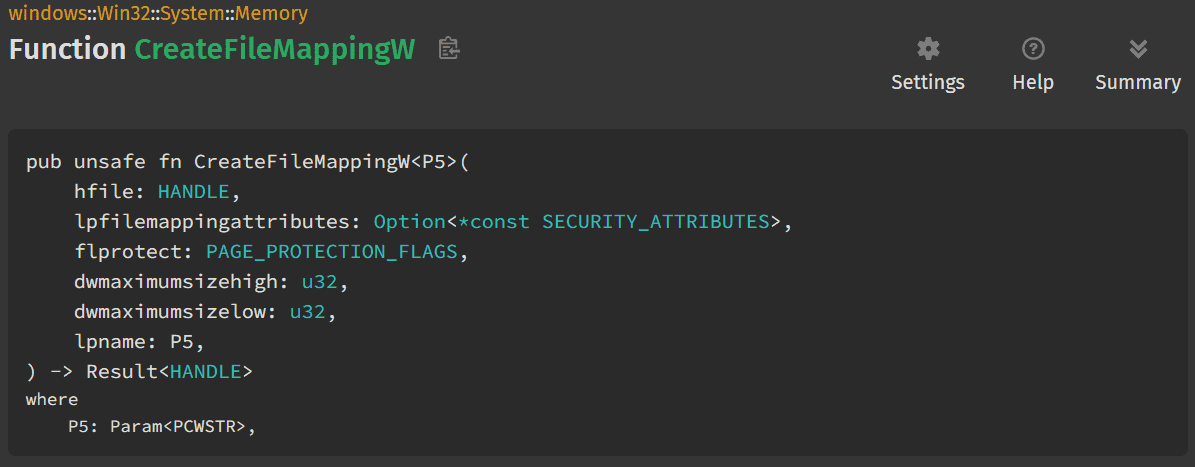
Reference: CreateFileMappingW in windows::Win32::System::Memory - Rust
Mapping a file into memory
In the other function, read_file_and_create_file_maipping, I obtain a file handle for test.txt located at C:\Folder\test.txt on the local machine, and use CreateFileMappingW to create a mapping for it in process memory.
let size: usize = 32;
let path = "C:\\Folder\\test.txt";
let file = OpenOptions::new().read(true).write(true).create(true).open(path).unwrap();
// let file_size = file.metadata().unwrap().len();
let h_file = HANDLE(file.as_raw_handle());


let h_mapping = CreateFileMappingW(
    h_file,
    Some(null_mut()),
    PAGE_READWRITE,
    0,
    size as u32,
    None,
).unwrap();

if h_mapping == INVALID_HANDLE_VALUE {
    eprintln!("CreateFileMappingW failed");
} else {
    println!("Mapping handle created: {:?}.", h_mapping);
}
To obtain the file handle, I use the standard library functions std::fs::OpenOptions and std::os::windows::io::AsRawHandle.
With OpenOptions, you can open a file after specifying options as in the following example.
Because OpenOptions::new().open(path) returns Result<File>, I use unwrap() to extract the File object.
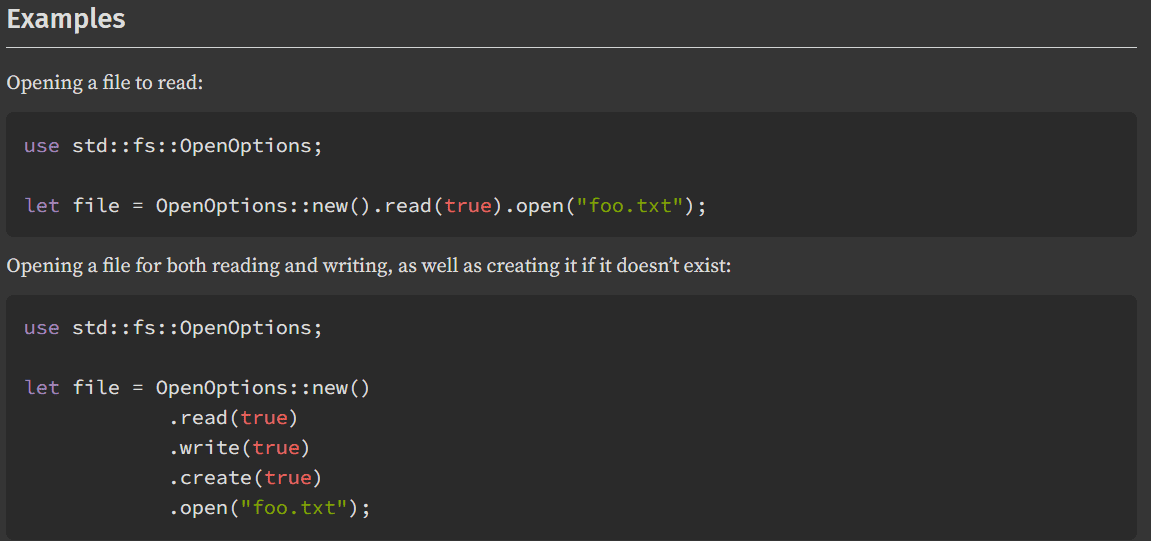
Reference: OpenOptions in std::fs - Rust
Next, from the File object obtained here, I use AsRawHandle to obtain a HANDLE object. This is a function available only on Windows.
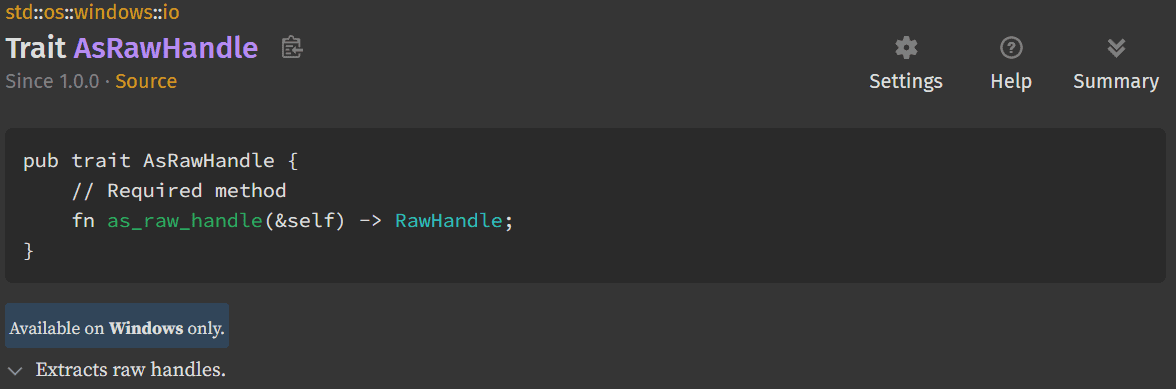
Reference: AsRawHandle in std::os::windows::io - Rust
This HANDLE object can be used as-is as an argument to the CreateFileMappingW function in the windows crate, so I use it to obtain a handle to the mapping object for test.txt.
Loading the file mapping into process memory with MapViewOfFile
Using the handle to the file-mapping object obtained in the code above as an argument, I load it into process memory with MapViewOfFile and obtain its address.
let p_view = MapViewOfFile(h_mapping, FILE_MAP_ALL_ACCESS, 0, 0, size);
if p_view.Value.is_null() {
    eprintln!("MapViewOfFile failed");
} else {
    println!("MapViewOfFile created: {:?}.", p_view);
}
Reference: MapViewOfFile in windows::Win32::System::Memory - Rust
For the access rights, I specify FILE_MAP_ALL_ACCESS, which allows reading and writing.
Reference: MapViewOfFile function (memoryapi.h) - Win32 apps | Microsoft Learn
Writing data to the mapped memory
Finally, I write data to the region mapped into process memory with copy_nonoverlapping.
let data = b"Hello from Rust!";
copy_nonoverlapping(data.as_ptr(), p_view.Value as *mut u8, data.len());
println!("Data written to shared memory: {:?}", &data);
The copy_nonoverlapping function copies an arbitrary amount of data to a specified address, so it can perform an operation equivalent to C’s memcpy.
Therefore, I write data into process memory by passing the pointer to the hard-coded text and the pointer address obtained by casting the *mut c_void extracted with .Value from the MEMORY_MAPPED_VIEW_ADDRESS returned by MapViewOfFile to *mut u8.
Reference: copy_nonoverlapping in std::ptr - Rust
By running this code, the specified text is written to the mapped region of process memory.
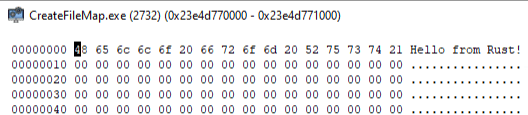
Also, by writing data to the region mapped from the test.txt file, you can confirm that 32 bytes of data including Hello from Rust! are written to the target file.

Summary
I am using various Windows APIs while also learning Rust.
I am happy that they are gradually starting to feel more familiar.