This page has been machine-translated from the original page.
In my previous article on self-restoring binary deobfuscation with Unicorn and Capstone, I wondered whether the same operations could be performed with static analysis alone — without emulating execution with Unicorn and Capstone.
For this kind of implementation I had previously used Ghidra Script, but since I wasn’t making much use of the paid (Personal) version of Binary Ninja I own, I decided to use this as a learning opportunity and try implementing it with the Binary Ninja Python API.
Table of Contents
Getting Started with the Binary Ninja Python API
Installation
When installing Binary Ninja for the first time, run binaryninja/scripts/linux-setup.sh in the installation directory.
This creates a desktop shortcut for Binary Ninja and registers its PATH.

Using the Python API from the Binary Ninja GUI
The Binary Ninja Python API requires no complex setup and can be used immediately.
However, the Personal license I use does not currently support “headless processing,” so whenever I use the Python API I must do so through the Binary Ninja GUI.
The “headless processing” in the Commercial and Ultimate editions refers to the ability to run plugins without the GUI (for example “import binaryninja” from within a console or stand-alone python plugin), but both versions support the same full API. The Non-Commercial edition supports accessing the API only through plugins load
Reference: Binary Ninja - Purchase
You can run scripts in Binary Ninja’s Python interpreter within the GUI to see results.
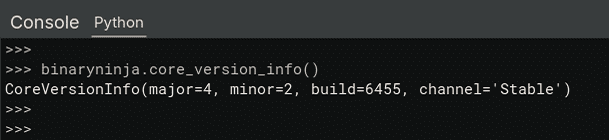
You are not limited to just the interpreter — you can also write a Python script file and run it from the GUI to automate analysis.
Various Operations with the Binary Ninja API
Sample 1
I created the following sample script.
def main():

    # Load current view
    bv = current_view

    # Get functions
    for func in bv.functions:
        if func.name == "main":
            main_func_startaddr = func.start
        print(f"FUNC_NAME: {func.name},\t OFFSET: {hex(func.start)}")


    # Get disassemble code
    func_addr = 0x43e0
    instruction = bv.get_disassembly(func_addr)
    print(f"ADDRESS: {hex(func_addr)},\t CODE: {instruction}")


    # Get disassemble function code(until return)
    start_addr = main_func_startaddr
    end_addr = start_addr + 0x4000
    current_addr = start_addr
    instruction = ""

    while (current_addr < end_addr) and (instruction != "retn"):
        instruction = bv.get_disassembly(current_addr)
        instruction_length = bv.get_instruction_length(current_addr)
        current_addr += bv.get_instruction_length(current_addr)
        if instruction_length > 0:
            print(f"0x{current_addr:x}: {instruction}")
        else:
            break


    # Convert to NOP

    ## Stat undo actions
    undo_actions_state = bv.begin_undo_actions()

    target_address = 0x43e0
    if bv.convert_to_nop(target_address):
        print(f"Converted 0x{target_address:x} to NOP.")
    else:
        print(f"Failed converted 0x{target_address:x} to NOP.")

    ## Commit actions
    bv.commit_undo_actions(undo_actions_state)


    # Save file
    bv.file.save()


    return

if __name__ == "__main__":
    import os
    import sys
    sys.stdout = open(f"{os.path.dirname(os.path.realpath(__file__))}/stdout.log", "w")
    main()
    sys.stdout = sys.__stdout__
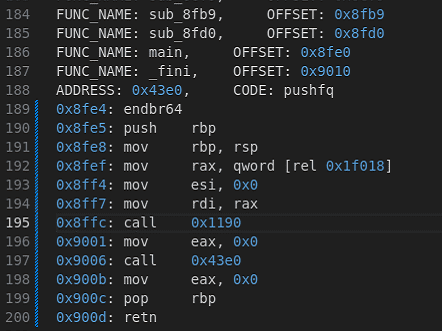
Running the above script lets you access information such as functions and disassembly results as shown below.
Loading BinaryView and Listing Functions
In Binary Ninja, the BinaryView class serves as the interface for querying binary data.
Therefore, operations such as reading, writing, or modifying data after analyzing a file are generally performed through this BinaryView.
The items that can be retrieved and manipulated through BinaryView are documented here:
Reference: binaryview module — Binary Ninja API Documentation v4.2
When using the Python API from the GUI, you can access the currently viewed BinaryView using the magic variable current_view.
Reference: User Guide - Binary Ninja User Documentation
The following code iterates over functions from the retrieved BinaryView to enumerate all functions in the binary.
# Load current view
bv = current_view

# Get functions
for func in bv.functions:
    if func.name == "main":
        main_func_startaddr = func.start
    print(f"FUNC_NAME: {func.name},\t OFFSET: {hex(func.start)}")
Accessing Disassembly Results
The following code retrieves the disassembly result for a specific address.
In this example, only one instruction starting from 0x43e0 is retrieved.
# Get disassemble code
func_addr = 0x43e0
instruction = bv.get_disassembly(func_addr)
print(f"ADDRESS: {hex(func_addr)},\t CODE: {instruction}")
To retrieve the disassembly of an entire function starting at 0x43e0, you can use a script like the following:
# Get disassemble function code(until return)
start_addr = main_func_startaddr
end_addr = start_addr + 0x4000
current_addr = start_addr
instruction = ""

while (current_addr < end_addr) and (instruction != "retn"):
    instruction = bv.get_disassembly(current_addr)
    instruction_length = bv.get_instruction_length(current_addr)
    current_addr += bv.get_instruction_length(current_addr)
    if instruction_length > 0:
        print(f"0x{current_addr:x}: {instruction}")
    else:
        break
Replacing All Instances of a Specific Instruction with NOP
The following code performs Convert To NOP (also available from the GUI) via the Python API.
When modifying data through the API, first call begin_undo_actions to declare the start of an undoable operation on the target BinaryView.
Next, use bv.convert_to_nop(addr) to replace all instructions at the specified address with NOPs, then commit the operation with bv.commit_undo_actions(undo_actions_state).
bv.file.save() saves the modified BinaryView as a file.
# Convert to NOP

## Stat undo actions
undo_actions_state = bv.begin_undo_actions()

target_address = 0x43e0
if bv.convert_to_nop(target_address):
    print(f"Converted 0x{target_address:x} to NOP.")
else:
    print(f"Failed converted 0x{target_address:x} to NOP.")

## Commit actions
bv.commit_undo_actions(undo_actions_state)

# Save file
bv.file.save()
Replacing Specific Instructions
Converting to NOP is straightforward, but replacing instructions with an arbitrary byte value is also relatively easy.
For example, the following code reads the byte value at a specific address and replaces it with a different value using write.
# Replace the bytes at a specific execution address with an XOR'd version
data = bv.read(target_addr, size)
bv.write(
    target_addr,
    (int.from_bytes(data, byteorder="little") ^ key_value).to_bytes(size, byteorder="little")
)
Deobfuscating a Self-Restoring Binary with Binary Ninja
Using the Binary Ninja Python API, I attempted to deobfuscate the self-restoring binary covered in Self-Restoring Binary Deobfuscation with Unicorn and Capstone.
The binary’s implementation and the deobfuscation strategy are described in that article, so I omit them here.
The final script I created is as follows.
Loading this script in the Binary Ninja GUI was able to deobfuscate the execution code.
# Load current view
bv = current_view

call_addrs = [0x43e0]
deobfuscated_addrs = []
pushfq_flag = False
current_call_addr = 0
previous_call_addr = 0


def deobfuscate(current_call_addr):
    global bv
    global call_addrs
    global pushfq_flag
    global deobfuscated_addrs
    hex_pattern = r"0x[0-9a-fA-F]+"
    word_pattern = r".word|byte"

    undo_actions_state = bv.begin_undo_actions()

    # Get disassemble function code(until return)
    start_addr = current_call_addr
    end_addr = start_addr + 0x4000
    current_addr = start_addr
    instruction = ""

    while (current_addr < end_addr):
        instruction = bv.get_disassembly(current_addr)
        instruction_length = bv.get_instruction_length(current_addr)

        if ("xor" in instruction) and (pushfq_flag == True):
            # "xor     dword [rel 0x43ec], 0xaeee8e1"
            hex_numbers = re.findall(hex_pattern, instruction)
            word_type = re.findall(word_pattern, instruction)[0].replace(" ", "")
            target_addr = int(hex_numbers[0], 16)
            key_value = int(hex_numbers[1], 16)

            if target_addr > current_addr:
                size = 0
                if word_type == "byte":
                    size = 1
                elif word_type == "word":
                    size = 2
                elif word_type == "dword":
                    size = 4
                elif word_type == "qword":
                    size = 8

                bv.convert_to_nop(current_addr)
                data = bv.read(target_addr, size)
                bv.write(
                    target_addr,
                    (int.from_bytes(data, byteorder="little") ^ key_value).to_bytes(size, byteorder="little")
                )

            else:
                bv.convert_to_nop(current_addr)


        elif "pushfq" in instruction:
            bv.convert_to_nop(current_addr)
            pushfq_flag = True

        elif "popfq" in instruction:
            bv.convert_to_nop(current_addr)
            pushfq_flag = False

        elif "retn" in instruction:
            bv.commit_undo_actions(undo_actions_state)
            break

        else:
            if pushfq_flag:
                bv.convert_to_nop(current_addr)
            else:
                if "call" in instruction:
                    call_addr = int(re.findall(hex_pattern, instruction)[0], 16)
                    if call_addr >= 0x1260:
                        call_addrs.append(call_addr)

        bv.commit_undo_actions(undo_actions_state)
        current_addr += bv.get_instruction_length(current_addr)

    return


def main():
    global bv
    global call_addrs
    global deobfuscated_addrs

    while len(call_addrs) > 0:
        current_call_addr = call_addrs.pop()
        if current_call_addr not in deobfuscated_addrs:
            deobfuscate(current_call_addr)
            deobfuscated_addrs.append(current_call_addr)

    current_func = bv.get_function_at(current_call_addr)
    current_func.reanalyze()
    bv.update_analysis_and_wait()

    return


if __name__ == "__main__":
    import os
    import sys
    sys.stdout = open(f"{os.path.dirname(os.path.realpath(__file__))}/stdout.log", "w")
    main()
    sys.stdout = sys.__stdout__
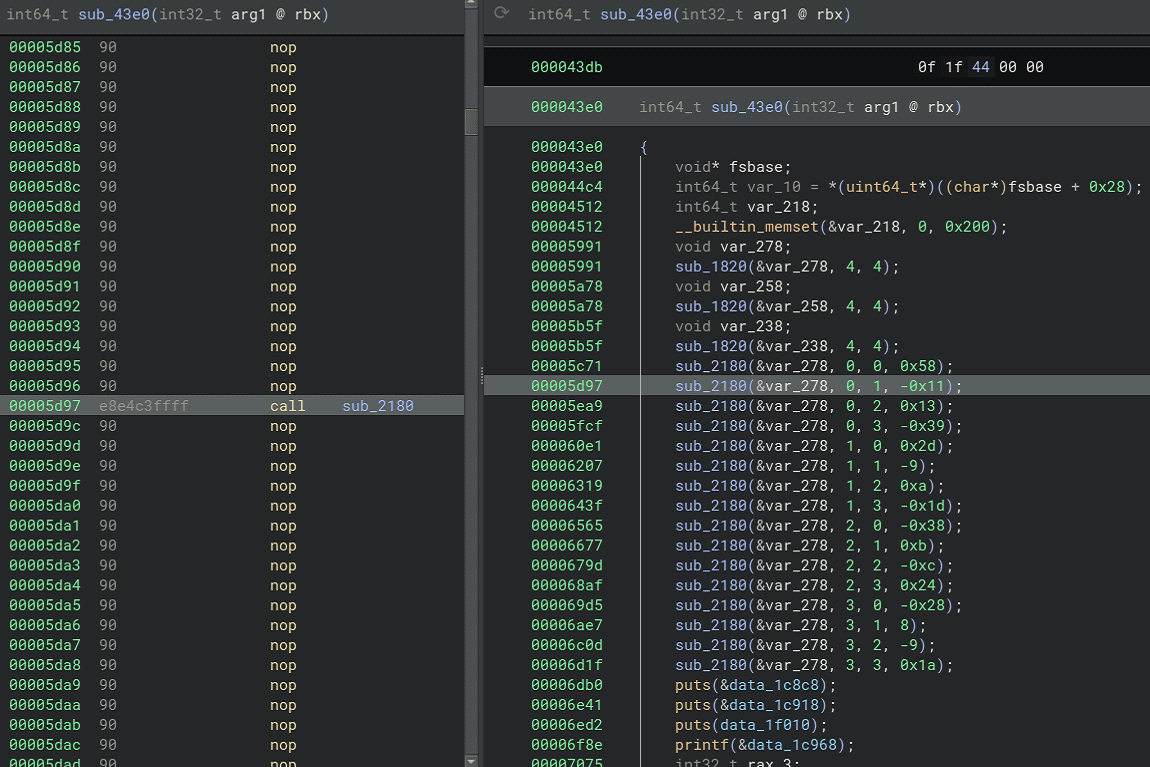
The code restored with this script correctly restored the execution code needed to obtain the flag, as shown below.
The program’s behavior at runtime was also equivalent to the pre-deobfuscation version.
Below I summarize a few key points from writing this script.
How to Retrieve Disassembly Results
When creating this script, I used bv.get_disassembly(current_addr), which returns the disassembly result as a string.
Therefore, regular expressions were used to extract instructions and addresses.
Other methods are also available when retrieving disassembly results with the Binary Ninja API, such as disassembly_text, which returns a Generator containing the disassembly result.
Reference: binaryview module — Binary Ninja API Documentation v4.2
Considering the Timing of reanalyze and updateanalysisand_wait
current_func.reanalyze() triggers re-analysis of a specific function.
bv.update_analysis_and_wait() waits until the analysis results are fully reflected.
current_func = bv.get_function_at(current_call_addr)
current_func.reanalyze()
bv.update_analysis_and_wait()
Initially I was triggering bv.update_analysis_and_wait() each time a specific instruction was changed, but that caused the script to run indefinitely. I moved it to a location that is called only a few times across the whole operation.
In contrast, bv.commit_undo_actions(undo_actions_state) is called quite frequently, but that does not seem to have a significant impact on execution time.
Summary
I finally got to use the Binary Ninja Python API that I had been meaning to try for a while.
It feels somewhat easier to use than Ghidra Script did when I first tried it. (This may be payment bias, though…)