This page has been machine-translated from the original page.
Cause of the Problem and How to Fix It
For some time, the following error started occurring only on a specific machine whenever I tried to use models such as GPT-5.4 or GPT-5.5 with GitHub Copilot CLI.
● Response was interrupted due to a server error. Retrying...

✗ Execution failed: Error: Failed to get response from the AI model; retried 5 times (total retry wait time: 5.70 seconds) Last error: TypeError [ERR_INVALID_CHAR]: Inval character in header content ["Authorization"]
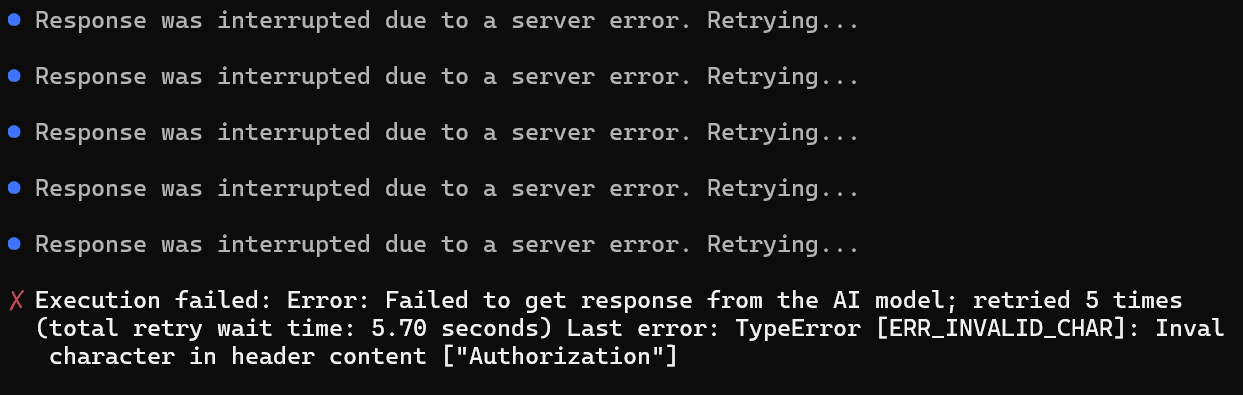
Models such as Claude Opus worked without any problem, and because the affected machine was also in a proxy environment, I assumed the issue would probably be resolved eventually by a future CLI update. However, it never went away.
So I did a bit of digging and found that this kind of problem can apparently occur when invalid characters are mixed into the authentication token used by GitHub Copilot CLI.
In fact, when I checked the environment variables with the following script, I found that an invisible newline character had been mixed into the end of the authentication token.
import os

names = [
  "GITHUB_TOKEN",
  "GH_TOKEN",
  "COPILOT_GITHUB_TOKEN"
]

for name in names:
    v = os.environ.get(name)
    if v is None:
        continue
    bad = [(i, repr(c)) for i, c in enumerate(v) if ord(c) < 32 or ord(c) == 127]
    print(f"{name}: length={len(v)}, bad_chars={bad}")
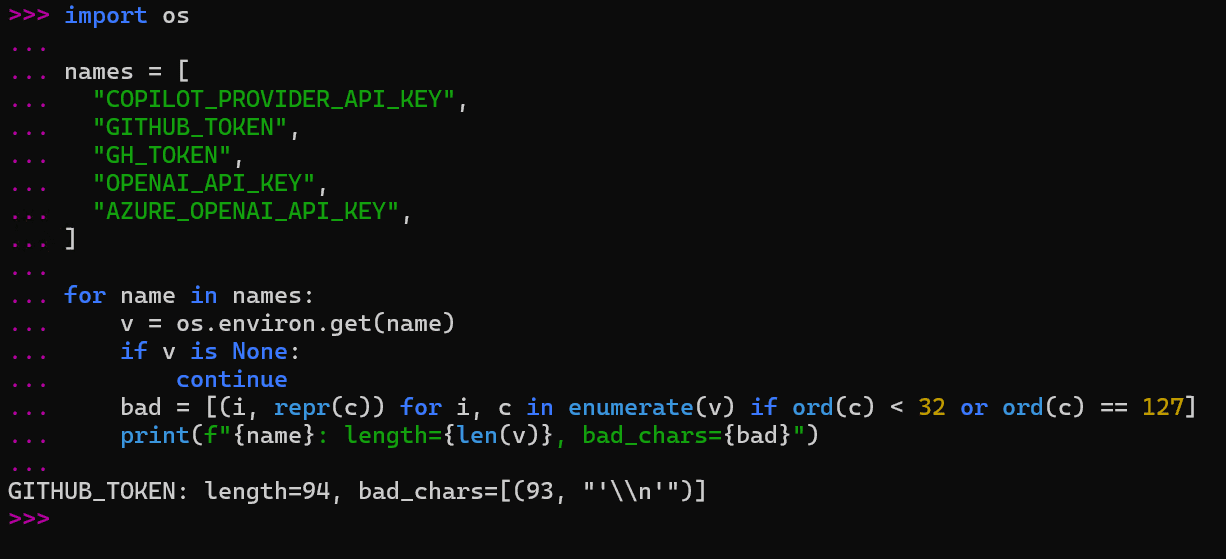
After finally removing that newline character, I was able to use GPT-family models again.
Summary
This turned out to be a surprisingly tricky issue, and I could not find any information about it through search, so I am leaving this here as a note.