This page has been machine-translated from the original page.
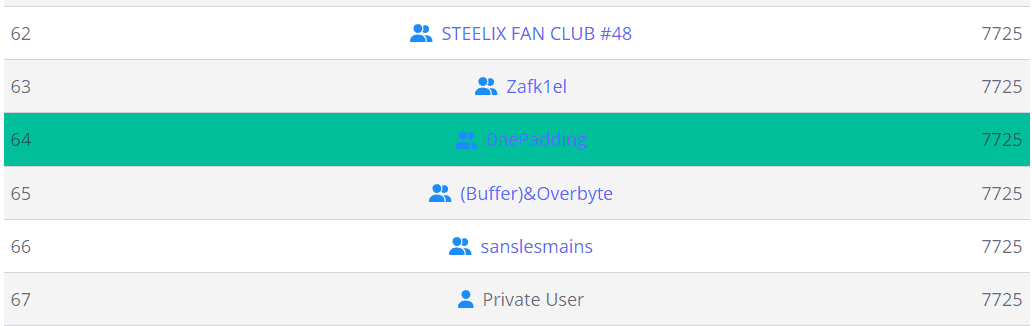
We participated in picoCTF 2024, held in March, as team 0nePadding and placed 64th out of 6,957 teams.
As usual, this writeup focuses on the Rev and Forensic challenges.
Table of Contents
- packer(Rev)
- FactCheck(Rev)
- WinAntiDbg0x100(Rev)
- WinAntiDbg0x200(Rev)
- WinAntiDbg0x300(Rev)
- Classic Crackme 0x100(Rev)
- weirdSnake(Rev)
- Scan Surprise(Forensic)
- Verify(Forensic)
- CanYouSee(Forensic)
- Secret of the Polyglot(Forensic)
- Mob psycho(Forensic)
- endianness-v2(Forensic)
- Blast from the past(Forensic)
- Dear Diary(Forensic)
- Summary
packer(Rev)
Reverse this linux executable?
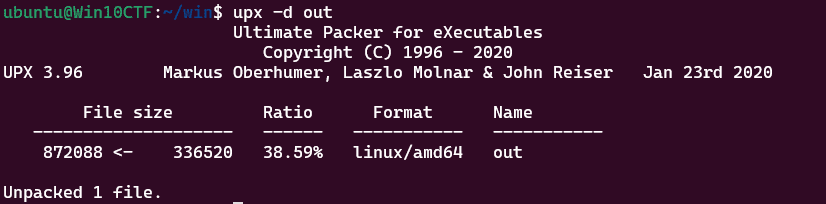
The ELF binary provided for this challenge was, as the title suggests, packed with UPX.
So, I unpacked it with upx.
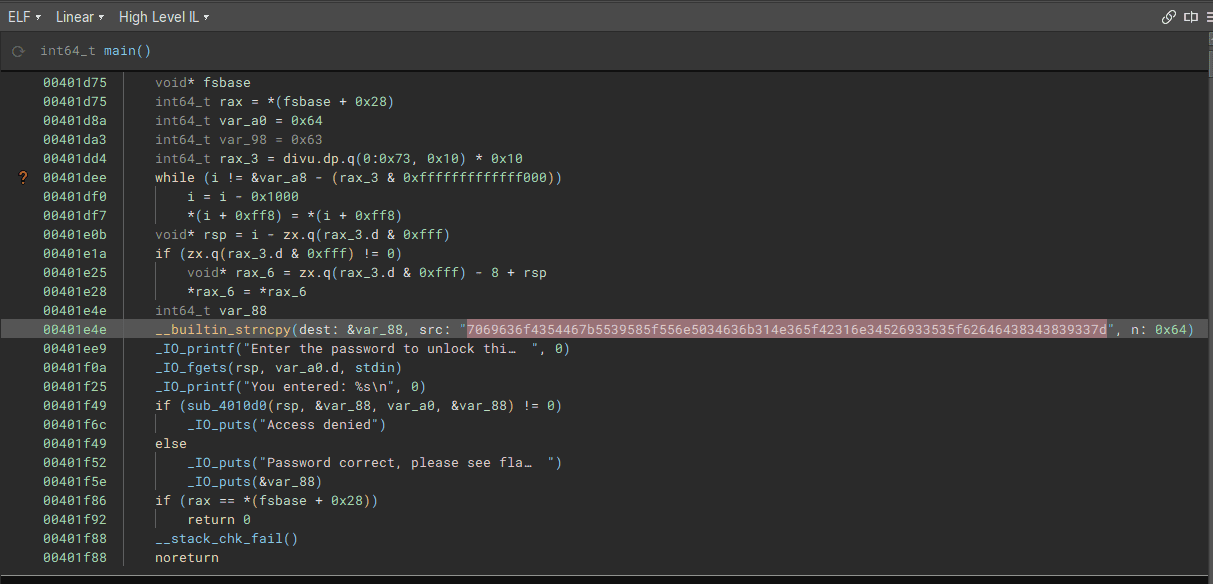
Analyzing the unpacked binary revealed an embedded flag string in hexdump form.
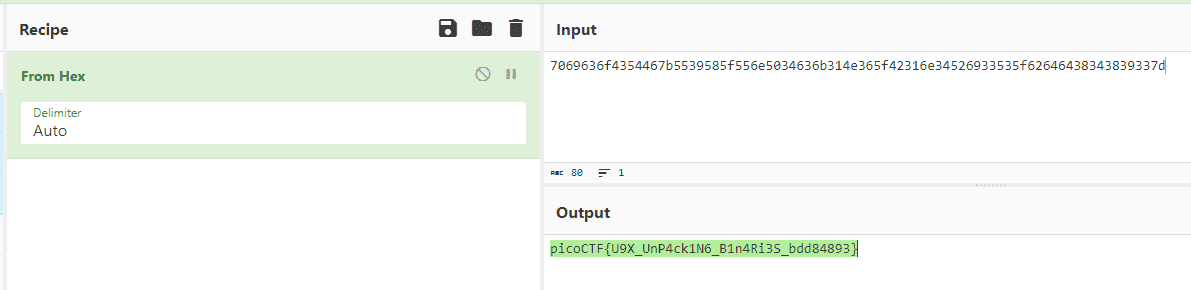
Decoding that gave us the flag.
FactCheck(Rev)
This binary is putting together some important piece of information… Can you uncover that information? Examine this file. Do you understand its inner workings?
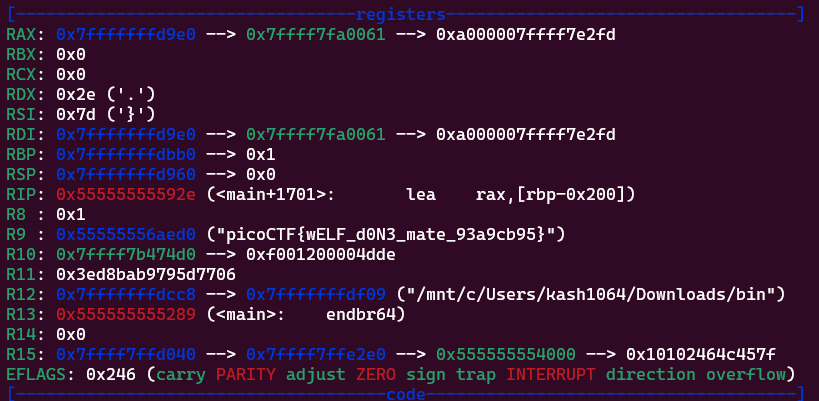
Analyzing the challenge binary revealed that it produces no output, but constructs the flag in memory.
I used gdb to trace the execution up to the point where the flag is expanded in memory, and retrieved the flag.
WinAntiDbg0x100(Rev)
This challenge will introduce you to ‘Anti-Debugging.’ Malware developers don’t like it when you attempt to debug their executable files because debugging these files reveals many of their secrets! That’s why, they include a lot of code logic specifically designed to interfere with your debugging process. Now that you’ve understood the context, go ahead and debug this Windows executable! This challenge binary file is a Windows console application and you can start with running it using cmd on Windows. Challenge can be downloaded here.
This was the first challenge in the Windows anti-debugging series.
Analyzing the binary shows it checks the return value of IsDebuggerPresent.
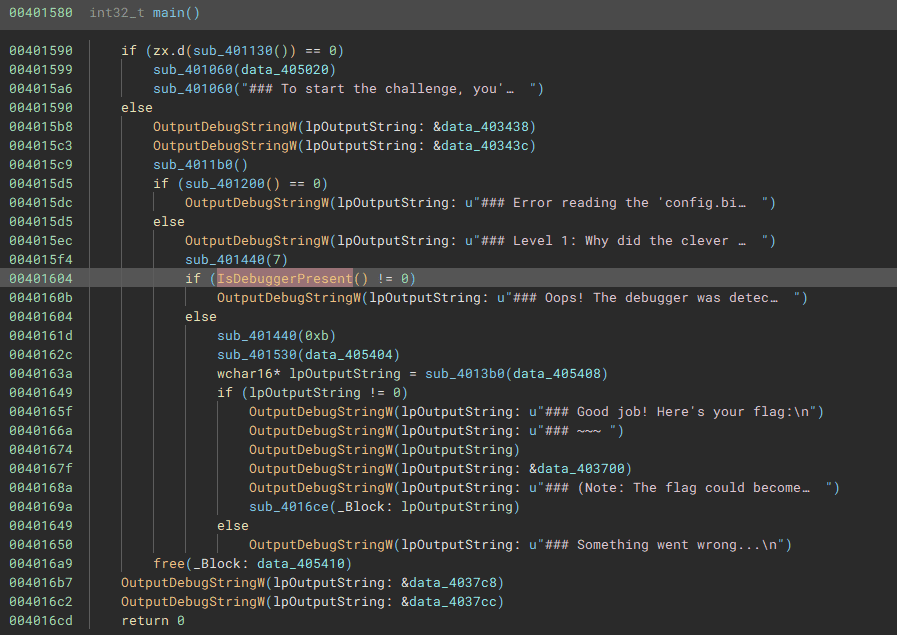
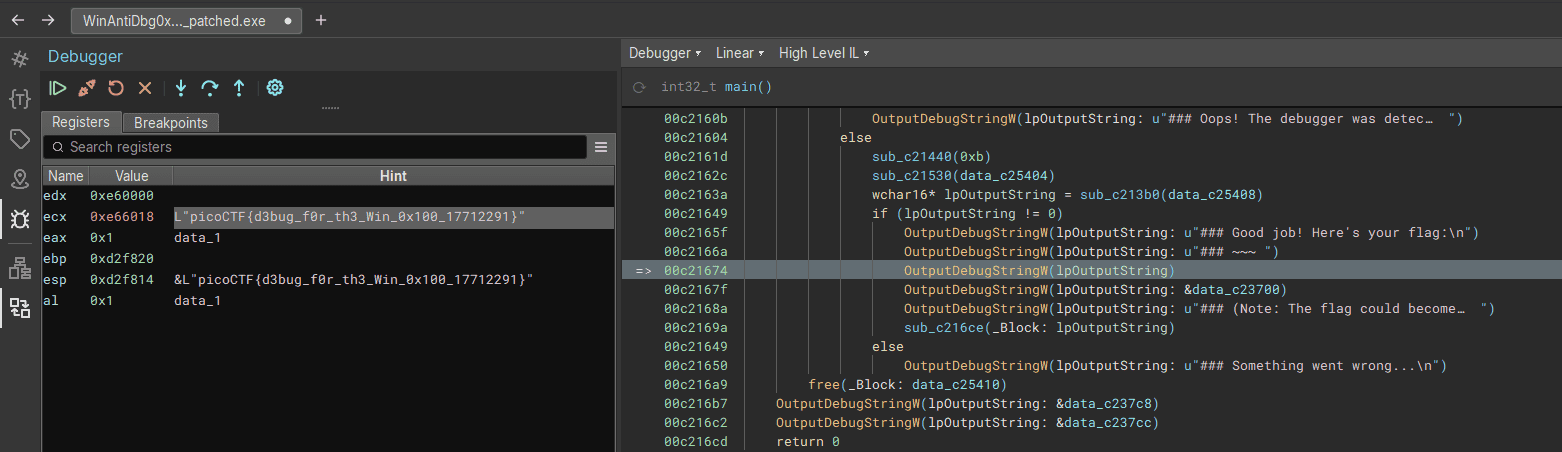
Since this is a classic technique, I patched the binary to bypass the check and then used a debugger to obtain the flag.
WinAntiDbg0x200(Rev)
If you have solved WinAntiDbg0x100, you’ll discover something new in this one. Debug the executable and find the flag! This challenge executable is a Windows console application, and you can start by running it using Command Prompt on Windows. This executable requires admin privileges. You might want to start Command Prompt or your debugger using the ‘Run as administrator’ option. Challenge can be downloaded here.
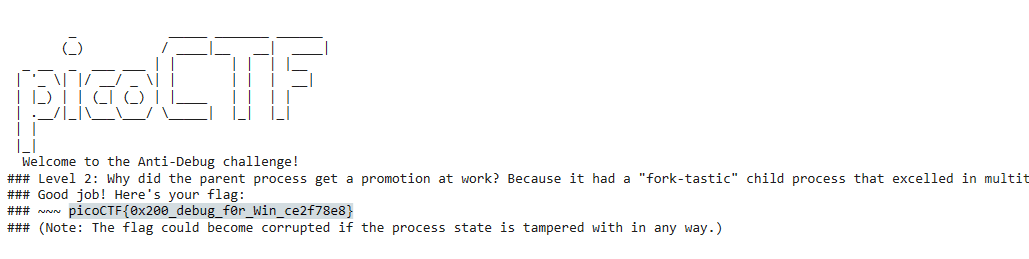
Reading the binary revealed two anti-debug mechanisms embedded in the following locations.
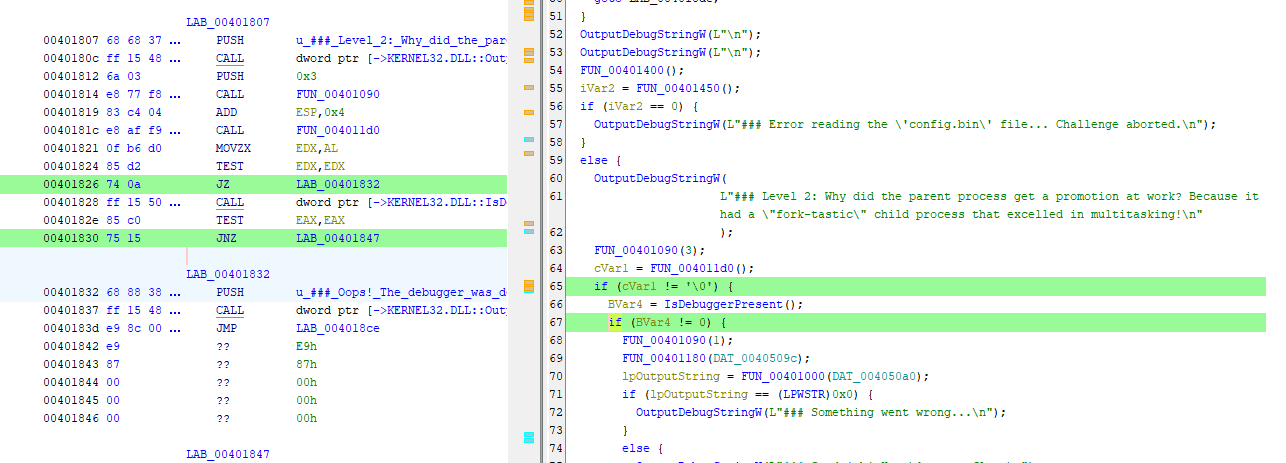
I patched both locations and ran the binary under a debugger to obtain the flag.
WinAntiDbg0x300(Rev)
This challenge is a little bit invasive. It will try to fight your debugger. With that in mind, debug the binary and get the flag! This challenge executable is a GUI application and it requires admin privileges. And remember, the flag might get corrupted if you mess up the process’s state. Challenge can be downloaded here.
Inspecting the binary revealed it was packed with UPX.
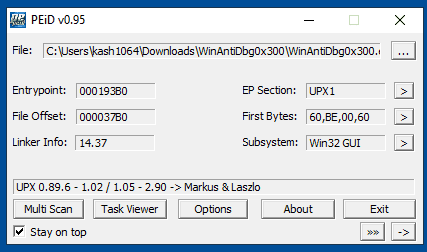
So I first unpacked the binary.
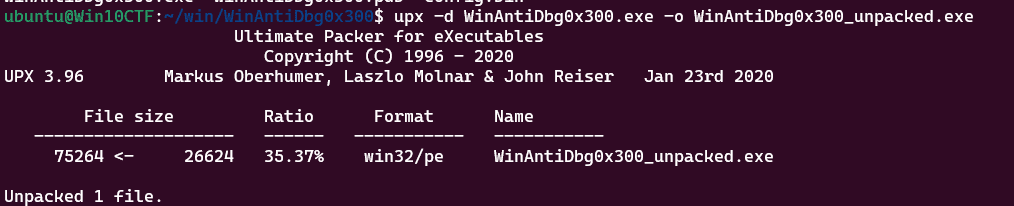
The unpacked binary contained multiple anti-debug mechanisms that would each need to be patched, but for some reason the unpacked binary crashed with an access violation on startup and could not be executed at all — let alone patched.
I therefore abandoned the idea of using the unpacked binary and decided to use TTD (Time Travel Debugging) to bypass the anti-debug measures while performing the analysis statically to retrieve the flag.
Analyzing the unpacked binary shows a location where the DecryptFlag function is called with the address of a data region called HASH as its argument.
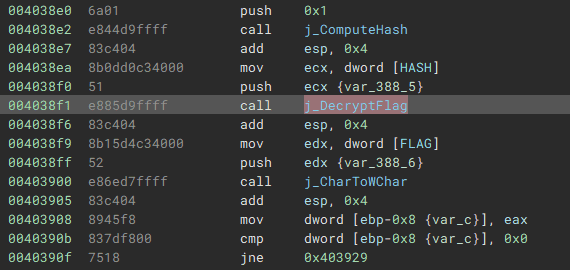
The implementation of DecryptFlag is as follows. It simply XORs the HASH byte array received as an argument with the FLAG data region.
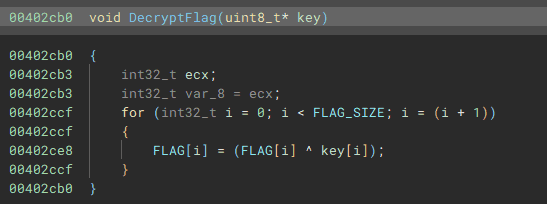
However, this code sits beyond an infinite loop and is therefore never executed under normal circumstances.
(That is also why it does not appear in the decompiler output.)
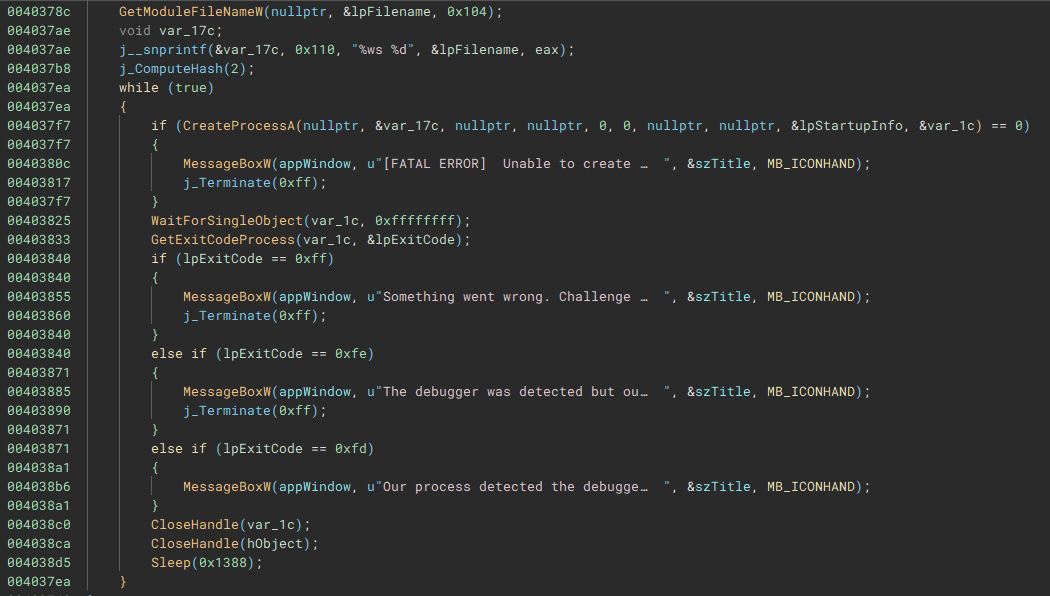
In addition, the FLAG and HASH byte arrays are populated and modified at runtime, making it difficult to recover their values through static analysis alone.
I therefore used WinDbg’s TTD to perform dynamic analysis while bypassing the anti-debug measures, and observed the initial state of the FLAG and HASH byte arrays as well as their state immediately before DecryptFlag is called.
TTD stands for Time Travel Debugging; it records a full execution trace of the program.
When analyzing a TTD trace you cannot manipulate registers as you would in a normal debugger, but you can replay execution while ignoring most anti-debug techniques.
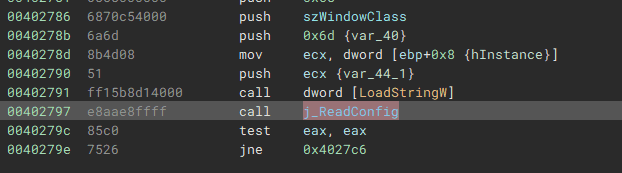
My TTD analysis showed that FLAG and HASH were initially empty but were populated immediately after the ReadConfig function was called.
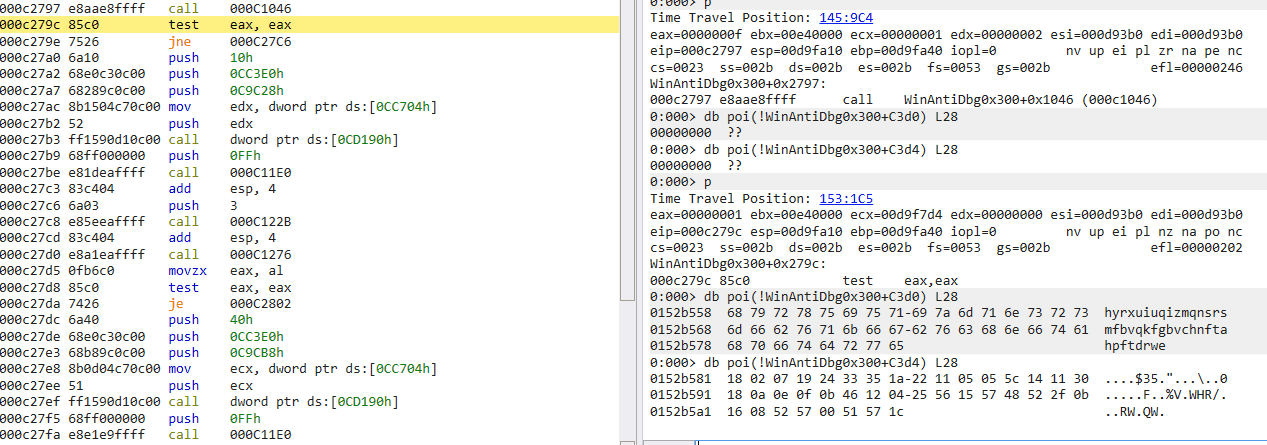
Advancing the trace further revealed that while the FLAG value remains constant, the key HASH value is updated frequently.
Specifically, HASH is updated every time the periodically-called ComputeHash function runs.
The ComputeHash function is implemented as shown below. It loops a number of times equal to its argument (1–3) and applies a transformation to each byte of HASH.
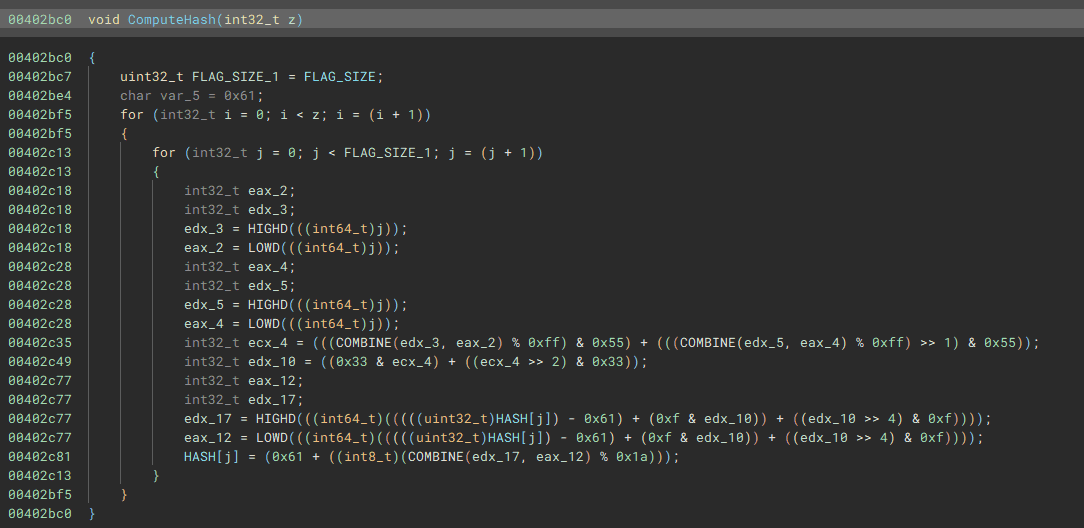
In the normal case where execution breaks out of the infinite loop and calls DecryptFlag, ComputeHash(1) is called once immediately beforehand.
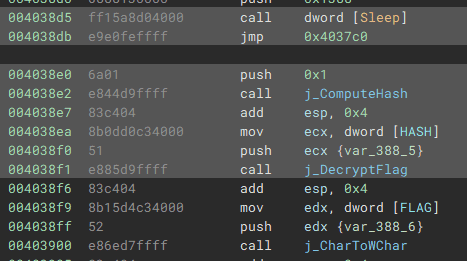
Since TTD does not allow us to modify execution, we obtain the flag from here through static analysis.
First, we extract the HASH and FLAG data at the point in the TTD trace just before the infinite loop.
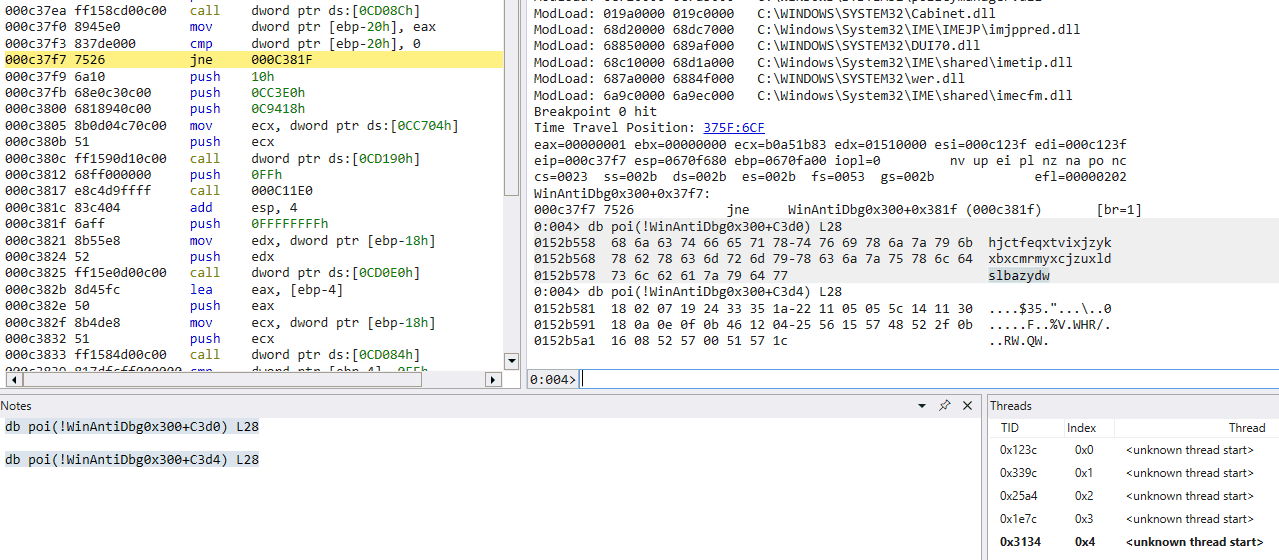
Next, we pass the HASH string captured at that point (hjctfeqxtvixjzykxbxcmrmyxcjzuxldslbazydw) into a Python reimplementation of ComputeHash.
The loop count is set to 1.
FLAG_SIZE = 0x28
param_1 = 1
HASH = [ord(c) for c in "hjctfeqxtvixjzykxbxcmrmyxcjzuxldslbazydw"]

for i in range(param_1):
    for j in range(FLAG_SIZE):
        uVar2 = (j % 0xff & 0x55) + (j % 0xff >> 1 & 0x55)
        uVar2 = (uVar2 & 0x33) + (uVar2 >> 2 & 0x33)
        HASH[j] = chr((HASH[j] - 0x61 + (uVar2 & 0xf) + (uVar2 >> 4)) % 0x1a + ord('a'))

print("".join(HASH))
Finally, we XOR the string obtained by the script above (hkdvggsauxkalcboydzfoupczfmdxbpitnddbbga) with the FLAG byte array to recover the correct flag.
FLAG = [0x18,0x02,0x07,0x19,0x24,0x33,0x35,0x1a,0x22,0x11,0x05,0x05,0x5c,0x14,0x11,0x30,0x18,0x0a,0x0e,0x0f,0x0b,0x46,0x12,0x04,0x25,0x56,0x15,0x57,0x48,0x52,0x2f,0x0b,0x16,0x08,0x52,0x57,0x00,0x51,0x57,0x1c]
FLAG_SIZE = 0x28
KEY = "hkdvggsauxkalcboydzfoupczfmdxbpitnddbbga"
for i in range(FLAG_SIZE):
    print(chr(FLAG[i]^ord(KEY[i%len(KEY)])),end="")
This yielded the correct flag.

Classic Crackme 0x100(Rev)
A classic Crackme. Find the password, get the flag! Binary can be downloaded here. Crack the Binary file locally and recover the password. Use the same password on the server to get the flag! Additional details will be available after launching your challenge instance.
Analyzing the binary provided as the challenge file revealed the following implementation.
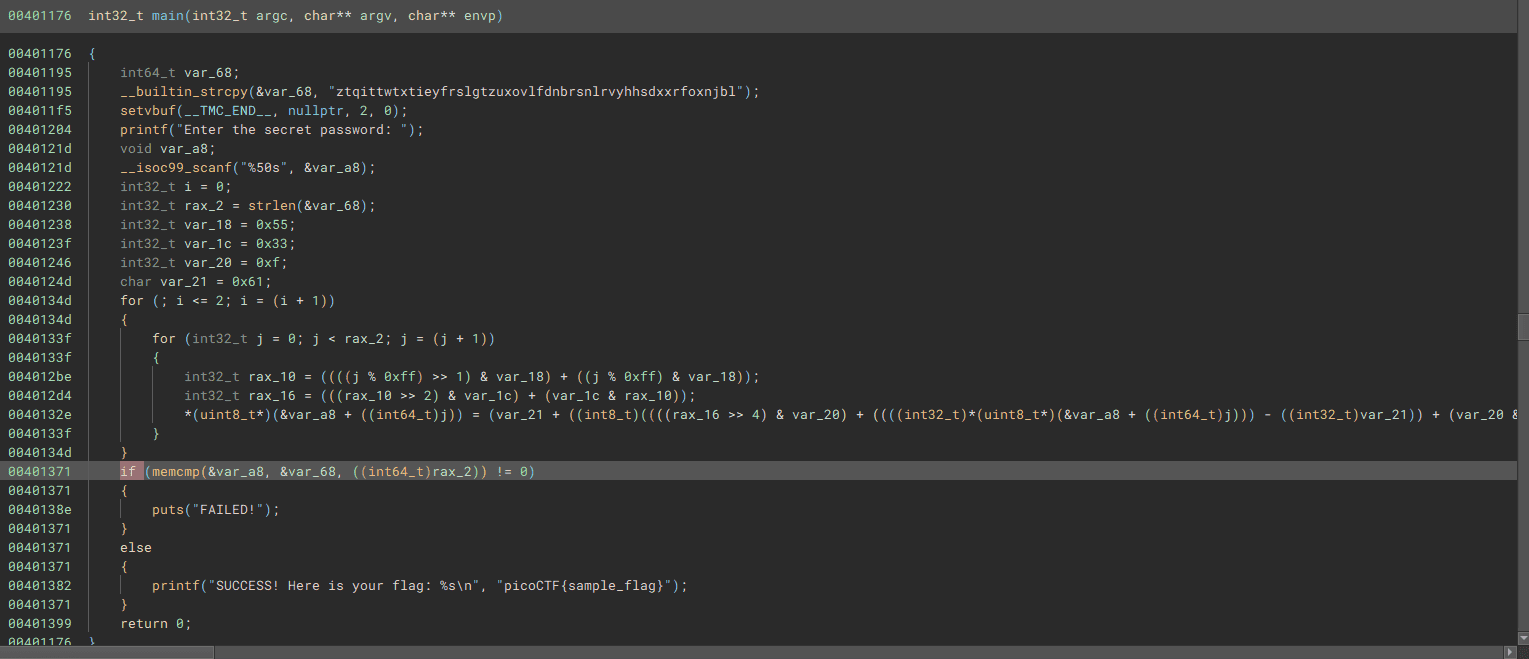
Reading the password-verification loop, it compares the input character by character from the beginning. I therefore brute-forced the password character by character using the following Python reimplementation.
key = [ ord(c) for c in "ztqittwtxtieyfrslgtzuxovlfdnbrsnlrvyhhsdxxrfoxnjbl"]
l = len(key)

flag = [ ord(c) for c in "ztqittwtxtieyfrslgtzuxovlfdnbrsnlrvyhhsdxxrfoxnjbl"]

for a in range(l):
    for b in range(0x21,0x7f):
        K = 0x55
        M = 0x33
        H = 0x61
        I = 0xf
        tmp = flag.copy()
        tmp[a] = b

        for i in range(3):
            for j in range(l):
                N = (((j % 0xff) >> 1) & K) + ((j % 0xff) & K)
                L = (((N >> 2) & M) + (M & N))
                tmp[j] = (H + (((((L >> 4) & I) + tmp[j] - H) + (I & L))) % 0x1a)

        if tmp[0:a+1] == key[0:a+1]:
            flag[a] = b

for f in flag:
    print(chr(f),end="")

# zqn}qnqkun}vswigi{nqoofjfwu|sfgyilpp|yjrroitfl|uv}
Submitting the password recovered by the solver to the server gave us the correct flag.

weirdSnake(Rev)
I have a friend that enjoys coding and he hasn’t stopped talking about a snake recently He left this file on my computer and dares me to uncover a secret phrase from it. Can you assist?
The file provided as the challenge binary appeared to be assembly code from a compiled Python script.
Reading through the implementation carefully, it simply XORs the flag with a key. I therefore used the following solver to retrieve the flag.
# l="""10,0,4,2,1,54,4,2,41,6,3,0,8,4,112,10,5,32,12,6,25,14,7,49,16,8,33,18,9,3,20,3,0,22,3,0,24,10,57,26,5,32,28,11,108,30,12,23,32,13,48,34,0,4,36,14,9,38,15,70,40,16,7,42,17,110,44,18,36,46,19,8,48,11,108,50,16,7,52,7,49,54,20,10,56,0,4,58,21,86,60,22,43,62,23,105,64,24,114,66,25,91,68,3,0,70,26,71,72,27,106,74,28,124,76,29,93,78,30,78""".split(",")
# arr = []
# for i in range(len(l)):
#     if i % 3 == 2:
#         arr.append(int(l[i]))

arr = [4, 54, 41, 0, 112, 32, 25, 49, 33, 3, 0, 0, 57, 32, 108, 23, 48, 4, 9, 70, 7, 110, 36, 8, 108, 7, 49, 10, 4, 86, 43, 105, 114, 91, 0, 71, 106, 124, 93, 78]
key_str = "t_Jo3"
key = [ord(c) for c in key_str]

for i in range(len(arr)):
    print(chr(arr[i] ^ key[i % len(key)]),end="")

# picoCTF{N0t_sO_coNfus1ng_sn@ke_68433562}
Scan Surprise(Forensic)
I’ve gotten bored of handing out flags as text. Wouldn’t it be cool if they were an image instead? You can download the challenge files here: challenge.zip Additional details will be available after launching your challenge instance.
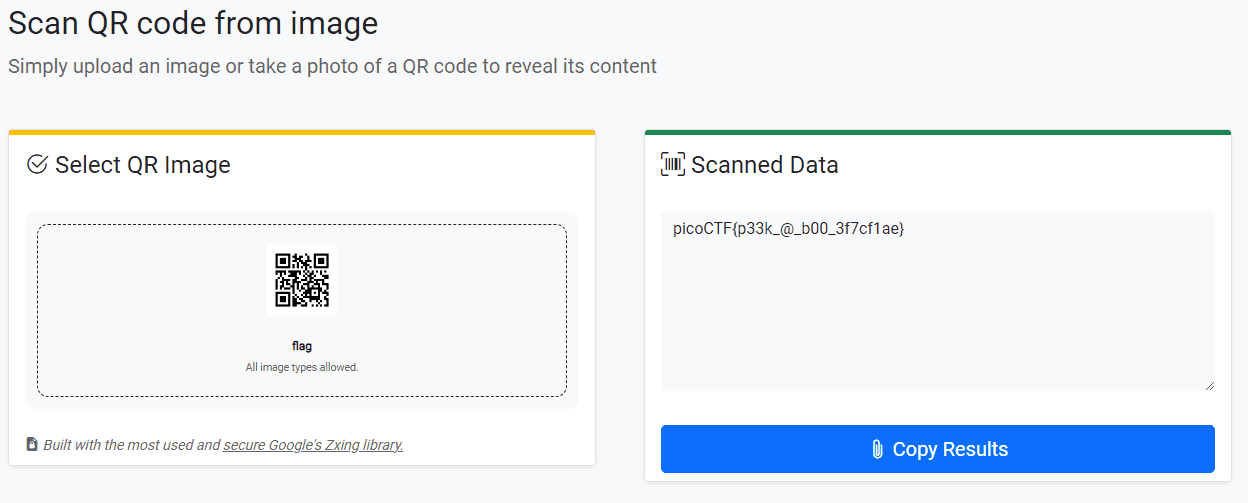
Scanning the QR code provided as the challenge file with an online tool immediately gave us the flag.
Verify(Forensic)
People keep trying to trick my players with imitation flags. I want to make sure they get the real thing! I’m going to provide the SHA-256 hash and a decrypt script to help you know that my flags are legitimate. You can download the challenge files here: challenge.zip Additional details will be available after launching your challenge instance.
I modified the provided decryption script slightly so it brute-forces decryption across all files in the directory, which yielded the flag.
#!/bin/bash

# # Check if the user provided a file name as an argument
# if [ $# -eq 0 ]; then
#     echo "Expected usage: decrypt.sh <filename>"
#     exit 1
# fi

directory="/home/ubuntu/Hacking/CTF/2024/picoCTF/Forensic/Verify/drop-in/files"
for file_name in "$directory"/*
do
    # echo "Processing $file_name"
    # Check if the provided argument is a file and not a folder
    if [ ! -f "$file_name" ]; then
        echo "Error: '$file_name' is not a valid file. Look inside the 'files' folder with 'ls -R'!"
        exit 1
    fi

    # If there's an error reading the file, print an error message
    if ! openssl enc -d -aes-256-cbc -pbkdf2 -iter 100000 -salt -in "$file_name" -k picoCTF; then
        echo "Error: Failed to decrypt '$file_name'. This flag is fake! Keep looking!"
    fi
done

# picoCTF{trust_but_verify_c6c8b911}
CanYouSee(Forensic)
How about some hide and seek? Download this file here.
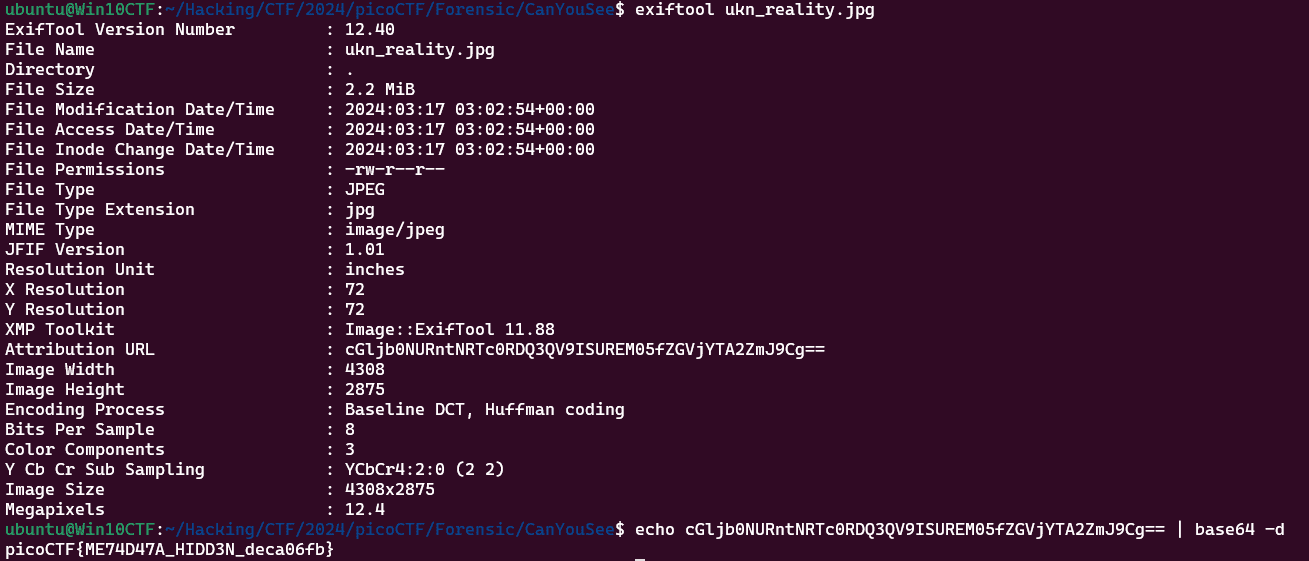
The EXIF data of the image file provided as the challenge binary contained a Base64-encoded flag.
Secret of the Polyglot(Forensic)
The Network Operations Center (NOC) of your local institution picked up a suspicious file, they’re getting conflicting information on what type of file it is. They’ve brought you in as an external expert to examine the file. Can you extract all the information from this strange file? Download the suspicious file here.
This was a pretty interesting challenge: the file could be opened as both a PDF and a PNG.
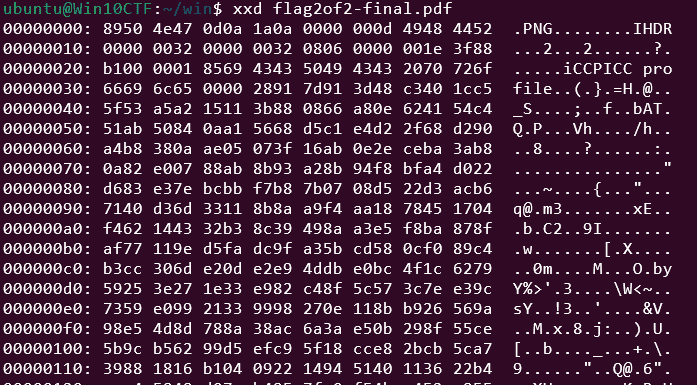
First, I retrieved the second half of the flag from the PDF.
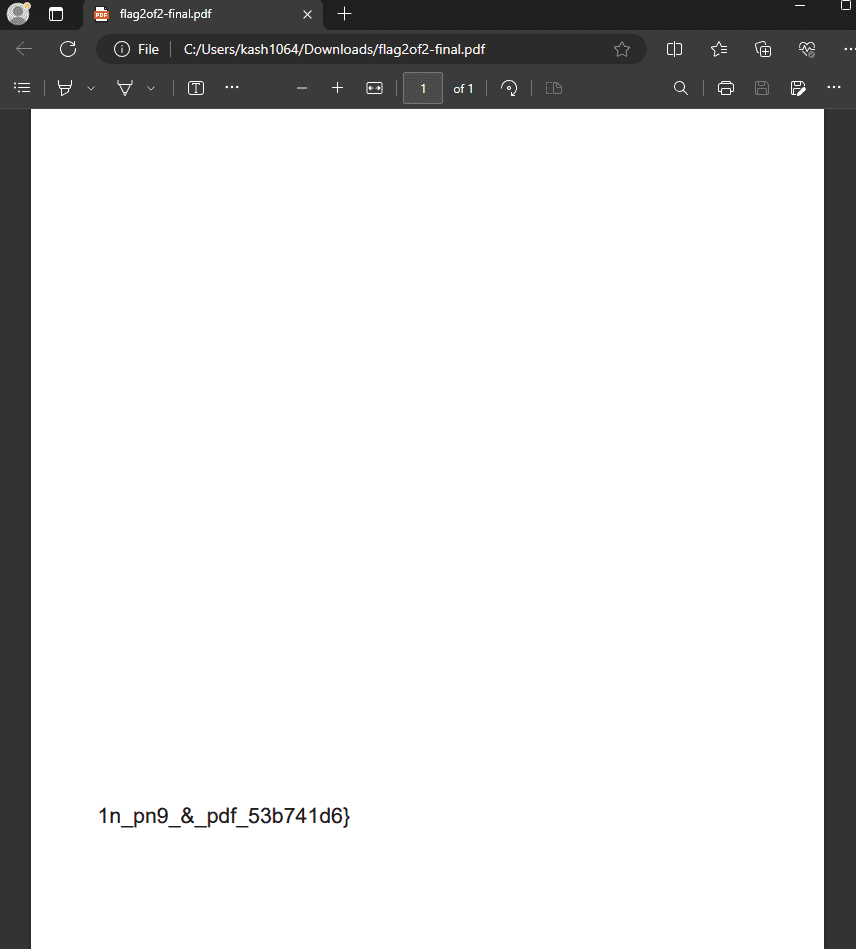
Next, I changed the extension to .png and opened the file to retrieve the first half of the flag.
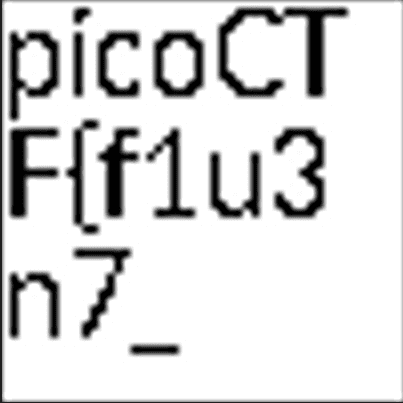
picoCTF{f1u3n7_1n_pn9_&_pdf_53b741d6}
Mob psycho(Forensic)
Can you handle APKs? Download the android apk here.
I extracted the APK with apktool and searched around for a while, but could not find anything resembling a flag.
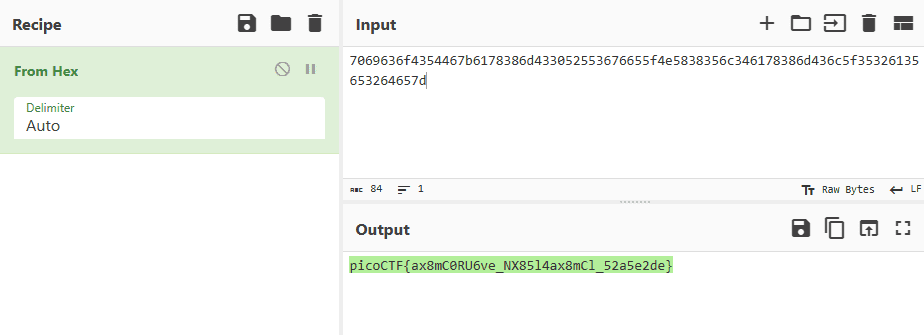
./smali2java_linux_amd64 -path_to_smali=/home/ubuntu/Hacking/CTF/2024/picoCTF/Forensic/Mob_psycho/mobpsycho/smali_classes3/com/example/mobpsychoHowever, when I renamed the APK’s extension to .zip and unzipped it, I found that color/flag.txt contained a hexdumped flag.

This gave us the correct flag.
endianness-v2(Forensic)
Here’s a file that was recovered from a 32-bits system that organized the bytes a weird way. We’re not even sure what type of file it is. Download it here and see what you can get out of it
The file provided as the challenge binary was an unknown byte sequence.
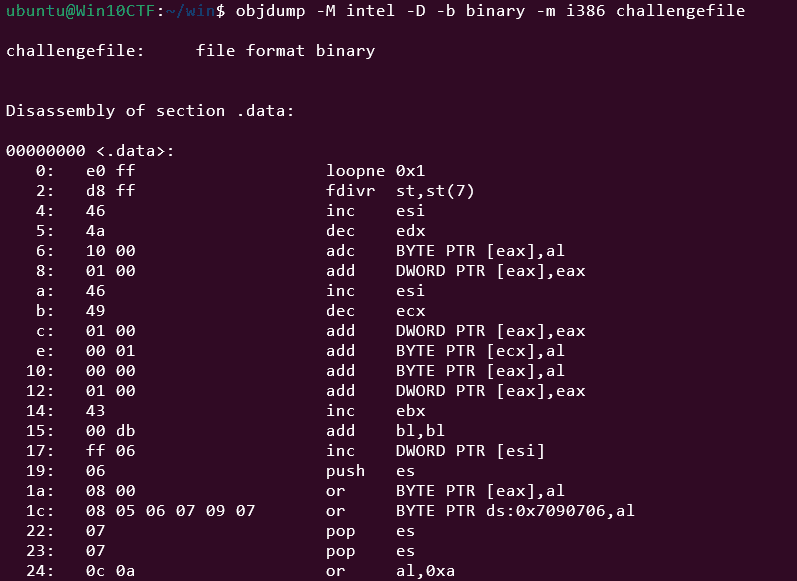
objdump -M intel -D -b binary -m i386 challengefileMy first instinct was that it might be shellcode, so I disassembled it with objdump, but it didn’t look like meaningful executable code.
Taking a closer look at the beginning of the byte sequence, I noticed d8 ff e0 ff — part of the JPEG magic number — stored in non-little-endian byte order.
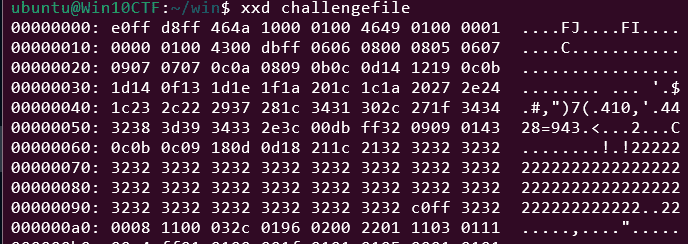
I therefore used the following solver to split the data into 4-byte chunks and reverse each one.
with open("challengefile","rb") as f:
    data = f.read()

fix = b""

for i in range(0,len(data),4):
    line = data[i:i+4]
    fix += line[::-1]

with open("fixed.jpg","wb") as f:
    f.write(fix)
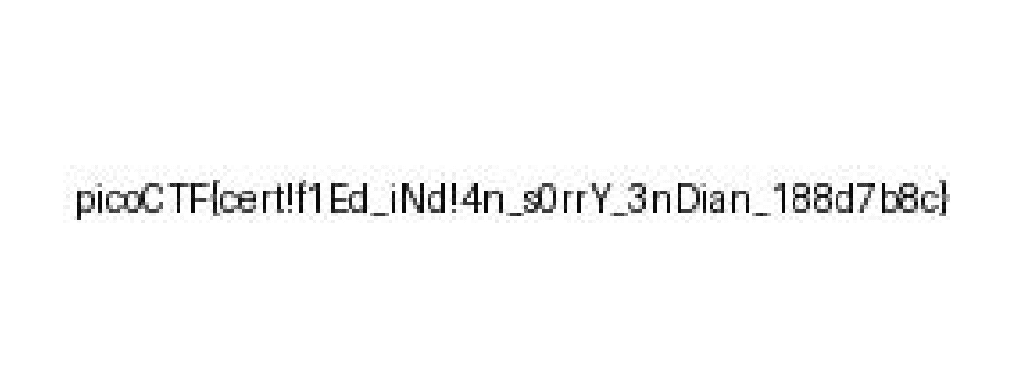
This restored the original JPEG file, and we obtained the flag: picoCTF{cert!f1Ed_iNd!4n_s0rrY_3nDian_188d7b8c}.
Blast from the past(Forensic)
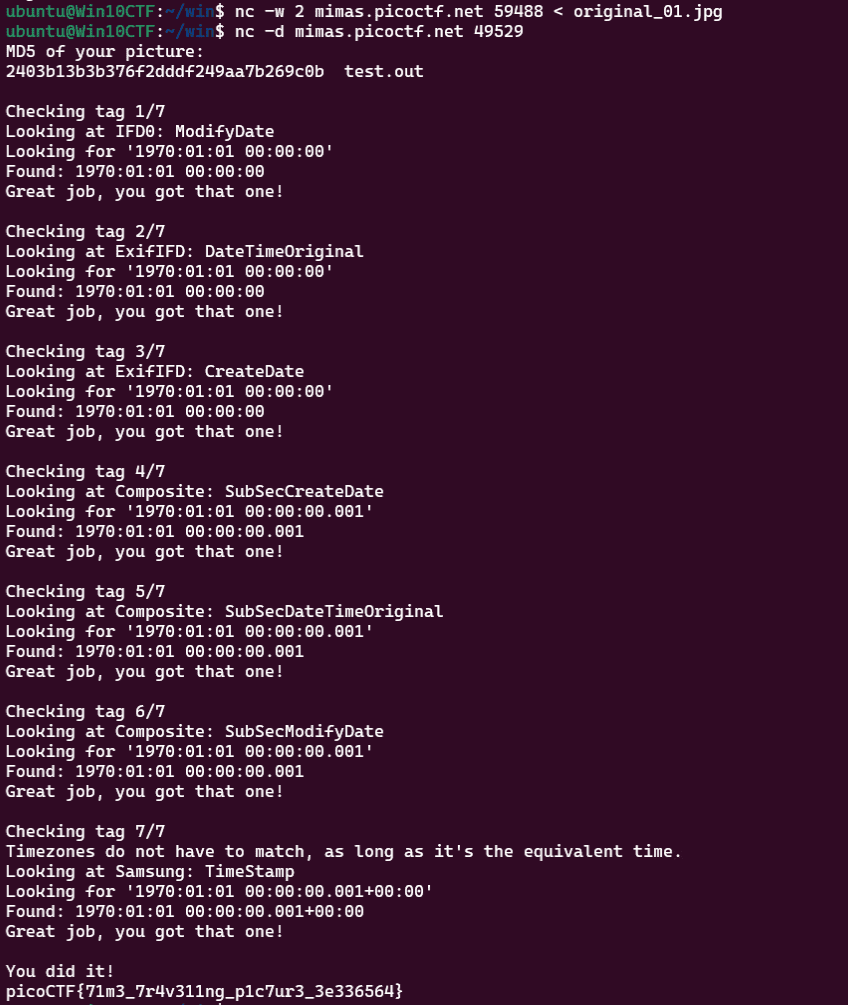
The judge for these pictures is a real fan of antiques. Can you age this photo to the specifications? Set the timestamps on this picture to 1970:01:01 00:00:00.001+00:00 with as much precision as possible for each timestamp. In this example, +00:00 is a timezone adjustment. Any timezone is acceptable as long as the time is equivalent. As an example, this timestamp is acceptable as well: 1969:12:31 19:00:00.001-05:00. For timestamps without a timezone adjustment, put them in GMT time (+00:00). The checker program provides the timestamp needed for each. Use this picture. Additional details will be available after launching your challenge instance.
Submit your modified picture here: nc -w 2 mimas.picoctf.net 57013 < original_modified.jpg
Check your modified picture here: nc -d mimas.picoctf.net 61685
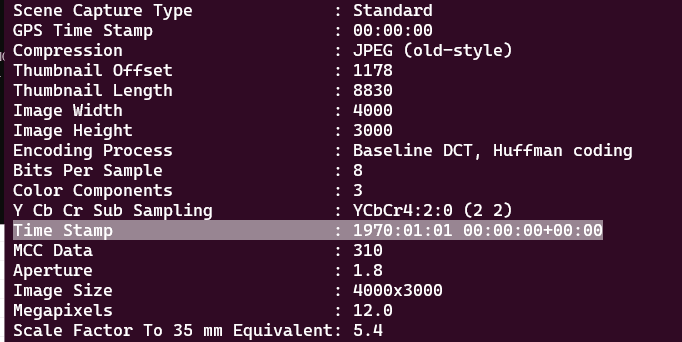
This challenge required modifying the timestamps embedded in the EXIF data and MakerNotes of the provided image file.
Updating the EXIF timestamps was straightforward with standard tools, but modifying the final MakerNotes timestamp proved more difficult.
In the end I couldn’t find a tool that supported it directly, so I used a hex editor to locate the bytes encoding the UNIX timestamp in the MakerNotes.
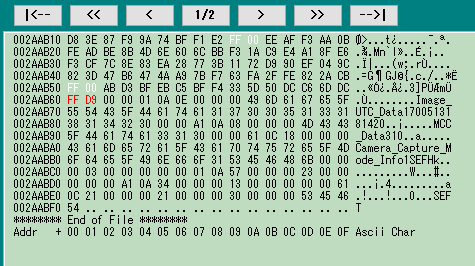
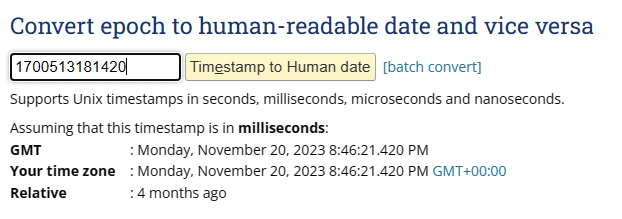
The original value corresponds to a date in 2023, as shown below.
I manually changed the UNIX timestamp bytes in the hex editor.
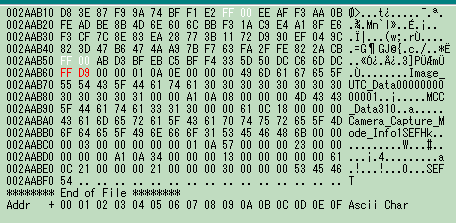
This successfully updated the MakerNotes timestamp.
Submitting the modified file to the server yielded the flag.
Dear Diary(Forensic)
If you can find the flag on this disk image, we can close the case for good! Download the disk image here.
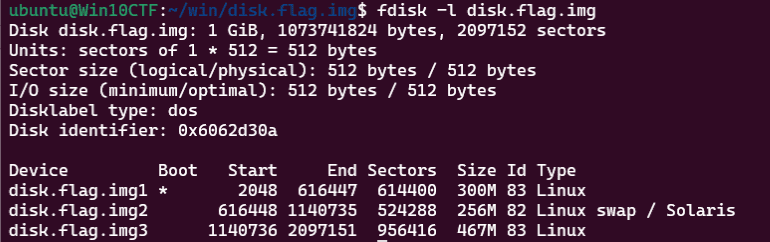
Running fdisk -l disk.flag.img on the provided image file confirmed it is a Linux disk image.
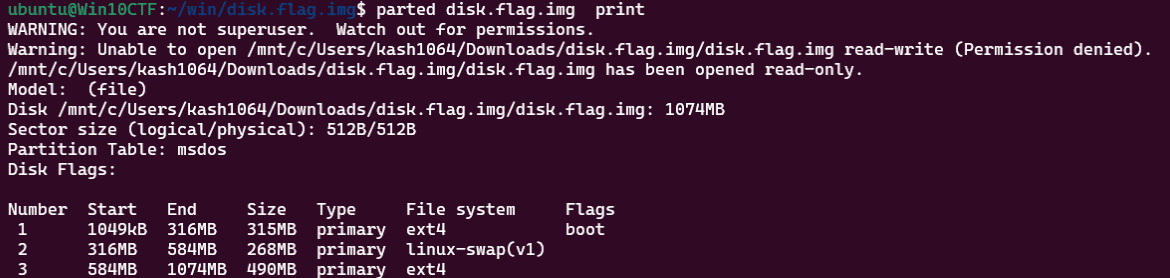
Running parted disk.flag.img print revealed that the filesystem is ext4.
Loading the image into Autopsy and performing a general analysis revealed a suspicious empty file, innocuous-file.txt, inside the root directory.
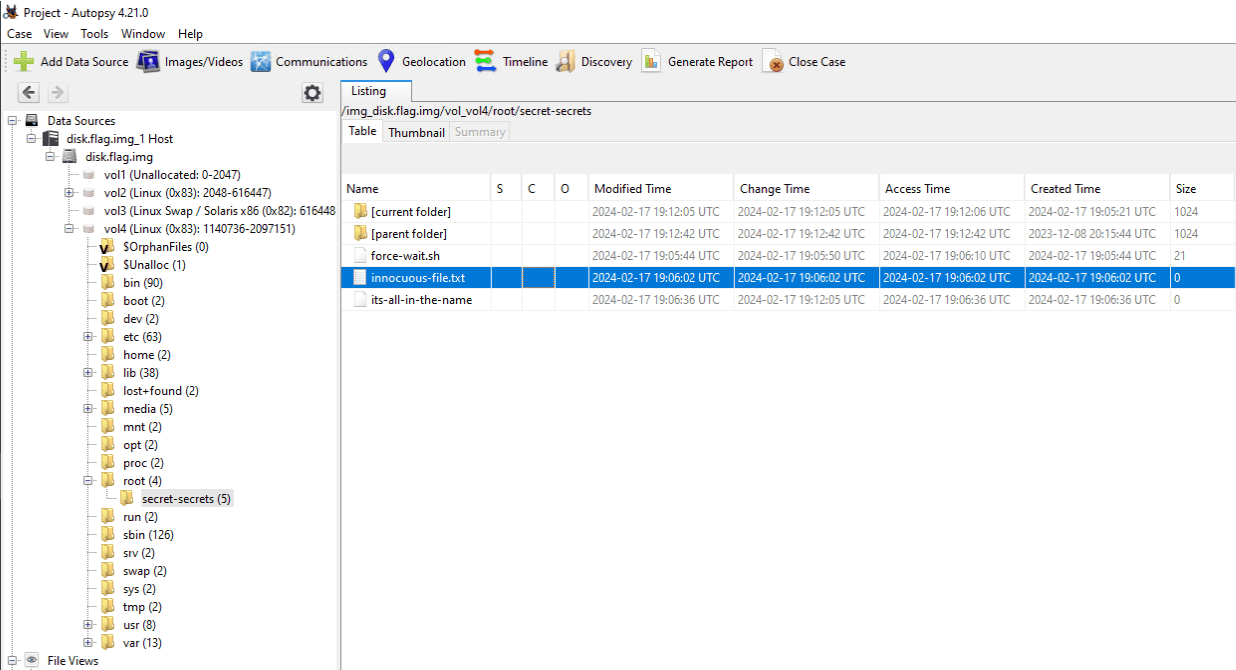
This file looked very suspicious, but recovering its original data proved difficult.
Looking at information found by a team member, it turned out that the fls command can be used to excavate deleted files from a disk image.
Reference: Linux Forensics | HackTricks | HackTricks
First, I split the original image into its partitions with the following commands.
dd if=disk.flag.img of=part1.img bs=512 skip=2048 count=614400
dd if=disk.flag.img of=part2.img bs=512 skip=616448 count=524288
dd if=disk.flag.img of=part3.img bs=512 skip=1140736 count=956416
The Linux filesystem resides in part3.img, so all subsequent commands target that file.
The first command lets you inspect the data inside the image.
$ fsstat -i raw -f ext4 part3.img
{{ omitted }}
Journal ID: 00
Journal Inode: 8

METADATA INFORMATION
--------------------------------------------
Inode Range: 1 - 119417
Root Directory: 2
Free Inodes: 116979
Inode Size: 256

CONTENT INFORMATION
--------------------------------------------
Block Groups Per Flex Group: 16
Block Range: 0 - 478207
Block Size: 1024
Reserved Blocks Before Block Groups: 1
Free Blocks: 378721

BLOCK GROUP INFORMATION
--------------------------------------------
Number of Block Groups: 59
Inodes per group: 2024
Blocks per group: 8192

Group: 0:
  Block Group Flags: [INODE_ZEROED]
  Inode Range: 1 - 2024
  Block Range: 1 - 8192
  Layout:
    Super Block: 1 - 1
    Group Descriptor Table: 2 - 5
    Group Descriptor Growth Blocks: 6 - 261
    Data bitmap: 262 - 262
    Inode bitmap: 278 - 278
    Inode Table: 294 - 799
    Data Blocks: 8390 - 8192
  Free Inodes: 179 (8%)
  Free Blocks: 0 (0%)
  Total Directories: 300
  Stored Checksum: 0xB4C7

Group: 1:
  Block Group Flags: [INODE_UNINIT, INODE_ZEROED]
  Inode Range: 2025 - 4048
  Block Range: 8193 - 16384
  Layout:
    Super Block: 8193 - 8193
    Group Descriptor Table: 8194 - 8197
    Group Descriptor Growth Blocks: 8198 - 8453
    Data bitmap: 263 - 263
    Inode bitmap: 279 - 279
    Inode Table: 800 - 1305
    Data Blocks: 8454 - 16384
  Free Inodes: 2024 (100%)
  Free Blocks: 270 (3%)
  Total Directories: 0
  Stored Checksum: 0x6A4E
The next command uses fls to enumerate directories inside the image.
When no inode is specified, the root directory inode is used by default.
$ fls -i raw -f ext4 part3.img
d/d 32513:      home
d/d 11: lost+found
d/d 32385:      boot
d/d 64769:      etc
d/d 32386:      proc
d/d 13: dev
d/d 32387:      tmp
d/d 14: lib
d/d 32388:      var
d/d 21: usr
d/d 32393:      bin
d/d 32395:      sbin
d/d 32539:      media
d/d 203:        mnt
d/d 32543:      opt
d/d 204:        root
d/d 32544:      run
d/d 205:        srv
d/d 32545:      sys
d/d 32530:      swap
V/V 119417:     $OrphanFiles
To retrieve data that no longer exists in the root directory, we specify a different reserved inode.
Among the reserved inodes listed below, we target the Journal inode.
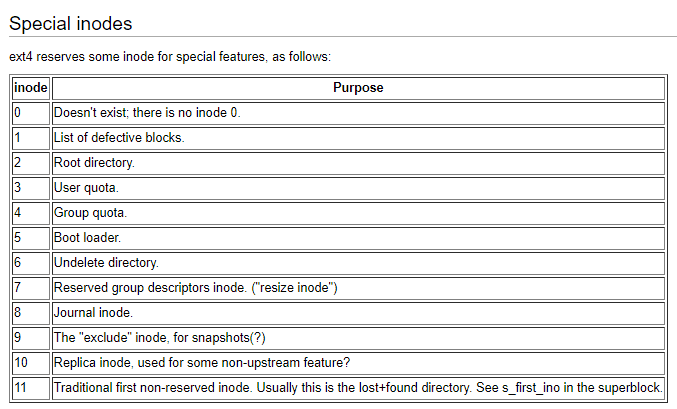
Reference: Ext4 Disk Layout - Ext4
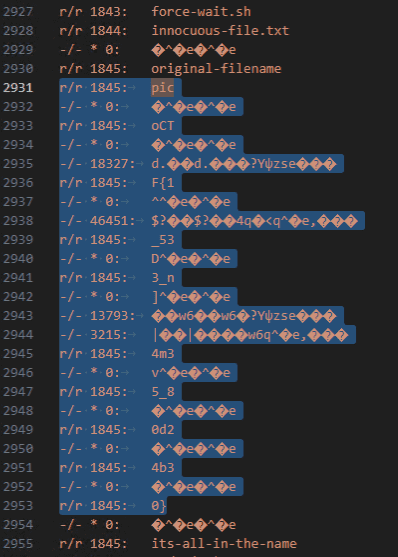
Running fls -i raw -f ext4 part3.img 8 and examining the filenames found in the journal area, we were able to identify the correct flag as picoCTF{1_533_n4m35_80d24b30}.
Summary
The hardest Rev and Forensic challenges were not overly difficult, but the Pwn and Web challenges looked quite tough.
I’d like to keep improving so I can solve those higher-difficulty challenges as well.