This page has been machine-translated from the original page.
We participated in TFCCTF, which started on July 28, as 0nePadding and placed 35th out of 1,429 teams.
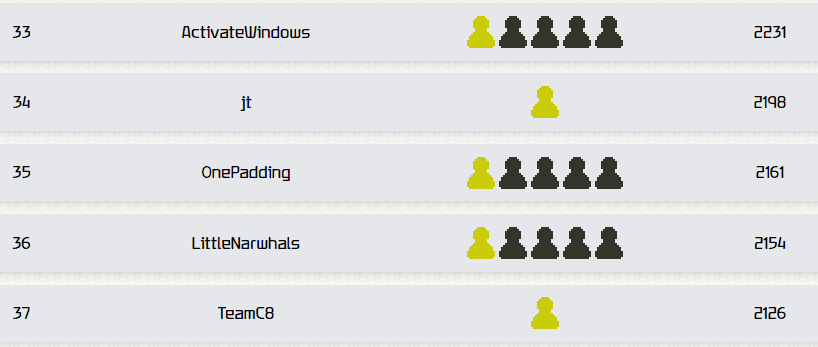
Personally, I found the Rev challenges so difficult that I could barely solve any of them, so it was a pretty hard CTF for me. Still, my teammates solved a lot of challenges, which helped us end up with a respectable rank despite the large number of participating teams.
Table of Contents
PASS(Rev)
Can you get the right password?
When I decompiled the challenge binary with Ghidra, it turned out to be a program that checks whether the password is correct by evaluating the input one character at a time.
This is exactly the kind of problem angr is good at, so I used the following solver to obtain the flag.
import angr

proj = angr.Project("pass", auto_load_libs=False)
obj = proj.loader.main_object
print("Entry", hex(obj.entry))

find = 0x4019b0
avoids = [0x401981]

init_state = proj.factory.entry_state()
simgr = proj.factory.simgr(init_state)
simgr.explore(find=find, avoid=avoids)

# Output
simgr.found[0].posix.dumps(0)

# TFCCTF{f0und_th3_p44sv0rd}
PROCESS-MONITOR(Rev)
Just a simple process monitor. Or is it?
The challenge binary consisted of the usual three-piece kernel-driver set: a .sys, .inf, and .cat file.
For now, I right-clicked the INF file to install the driver into a Windows VM, and at the same time continued analyzing it with Ghidra.
After working through the analysis, I found that the challenge binary hooks process activity and runs its own callback function.
Following the callback processing further, I found that it collects multiple pieces of information such as the hooked process’s executable name and path, checks whether they satisfy certain conditions, and, if all of the conditions are met, writes some string to C:\flag.txt.
By the time I got this far, the logic that writes the string to C:\flag.txt was a bit too complicated to pin down statically, so I decided to set up kernel debugging.
While attaching a kernel debugger to a VM running in test mode, I ran the following commands.
bp ProcessMonitor+0x1410 bp ProcessMonitor+0x1426 bp ProcessMonitor+0x1435 bp ProcessMonitor+0x1446
.while(1){g;r zf=1;g;r zf=1;g;? poi(rcx);g;? poi(rcx)}
Reference: Building a Windows Kernel Driver and Analyzing It with WinDbg - Frog’s Secret Base
This caused the string 0967ce7f7c9e7e2e28bcab79c921398ba92dd3d9fc6045a546f4c4130252bf9 to be written to C:\flag.txt, so by submitting TFCCTF{0967ce7f7c9e7e2e28bcab79c921398ba92dd3d9fc6045a546f4c4130252bf9} I was able to obtain the flag.
DOWN BAD(Forensic)
The flag is right there!
The file down_bad.png provided as the challenge binary could not be opened normally.
Running pngcheck on it showed that there was a CRC mismatch.
pngcheck down_bad.png
>
down_bad.png  CRC error in chunk IHDR (computed 1d9c52c0, expected a9d5455b)
ERROR: down_bad.png
Because of that, I used the following solver to brute-force the correct CRC value.
from binascii import crc32
correct_crc = int.from_bytes(b'\xa9\xd5\x45\x5b',byteorder='big')
for h in range(2000):
    for w in range(2000):
        crc=b"\x49\x48\x44\x52"+w.to_bytes(4,byteorder='big')+h.to_bytes(4,byteorder='big')+b"\x08\x06\x00\x00\x00"
        if crc32(crc) % (1<<32) == correct_crc:
            print ('FOUND!')
            print ('Width: ',end="")
            print (hex(w))
            print ('Height :',end="")
            print (hex(h))
            exit()
By rewriting the image binary with the Height and Width identified here, I was able to recover an image that included the previously cropped-out flag portion.
from zlib import crc32
import argparse
import struct

png = bytearray(open("down_bad.png", 'rb').read())
width = 0x780
height = 0x540
png[0x10:0x14] = struct.pack(">I",width)
png[0x14:0x18] = struct.pack(">I",height)
calculatedCrc = crc32(png[12:29])

with open("solve.png",'wb') as file:
    file.write(png)

MCTEENX(Forensic)
I fly in the sky, I got wings on my feet.
The encrypted ZIP file given as the challenge binary seemed to contain a file called script.sh, but I could not obtain the password.
One of my teammates had already solved it, and apparently even without knowing the entire script, you can guess the shebang (#!/bin/bash\n) and use a known-plaintext attack to break the ZIP password.
In practice, the attack goes like this.
# Write #!/bin/bash\n into partial_script.sh
# Generate the three keys with bkcrack
./bkcrack -C red.zip -c script.sh -p partial_script.sh

# Decrypt the file using the three keys
bkcrack -C red.zip  -c script.sh -k c0b1bc78 c3206dfc e7e5bae1 -d decipheredfile.sh
Reference: kimci86/bkcrack: Crack legacy zip encryption with Biham and Kocher’s known plaintext attack.
Running the decrypted script produces the following image.
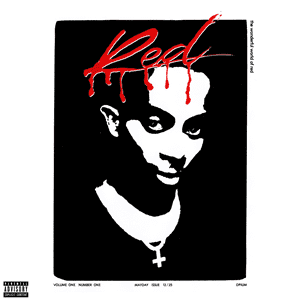
Extracting the RGB LSBs from this image gives the string 030a111418142c783b39380d397c0d25293324231c66220d367d3c23133c6713343e343b3931.
This hexadecimal string turned out to be the flag XORed with the key "WLR", so decrypting it gives the flag.
Summary
I couldn’t solve much this time, so I need to keep improving.