This page has been machine-translated from the original page.
This time, I summarize how to change Gatsby settings so that when a blog URL is posted to Twitter, a large image link like Hatena Blog is displayed.
When I posted an article from this blog to Twitter, the link used to be embedded in a way that displayed only a summary, as shown below.
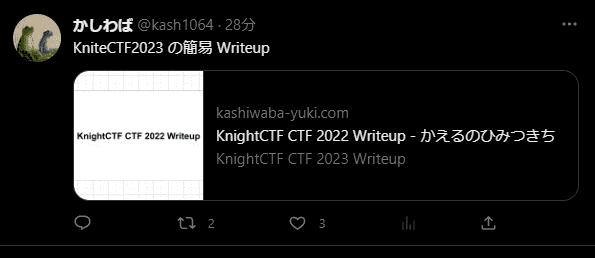
According to Getting Started with Cards | Docs, this kind of display appears when the value of the twitter:card meta tag is summary.
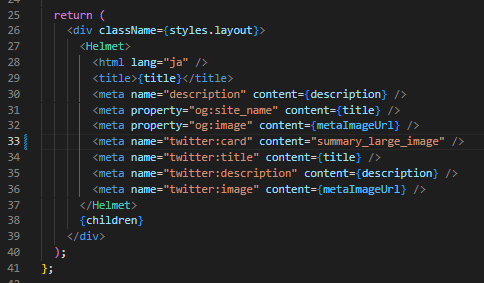
So I decided to change the value of twitter:card to summary_large_image in my Gatsby settings.
In practice, I changed the twitter:card setting embedded in the header from src\components\Layout\Layout.js as shown below.
Now a large card is displayed when the link is posted to Twitter.