This page has been machine-translated from the original page.
This article summarizes how I resolved a problem where remote kernel debugging with WinDbg did not work between Windows 11 VMs on Proxmox.
I eventually got remote kernel debugging between Proxmox VMs working by applying the following settings.
- Instead of using kdnet.exe, explicitly set the
busparams=b.d.fvalue for the NIC that KDNET should use with bcdedit
bcdedit /debug on
bcdedit /dbgsettings net hostip:192.168.10.20 port:50000 key:<Key> nodhcp
bcdedit /set "{dbgsettings}" busparams <busparams you checked>

# Verify the settings
bcdedit /dbgsettings- Start the target machine with
qm start <VMID> --force-cpu hostso it boots without using the Hyper-V Enlightenments settings that Proxmox enables by default
Table of Contents
- Environment
- The Problem I Ran Into and What Seems to Have Caused It
- Notes: What I Checked on Proxmox
- Summary
Environment
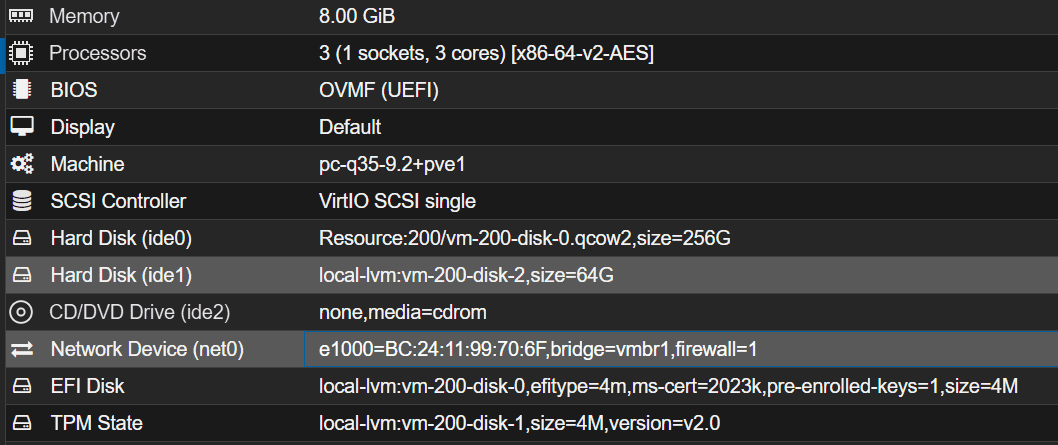
The environment in this case was as follows.
- Windows 11 25H2 VMs on Proxmox VE (host + target)
- The host and target were connected to the same bridge
- For the network interfaces on both the host and target, select E1000 rather than virtio
The Problem I Ran Into and What Seems to Have Caused It
I followed the same steps as Perform Kernel Debugging over the Network to configure network debugging with kdnet.exe, and I also had WinDbg listen on the host side, but after rebooting the target it still did not connect.
windbg.exe -k net:port=50000,key=<Key>On the target side, running kdnet.exe did display Network debugging is supported, but it also displayed an error with error code 0xC0000182 like the following.
KDNET transport initialization failed during a previous boot. Status = 0xC0000182.
NIC hardware initialization failed.
KDNET did not successfully receive any packets during init.
KDNET did not successfully send any packets during init.
Apparently, the target was not generating any debugging traffic at all. While investigating, I found the following article.
Reference: libvirt的Hyper-V虚拟化或导致Windows KDNET初始化失败 - Silver
According to that article, QEMU as used by Proxmox has a feature for Windows guests called Hyper-V Enlightenments that makes the guest recognize itself as running on Hyper-V, and this apparently can affect how KDNET behaves on virtual machines that are not actually using Hyper-V.
Reference: Hyper-V Enlightenments — QEMU documentation
(I have not been able to investigate this in detail, but it seems KDNET behaves differently on machines running on Hyper-V, and when a virtual machine that is not actually using Hyper-V ends up in this state, network debugging may stop working properly.)
Notes: What I Checked on Proxmox
First, I ran the following command to inspect the options used when Proxmox starts the VM.
qm showcmd <VMID> --prettyAs a result, I found that the CPU flags included several options starting with hv_, as shown below.
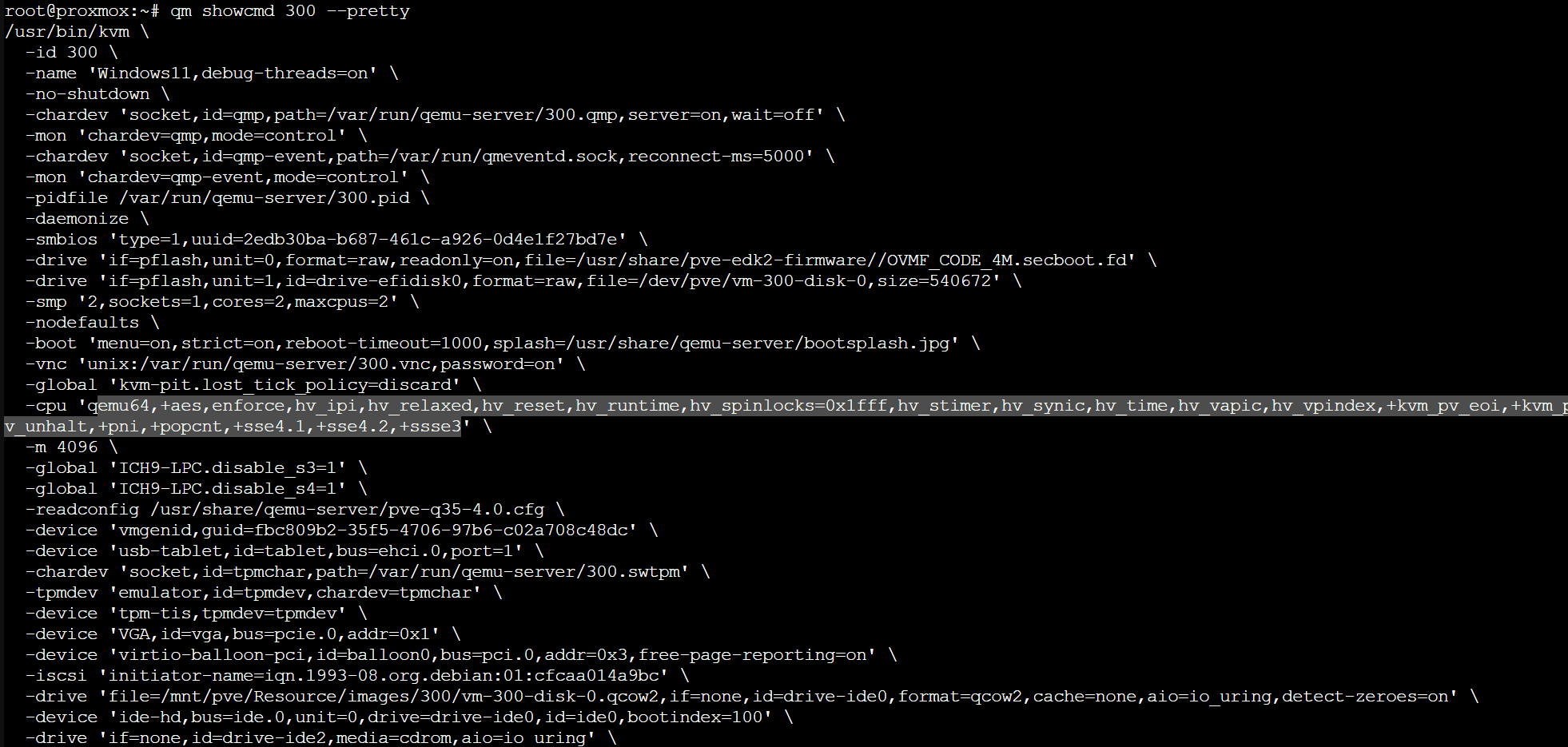
These CPU flags seem to be added automatically as default flags when the machine type is set to Windows in Proxmox.
Reference: Tricki problem with Windows and nested Virtualization. | Proxmox Support Forum
In the end, I could not find a clean solution because I could not change these startup flags even by modifying configuration files, and changing the machine type away from Windows caused the virtual machine to stop booting.
However, I found that using --force-cpu, as in qm start <VMID> --force-cpu host, lets you force the CPU args used at startup. By using this command when starting the target machine, I was finally able to perform kernel debugging successfully.
Reference: qm(1)
Summary
I did not reach a fully satisfying explanation because I still do not have a deep enough understanding of the hypervisor or the internal behavior of Windows KDNET, but I was at least able to make network kernel debugging work in a Proxmox environment, so I am leaving this here as a memo.